
WEEX Live mode: Monitor 20 trading pairs at once and trade like a pro

 Prefer us on Google

TL;DR
- Monitor up to 20 crypto pairs simultaneously—scroll, drag, and trade without switching tabs.
- Full TradingView suite with Market, Order Placement, Order Book, and Positions modules.
- One-click toggle between Traditional layout (in-depth analysis) and Live mode (multi-pair monitoring).
- Smart, non-intrusive guides for new users—skip when you're ready.
- Built for pro traders, swing traders, and streamers who need speed and context.
WEEX Live mode: Trade 20 pairs at once like a professional desk trader
4 core upgrades that change how you trade
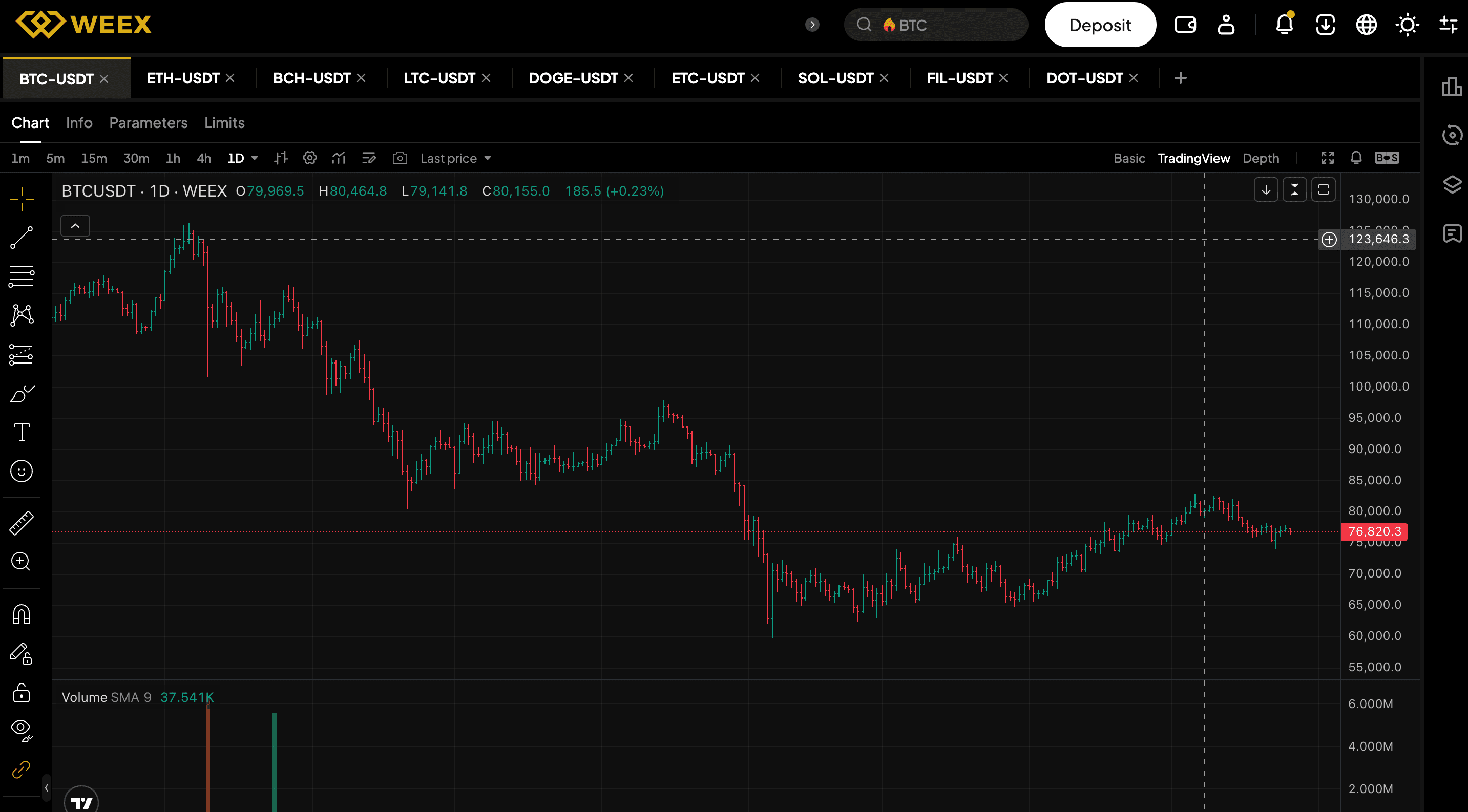
1. Multi-coin parallel monitoring—20 pairs, one screen
- Rich chart tools: Annotations, position display, quick order entry.
- Smart pair switching: Close one pair, the next loads instantly without lag.
- Perfect for arbitrage, basket trading, and multi-coin strategies.
2. Immersive TradingView charts—four modules, one click away
- Market: Select filters and live data (mark price, 24h change, volume, funding rate).
- Order entry: Place your orders without leaving the chart. The order entry panel shows order types and critical futures info (margin token, max leverage, mark price) at a glance.
- Order book: Review the depth chart and recent trades in one fixed layout.
- Positions: Manage positions in real-time without leaving the chart.
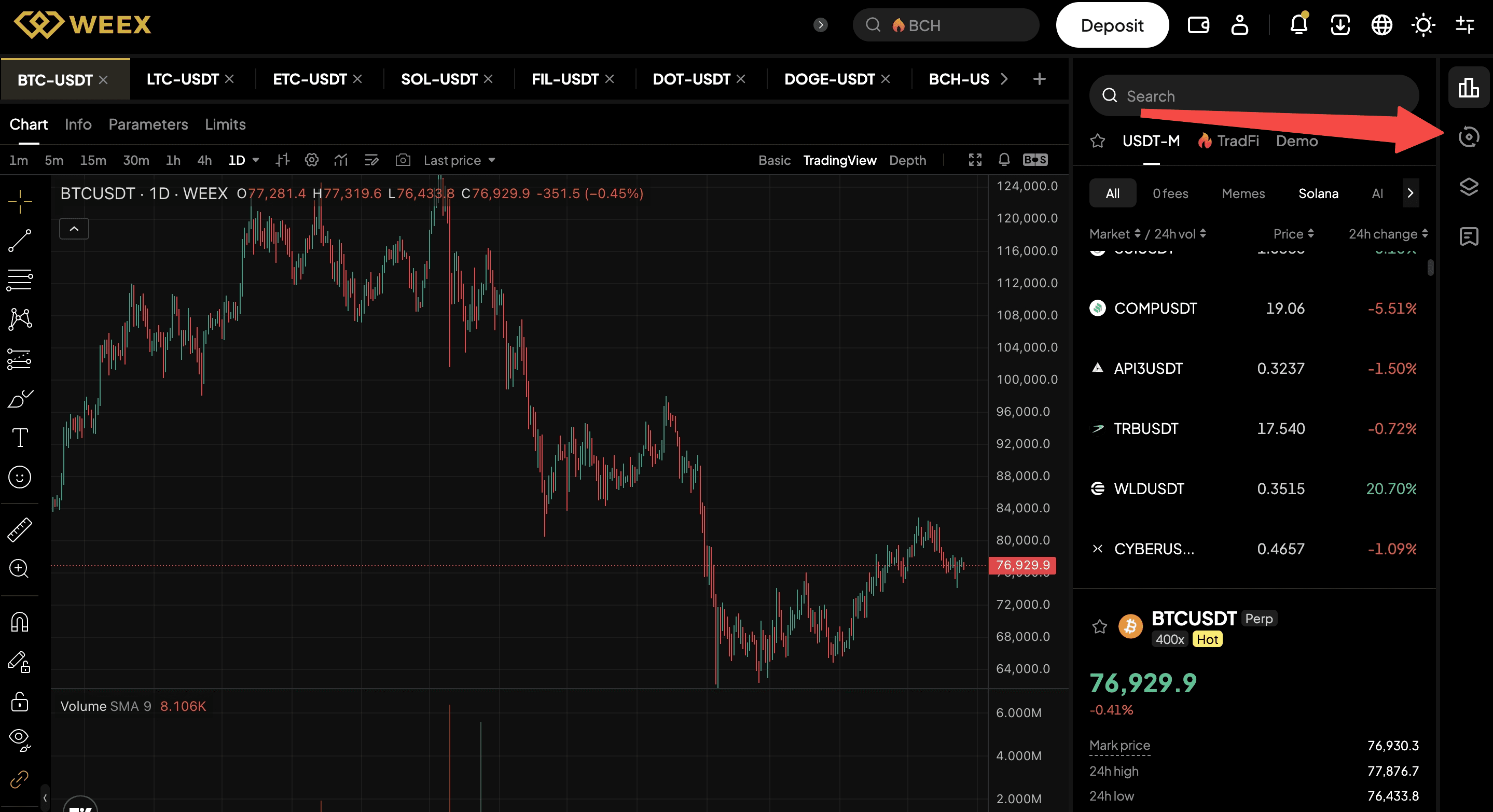
3. One-click toggle for fast switching between traditional and Live mode layouts
- Traditional layout: For deep single-coin analysis.
- Live mode: For multi-coin monitoring and rapid decisions.
4. Smart feature guides—help when you need it, zero noise when you don't
- Traditional layout: Four steps (settings, order book, depth chart, quick order)
- Live mode: Three steps (multi-coin tabs, chart area, sidebar)
- Only shown to new users or inactive accounts (can be skipped or dismissed after an action)
-- Price
Who gets the most from WEEX Live mode?
Type | Benefit |
Professional traders | Monitor multiple pairs for arbitrage & strategy execution |
Swing traders | Track promising coins and wait for the perfect entry |
Streamers / Signal providers | Show multi-coin markets live, explain your logic in real time |
How to start using WEEX Live mode
- Log into WEEX
- Open a futures page
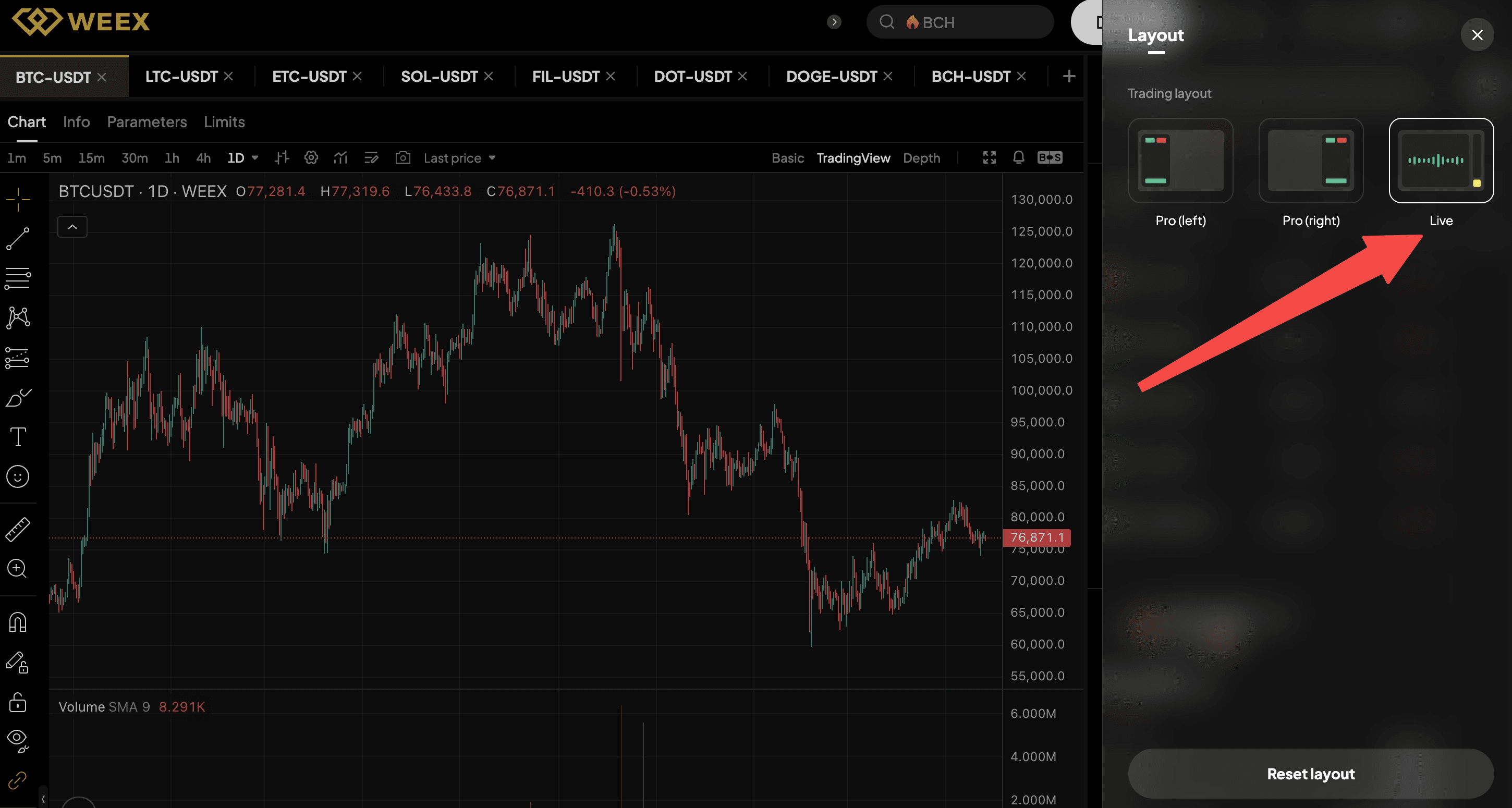
- Click the "Layout" button in the top right corner
- Choose Live mode
Trade smarter. See wider. React faster.
This content is provided for general informational purposes only and doesn't constitute financial, investment, legal, or tax advice. Any events, rewards, online promotions, or related information mentioned herein should not be considered a recommendation, solicitation, or invitation to purchase, sell, trade, or otherwise deal in any crypto assets. Crypto assets are highly volatile and may result in loss. The availability of WEEX services, products, and related events may vary by region. You are responsible for ensuring that your participation is in accordance with applicable local laws and regulations.
More launches

WEEX Passkey Feature Guide

Trade and Track Orders on the Chart: WEEX Web Spot Upgrades K-line Trading Tools
WEEX Web Spot Order Panel Gets a Major Upgrade

Compare More Markets at Once: WEEX Web Spot Launches Multi-chart Mode

Focus on Market Watching: WEEX Web Spot Launches Watch Mode

Spot Trends Before the Crowd? Try WEEX’s New Market Leaderboard with Hot, Gainers, Losers & More
WEEX P2P now supports DOP, PEN, CLP & BOB—Merchant Recruitment Now Open

WEEX Multi-Market Mode: See 6 Crypto Pairs at Once, Catch Every Breakout

WEEX Launches Multi-Chart Mode: 8 Charts, One Screen, Re-Defining Futures Trading

WEEX P2P now supports TZS & UGX—Merchant Recruitment Now Open

Moving Assets Should Be Effortless: WEEX Rebuilds the Withdrawal Experience From the Ground Up

WEEX API Fast Connect: Turn Every Sign-In Into a Live Trader in Under 10 Seconds
WEEX API Fast Connect is a one-click OAuth authorization system that lets your users link their WEEX account without ever touching an API key. Frictionless onboarding, faster conversions, higher retention — built for WEEX Broker partners.

Trade Spot Market Orders With More Control: WEEX Adds Slippage Tolerance

WEEX P2P now supports BDT & LKR—Merchant Recruitment Now Open

WEEX API Broker Program: Turn Your Trading Platform Into a Revenue Engine

WEEX Launches Depth Chart for Spot Trading

WEEX OpenAPI 101: 5 Powerful Modules, AI Trading Tools, and Grab Up to 70% Revenue Opportunities
Learn how WEEX OpenAPI connects traders, developers, AI agents, and trading platforms. Discover WEEX API features, Binance-compatible integration, automated trading workflows, revenue opportunities, and ecosystem possibilities.
WEEX Live mode: Monitor 20 trading pairs at once and trade like a pro
Contents
Popular coins
Latest coin listings on WEEX


