
Popular topics

Popular topics

Guide: How to use WEEX Pay QR code payments
By: WEEX
|
0
WEEX Pay now supports QR code payments. Simply scan a participating merchant's QR code and pay directly using your USDT balance.
Note: Before using WEEX Pay, you must complete identity verification, link your email address, and set up a fund code on WEEX
How to pay:
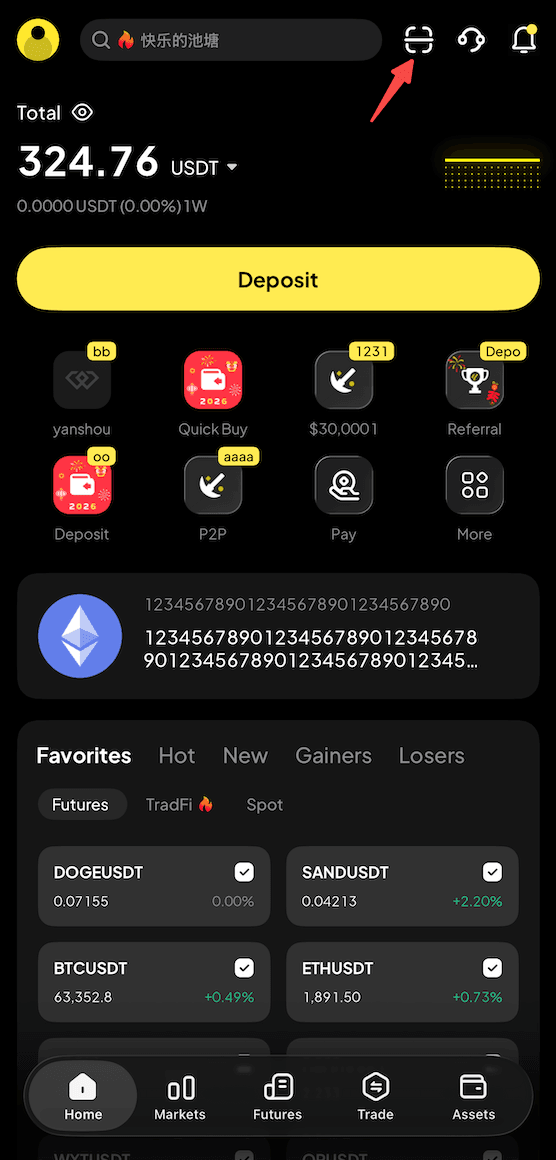
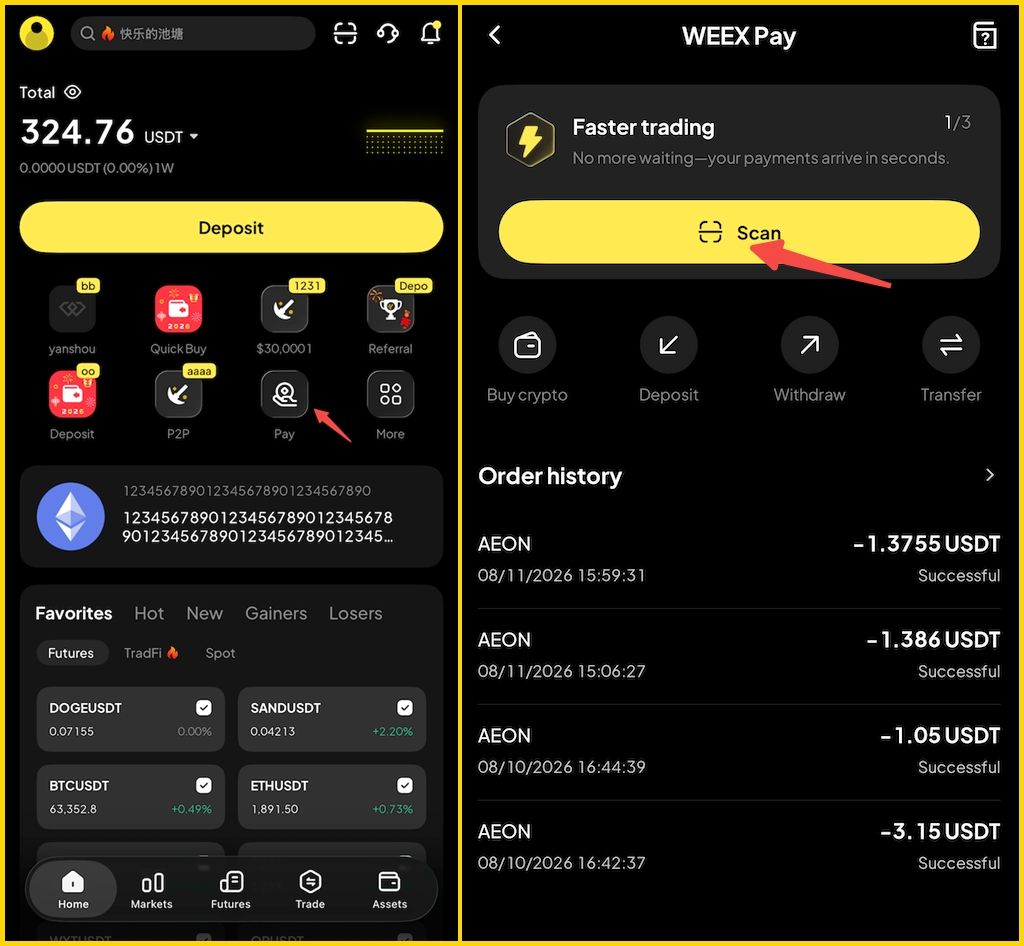
Step 1: Open the QR code scanner
- Option 1: From the app home screen, select the "Scan" icon.
- Option 2: Select "Pay" from the shortcuts on the app home screen, then select "Scan."
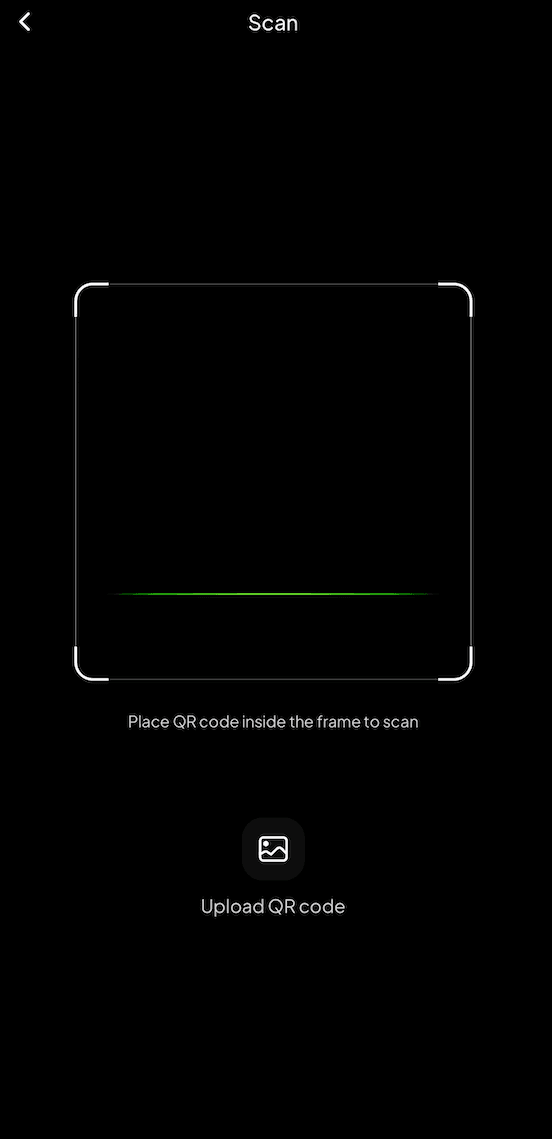
Step 2: Scan the merchant's QR code
- Place the merchant's QR code within the frame to scan and retrieve the payment details.
Step 3: Confirm the payment details
- If the QR code does not include a payment amount, enter the amount manually.
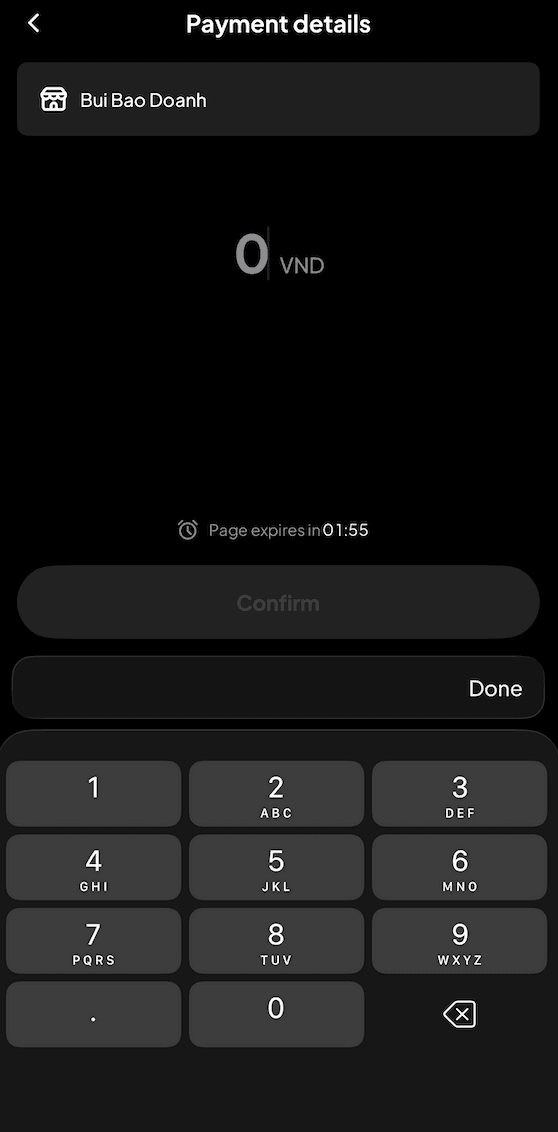
- Review the payment details shown on the screen and select the account you want to pay from.
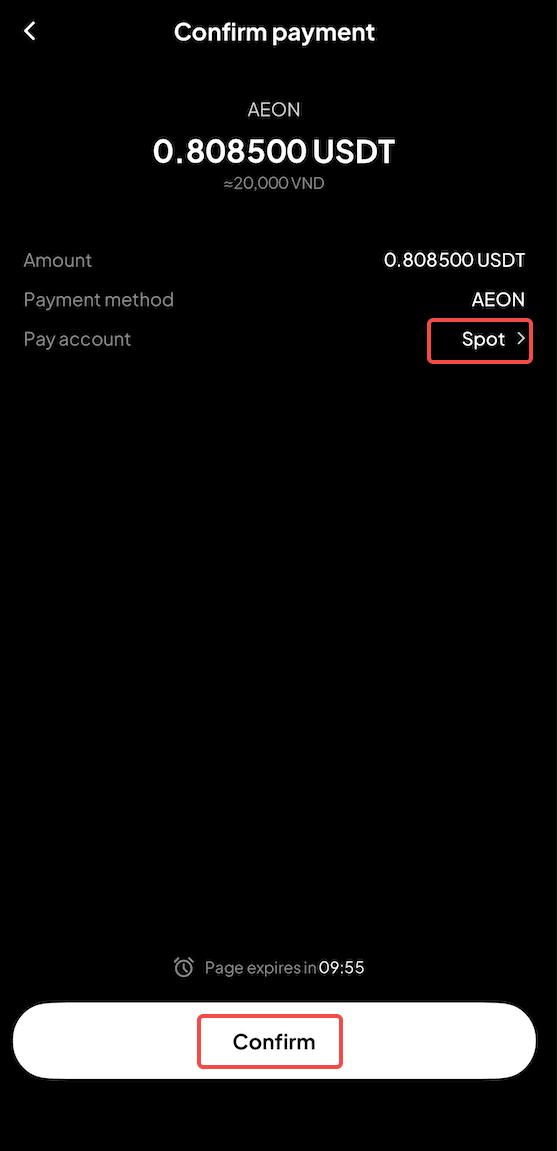
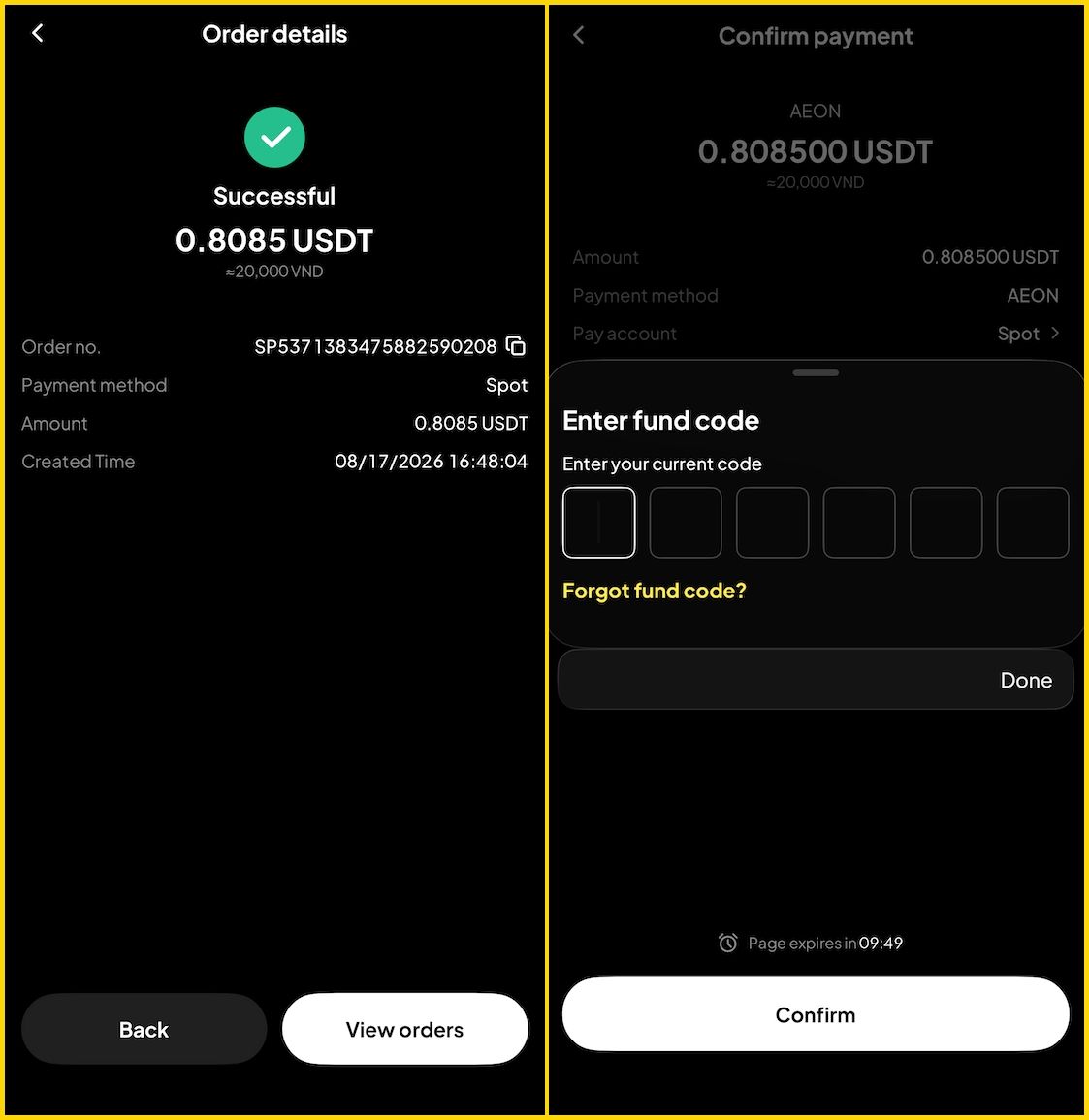
Step 4: Enter your fund code to pay
- Enter your fund code to confirm the payment. Your payment will be processed and completed instantly.
Related articles
Share
Gainers


Customer Support:@weikecs
Business Cooperation:@weikecs
Quant Trading & MM:[email protected]
VIP Program:[email protected]
