
Popular topics

Popular topics

Tutorial—OTC buy crypto with NGN via bank transfer
By: WEEX
|
0
FAQ
- Why is my order showing as failed or pending after a bank transfer?
Bank transfers may be delayed due to bank processing or system response issues. Even if your order shows as failed, the funds may still be processing and have not yet reached our receiving account. Banks may take up to 3 working days to process transfers.
If your order still fails and no refund is received after 3 working days, contact customer support with the following documents to check your transaction:
- Proof of payment: A screenshot or receipt confirming a successful transfer.
Once we receive all required documents, we'll help you request a transaction check through the relevant payment provider. This typically takes 3 working days, depending on bank and provider verification. Once payment is confirmed, your order will be updated and the USDT released.
- What if I forgot to enter or entered the wrong Reference Number for a bank transfer?
A: If you made a payment but forgot to enter or entered the wrong Reference Number, contact customer support with the following documents to check your transaction:
- Proof of payment: A screenshot or receipt confirming a successful transfer.
Once we receive all required documents, we'll help you request a transaction check through the relevant payment provider. This typically takes 3 working days, depending on bank and provider verification.
After confirming receipt of your payment, we'll process your refund. Note: You need to cover any refund fees caused by your own errors. The final refund amount may vary.
- What if I overpaid or underpaid when making a bank transfer?
A: If you made a payment but the amount doesn't match your order, contact customer support with the following documents to check your transaction:
- Proof of payment: A screenshot or receipt confirming a successful transfer.
Once we receive all required documents, we'll help you request a transaction check through the relevant payment provider. This typically takes 3 working days, depending on bank and provider verification.
After confirming receipt of your payment:
- Overpayment: We'll refund the excess amount.
- Underpayment: We'll refund the full amount paid.
Note: You need to cover any refund fees caused by your own errors. The final refund amount may vary.
Web
Method 1
Step 1: Go to the official website, find "Buy Crypto" in the top navigation bar, and enter the "Quick Buy" page.

Step 2: Select "NGN" as your fiat currency and "USDT" as the crypto you want to buy. Enter the amount of NGN you'd like to pay, and the crypto amount will be calculated automatically.
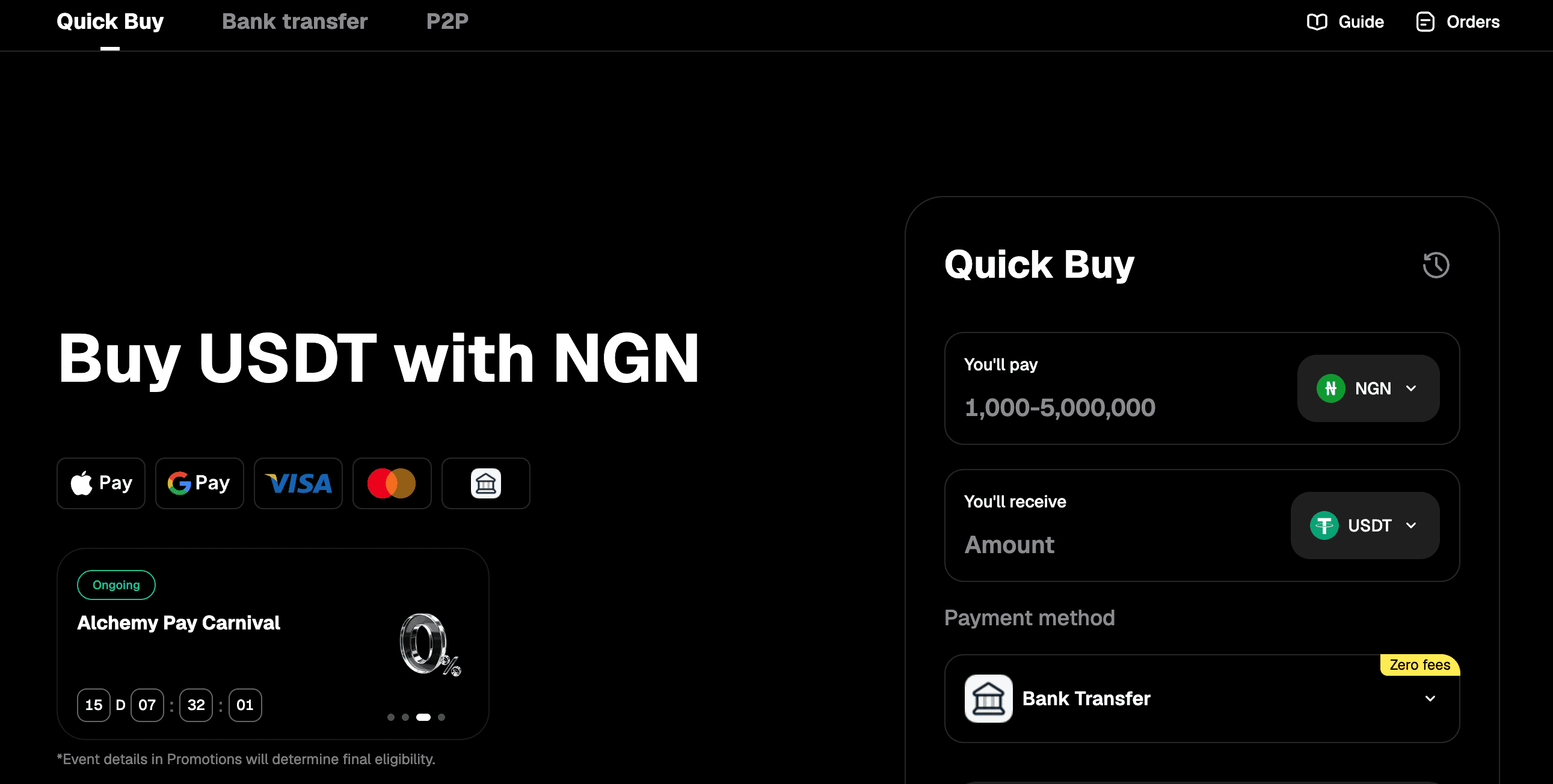
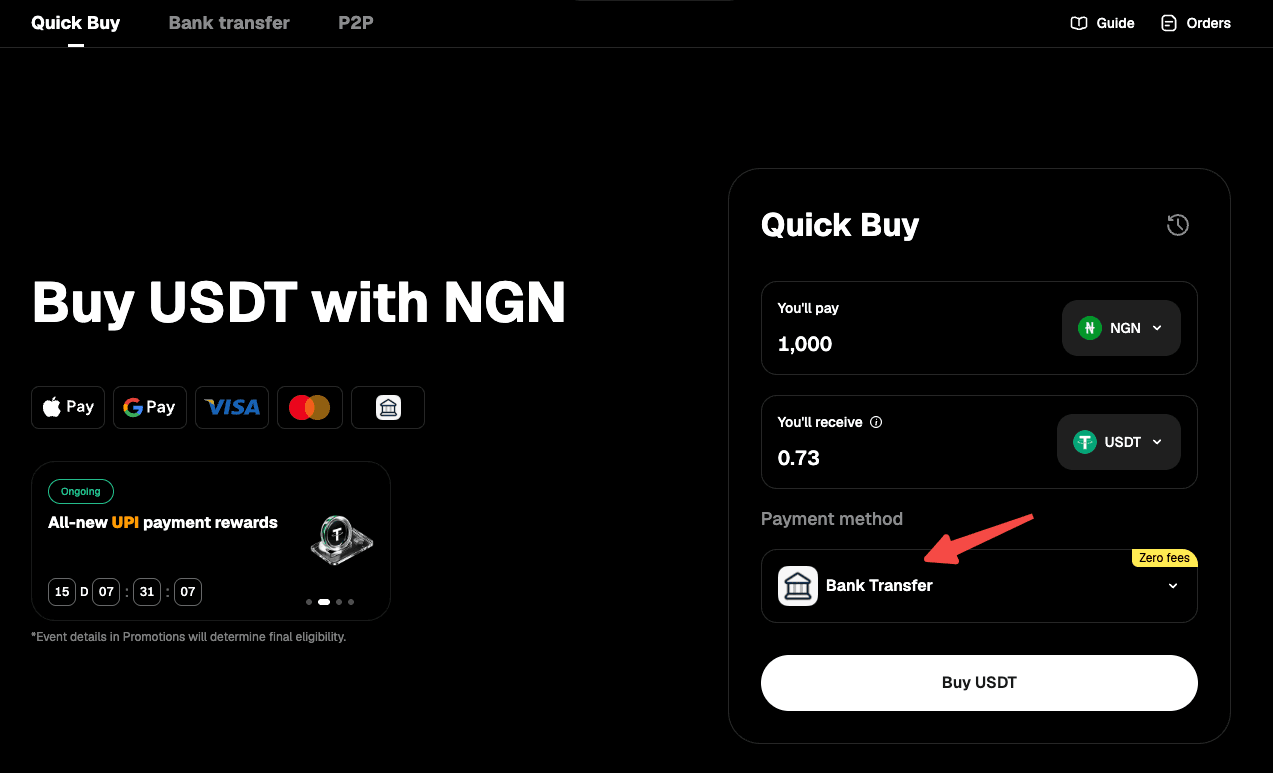
Step 3: Choose "Bank Transfer" as your payment method.
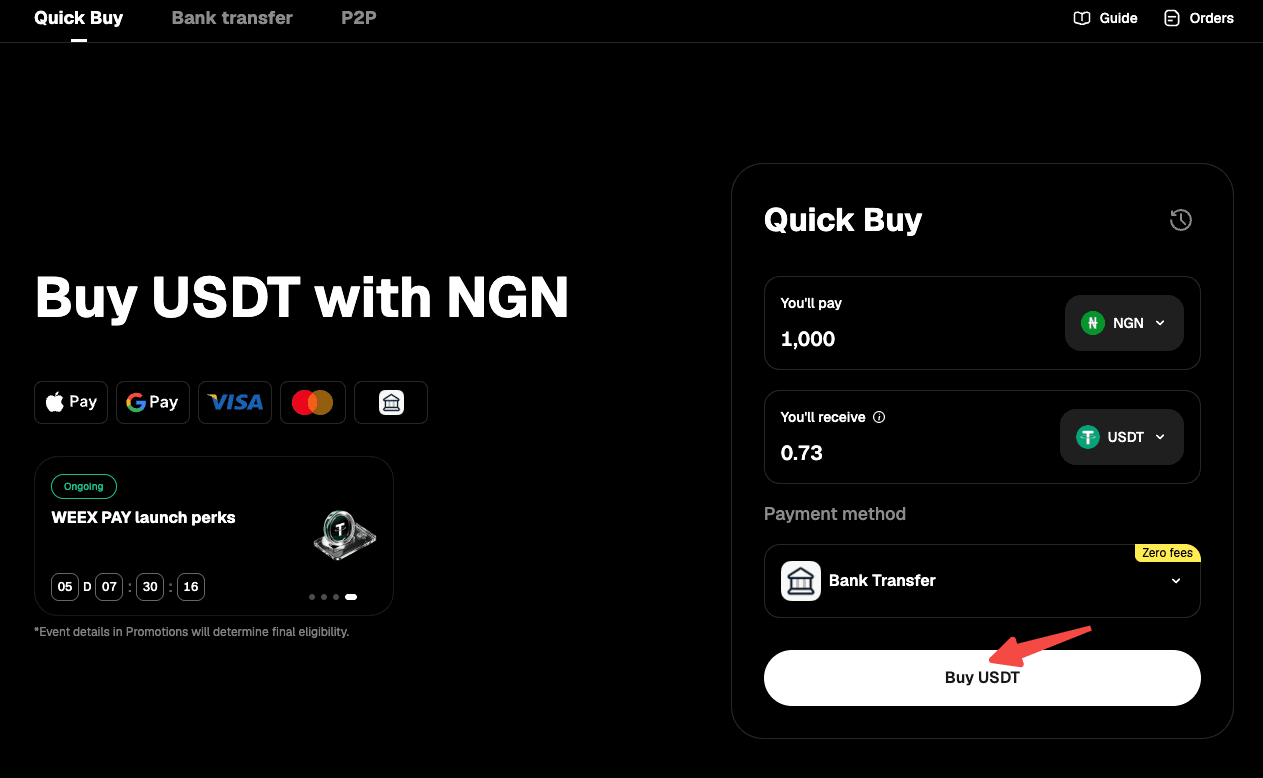
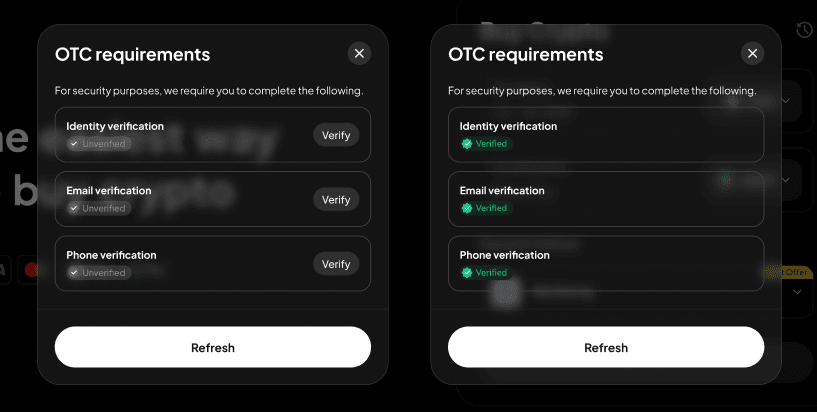
Step 4: Use the "Buy" button to proceed. Note: If you haven't completed identity verification or linked your email address and phone number, you'll be directed to Step 5. If you've already done so, you'll proceed to Step 6.
Step 5: Follow the on-screen instructions to complete identity verification and link your email address and phone number, then wait for approval.
Step 6: Confirm the order details, then proceed with "Place Order."
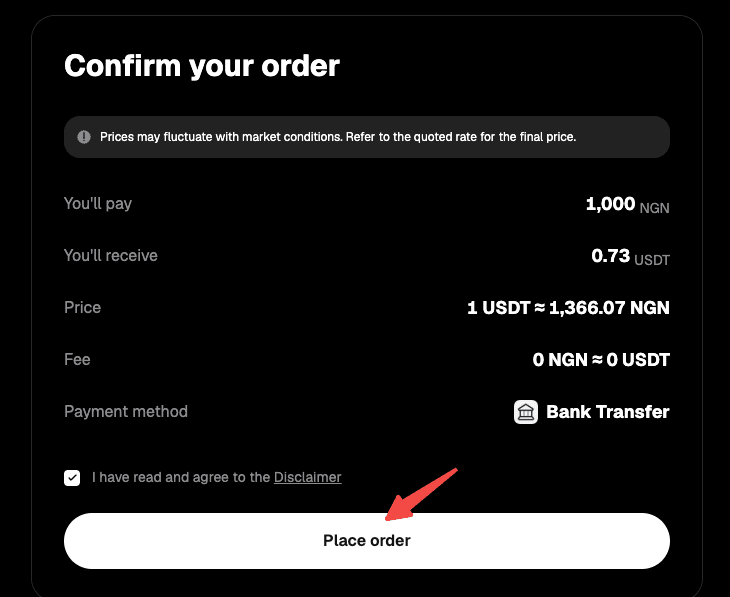
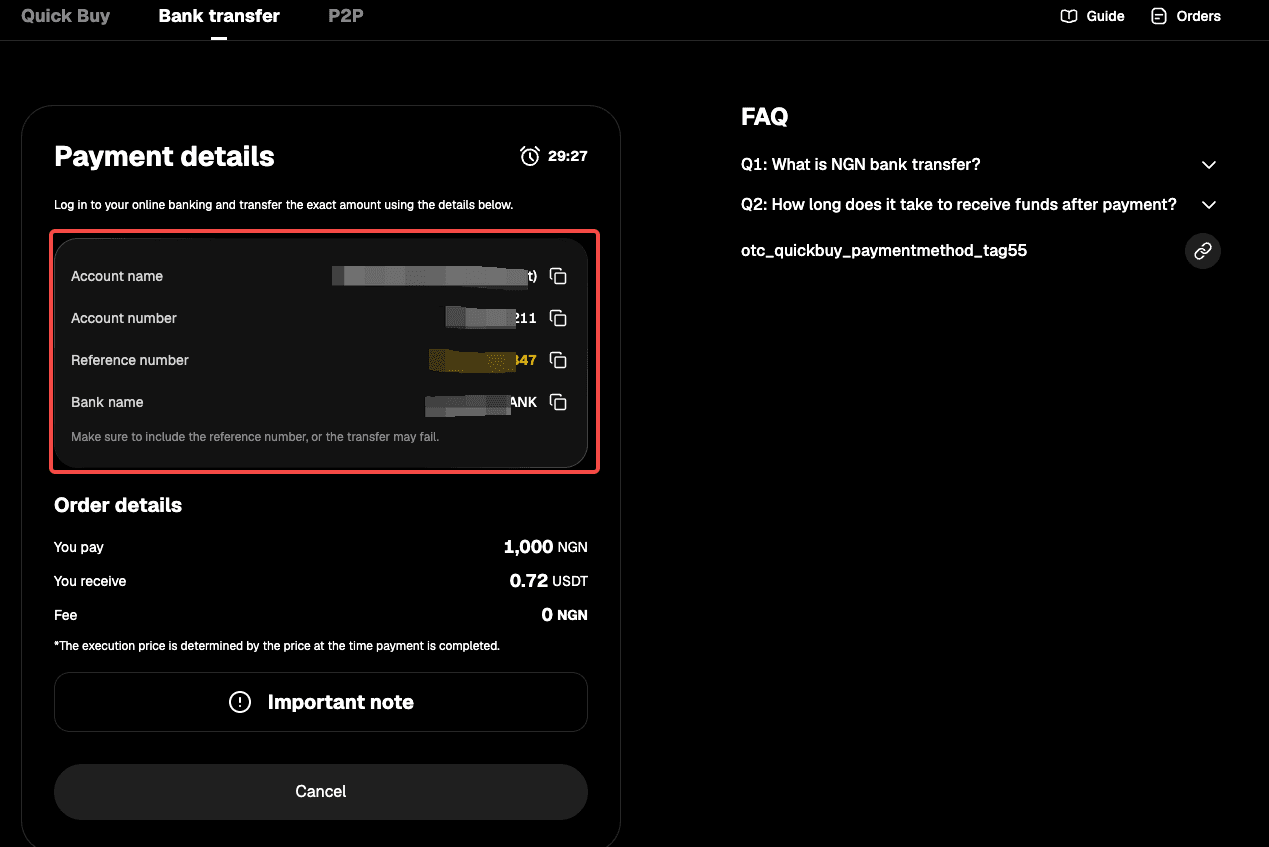
Step 7: You'll receive the bank transfer details. Double-check all information and complete the transfer within 15 minutes.
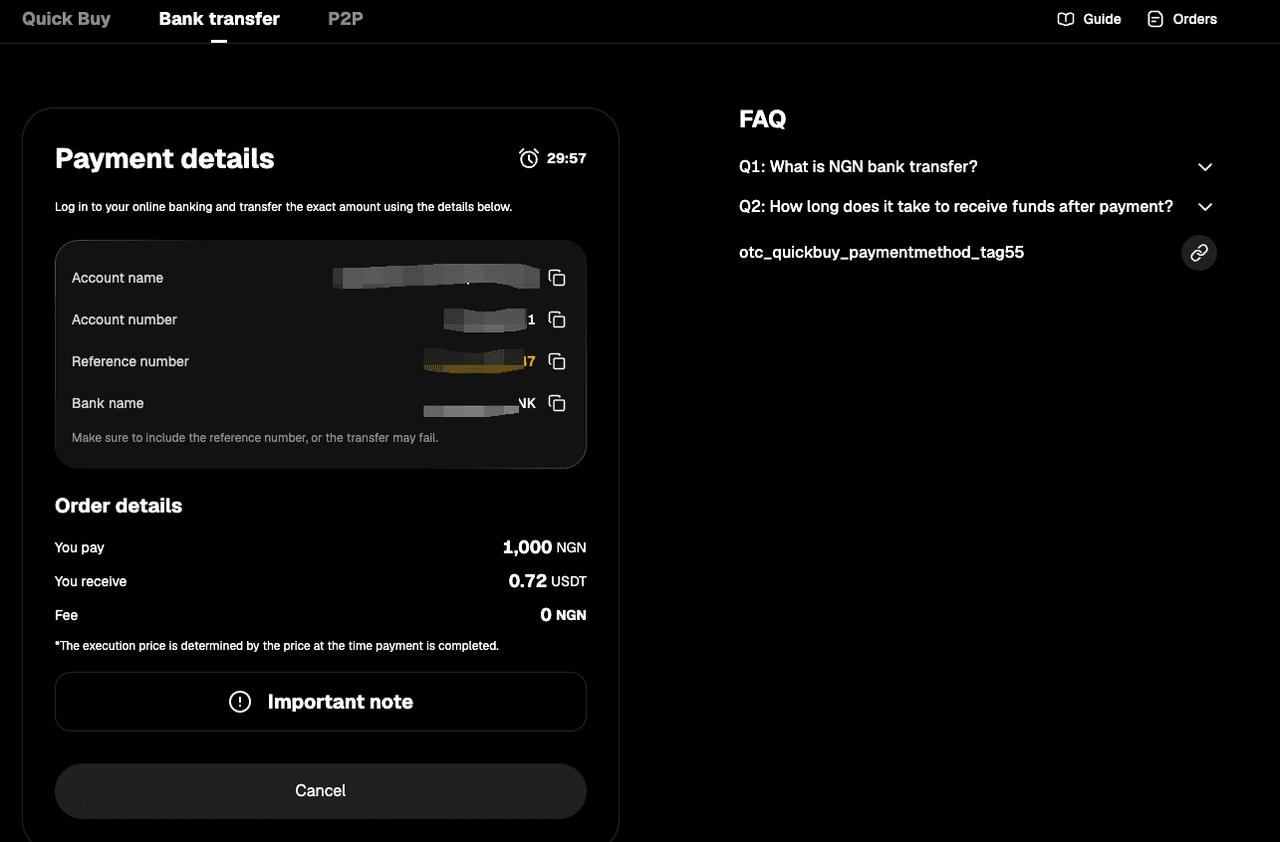
Step 8: Open your mobile banking app and complete the payment. Note: Enter the account name, account number, and reference number correctly to ensure smooth processing.
Step 9: Wait while the transaction is being processed. Your order will be completed automatically once payment is received. You can check the status in "Fiat Orders."
Method 2
Step 1: Go to the official website, find "Buy Crypto" in the top navigation bar, and enter the "Quick Buy" page.

Step 2: Select "Bank Transfer" to enter the "Bank Transfer" page.
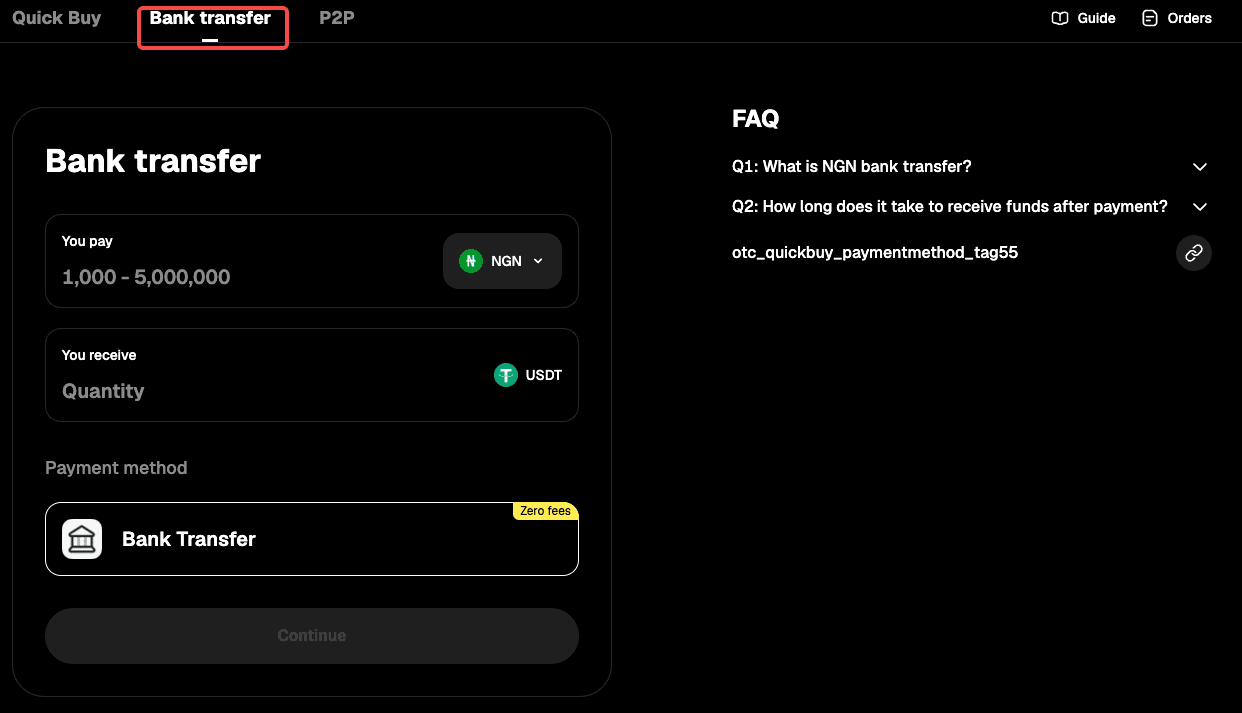
Step 3: Select "NGN" as your fiat currency, then enter the amount you want to pay and see the estimated crypto you'll receive in real time.
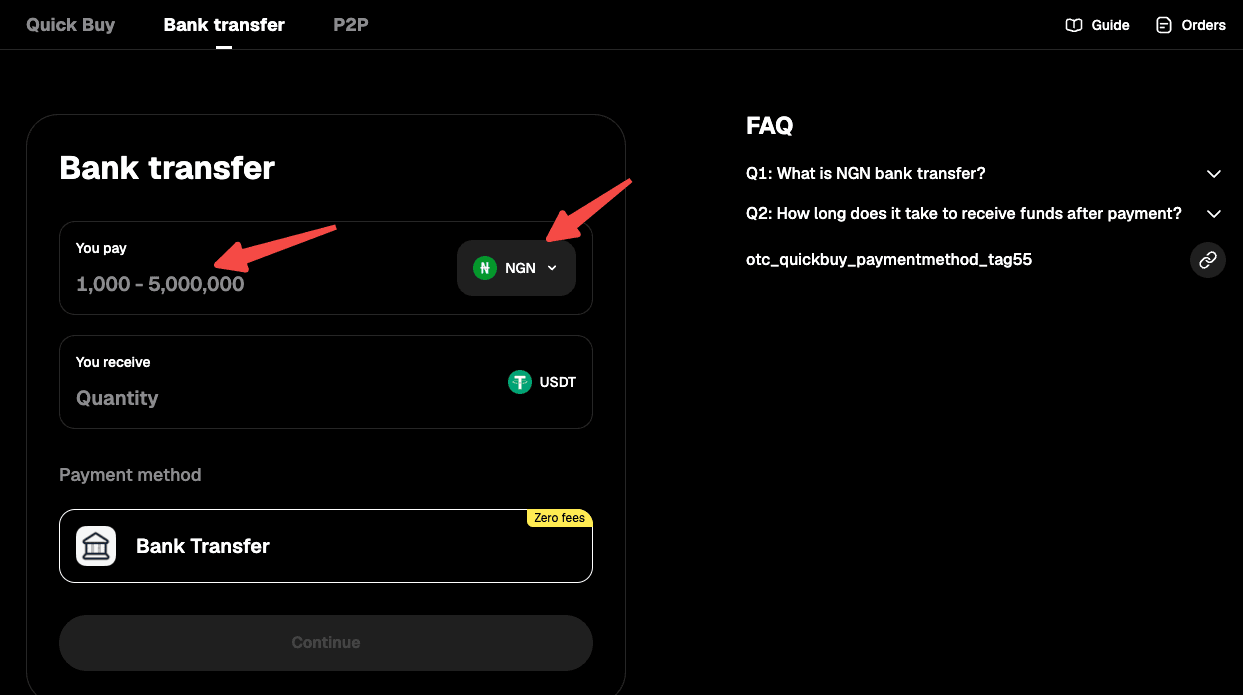
Step 4: Select "Continue" to proceed. Note: If you haven't completed identity verification or linked your email address and phone number, you'll be directed to Step 5. If you've already done so, you'll proceed to Step 6.
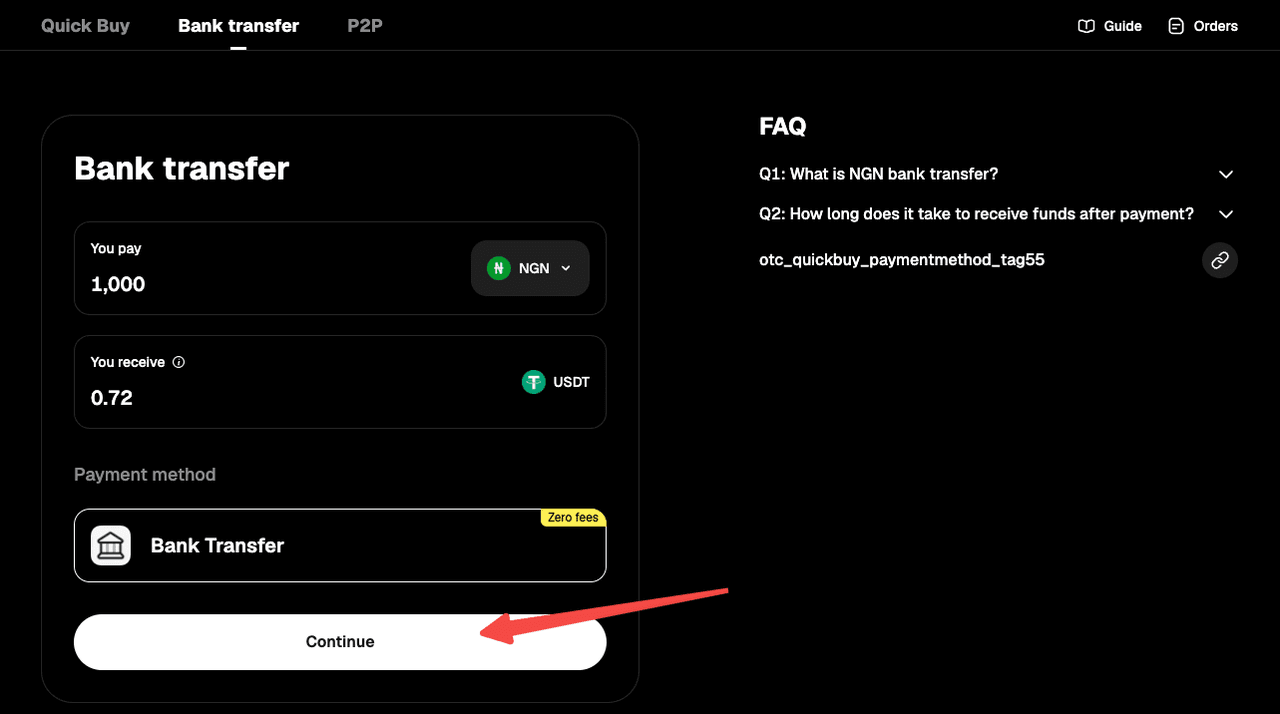
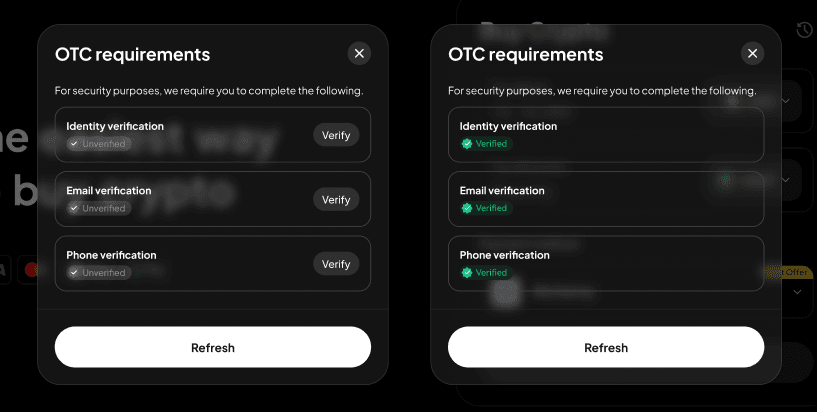
Step 5: Follow the on-screen instructions to complete identity verification and link your email address and phone number, then wait for approval.
Step 6: You'll receive the bank transfer details. Double-check all information and complete the transfer within 15 minutes.
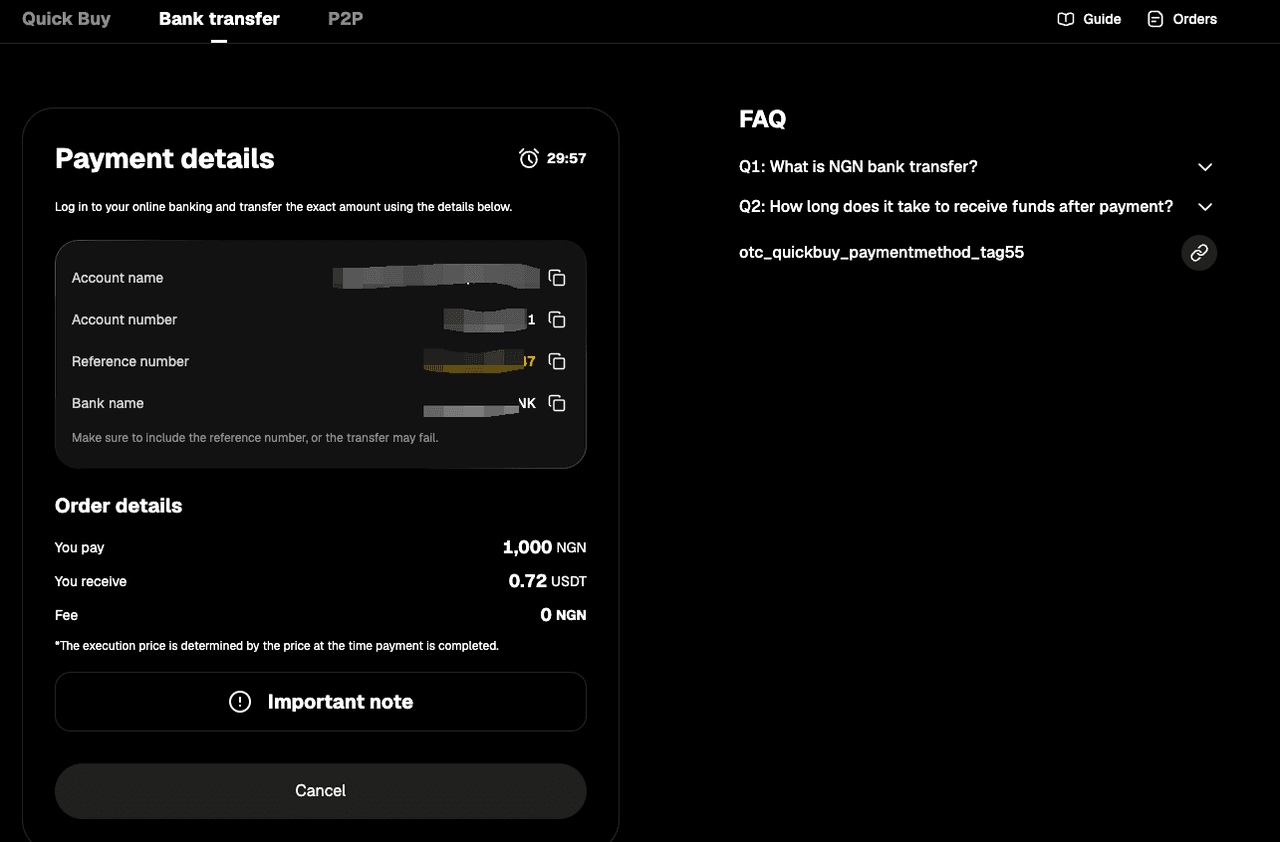
Step 7: Open your mobile banking app and complete the payment. Note: Enter the account name, account number, and reference number correctly to ensure smooth processing.
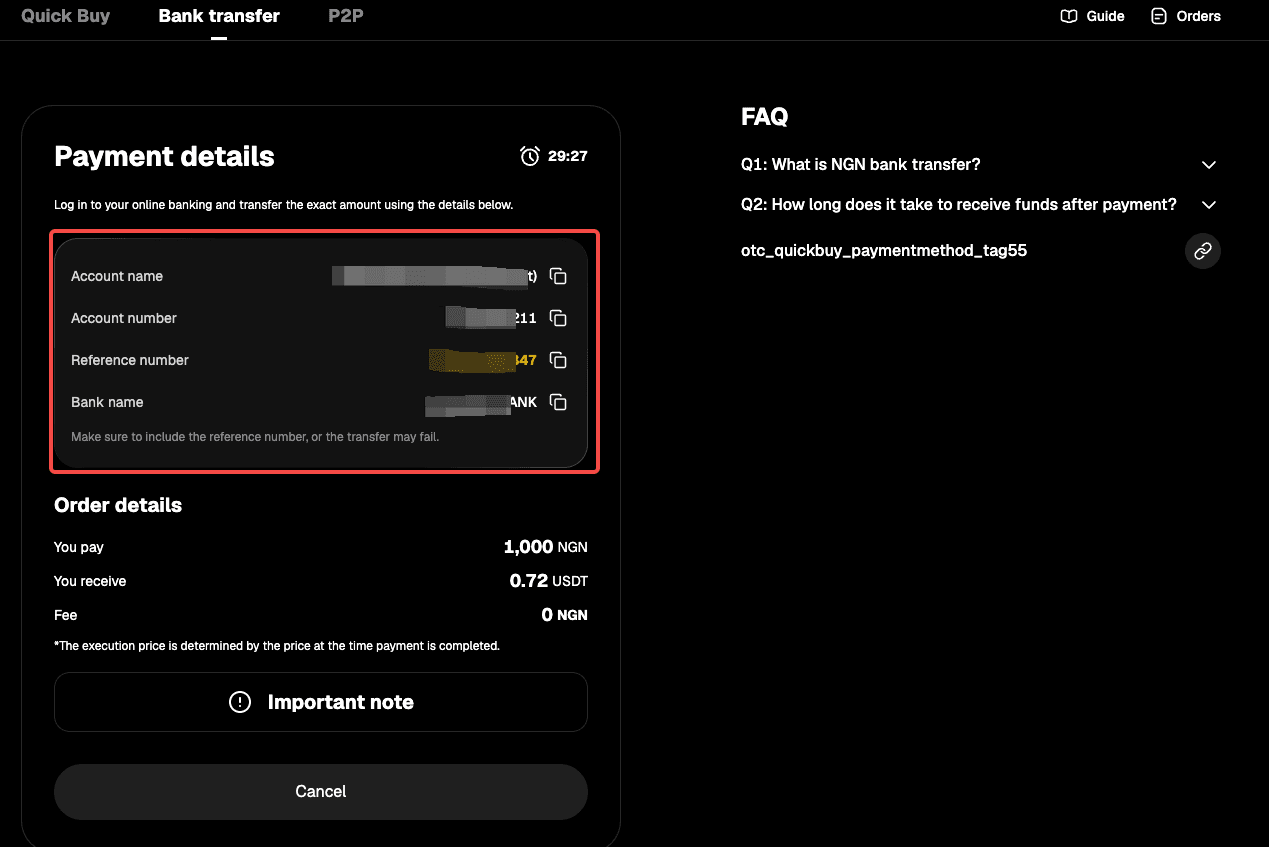
Step 8: Wait while the transaction is being processed. Your order will be completed automatically once payment is received. You can check the status in "Fiat Orders."
App
Method 1
Step 1: From the app homepage, tap "Deposit." Or go to the "Assets" page and tap "Buy Crypto."
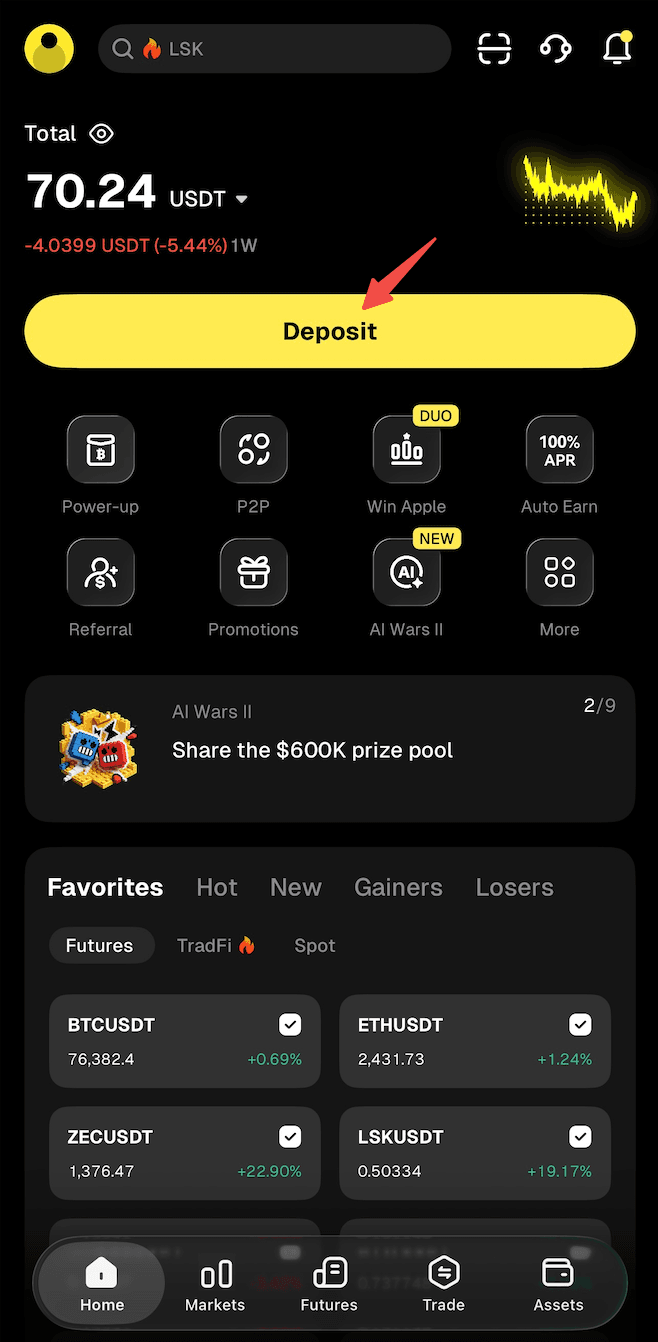
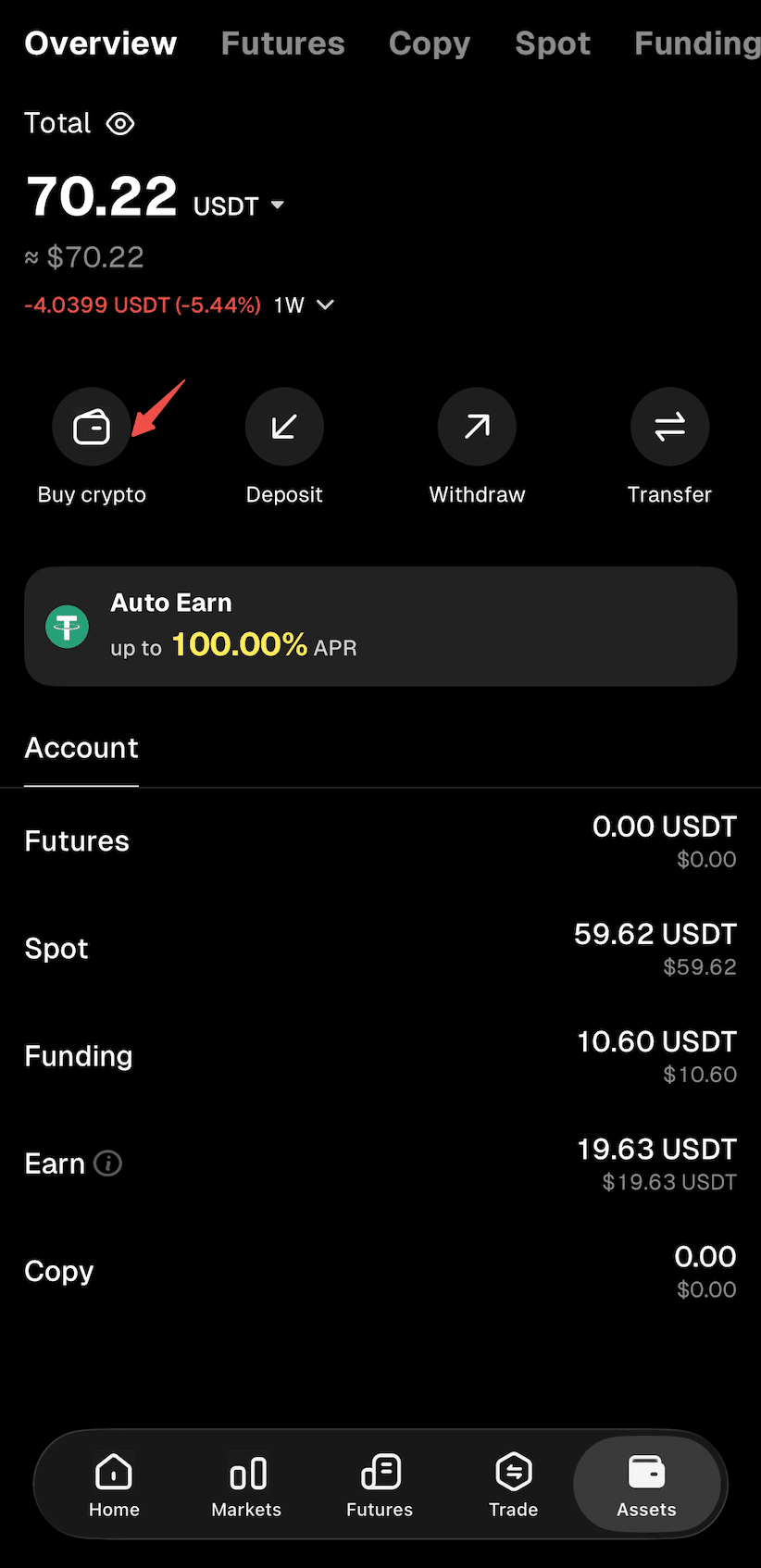
Step 2: Select "Buy Crypto" as the deposit method to enter the "Quick Buy" page.
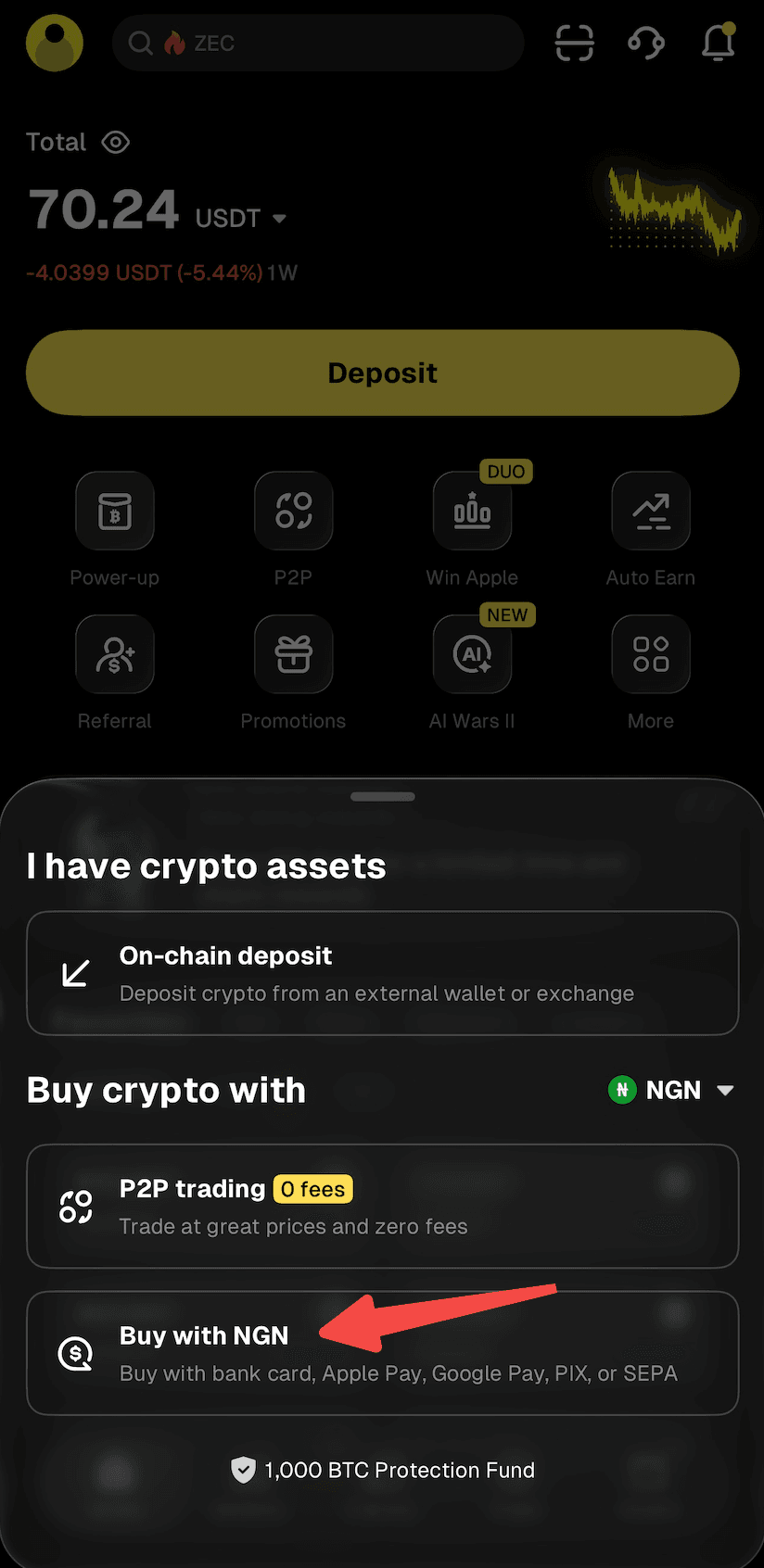
Step 3: Select "NGN" as your fiat currency and "USDT" as the crypto you want to buy. Enter the amount of NGN you'd like to pay, and the crypto amount will be calculated automatically.
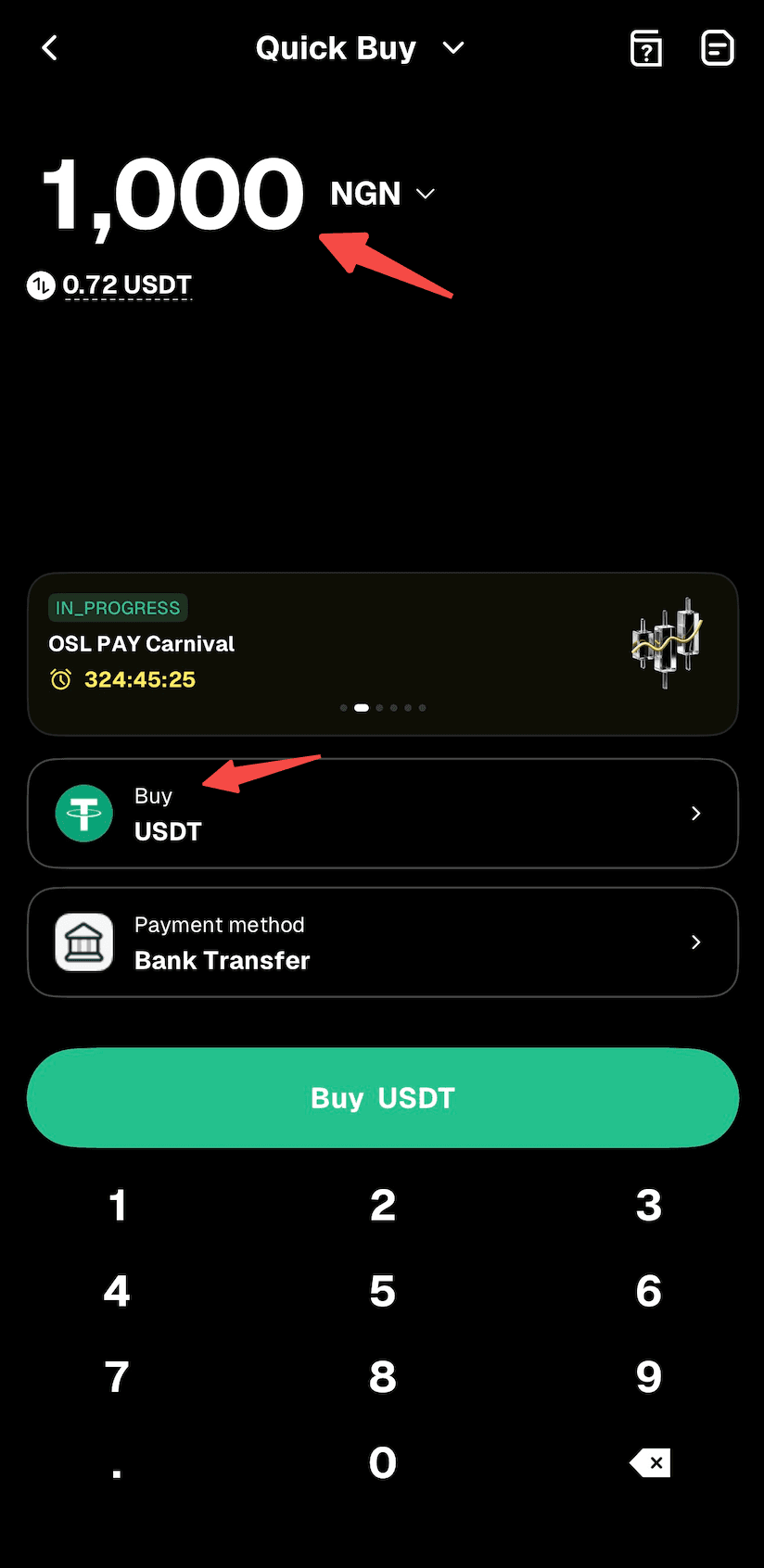
Step 4: Choose "Bank Transfer" as your payment method.
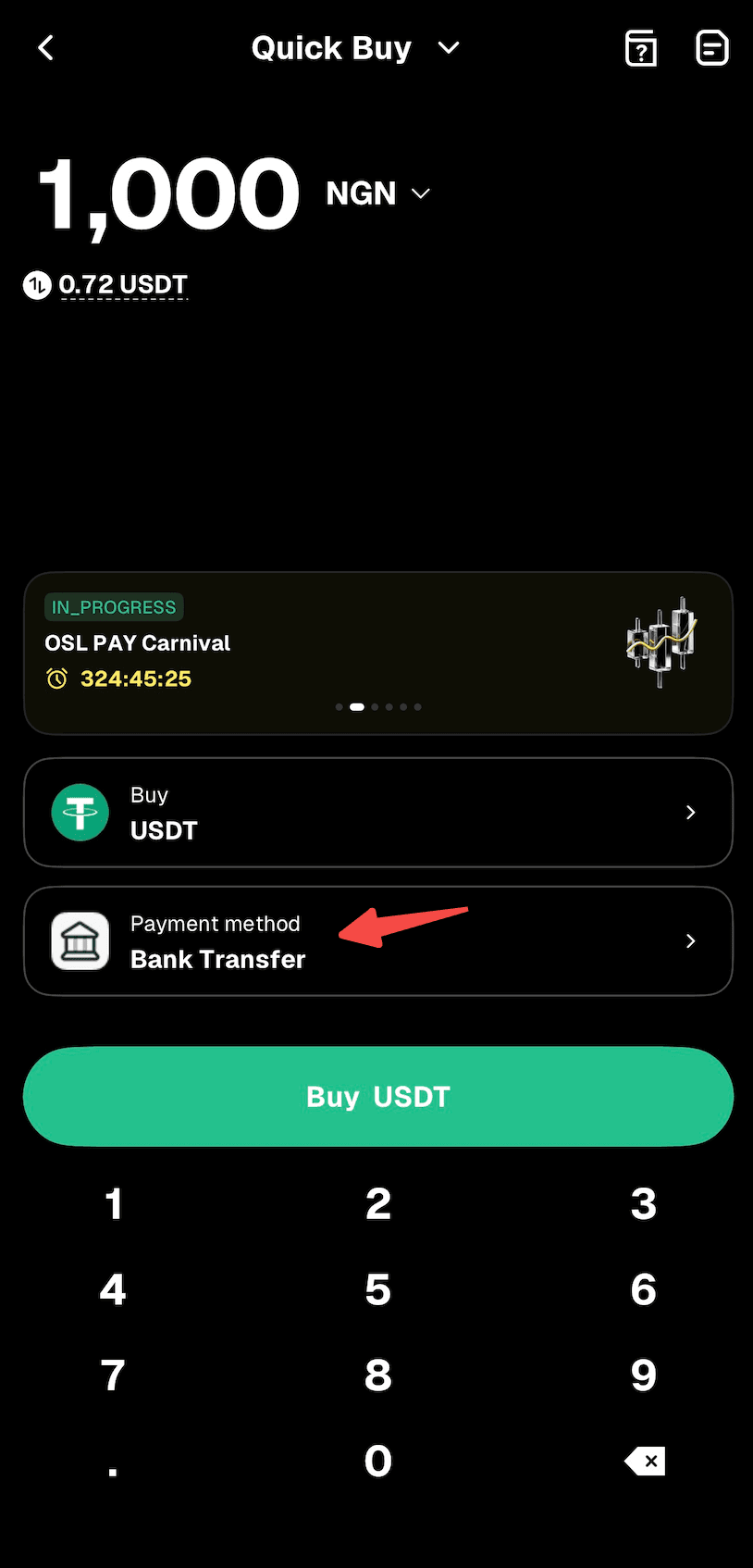
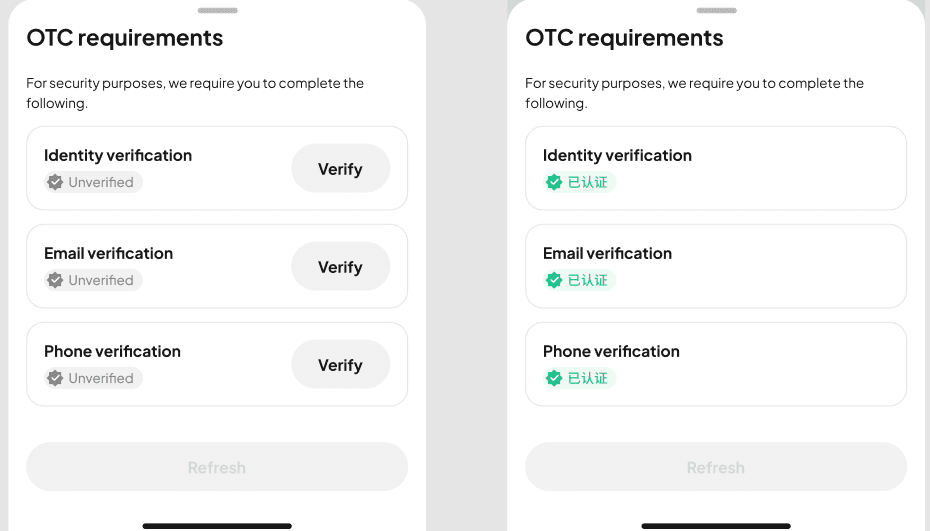
Step 5: Use the "Buy" button to proceed. Note: If you haven't completed identity verification or linked your email address and phone number, you'll be directed to Step 6. If you've already done so, you'll proceed to Step 7.
Step 6: Follow the on-screen instructions to complete identity verification and link your email address and phone number, then wait for approval.
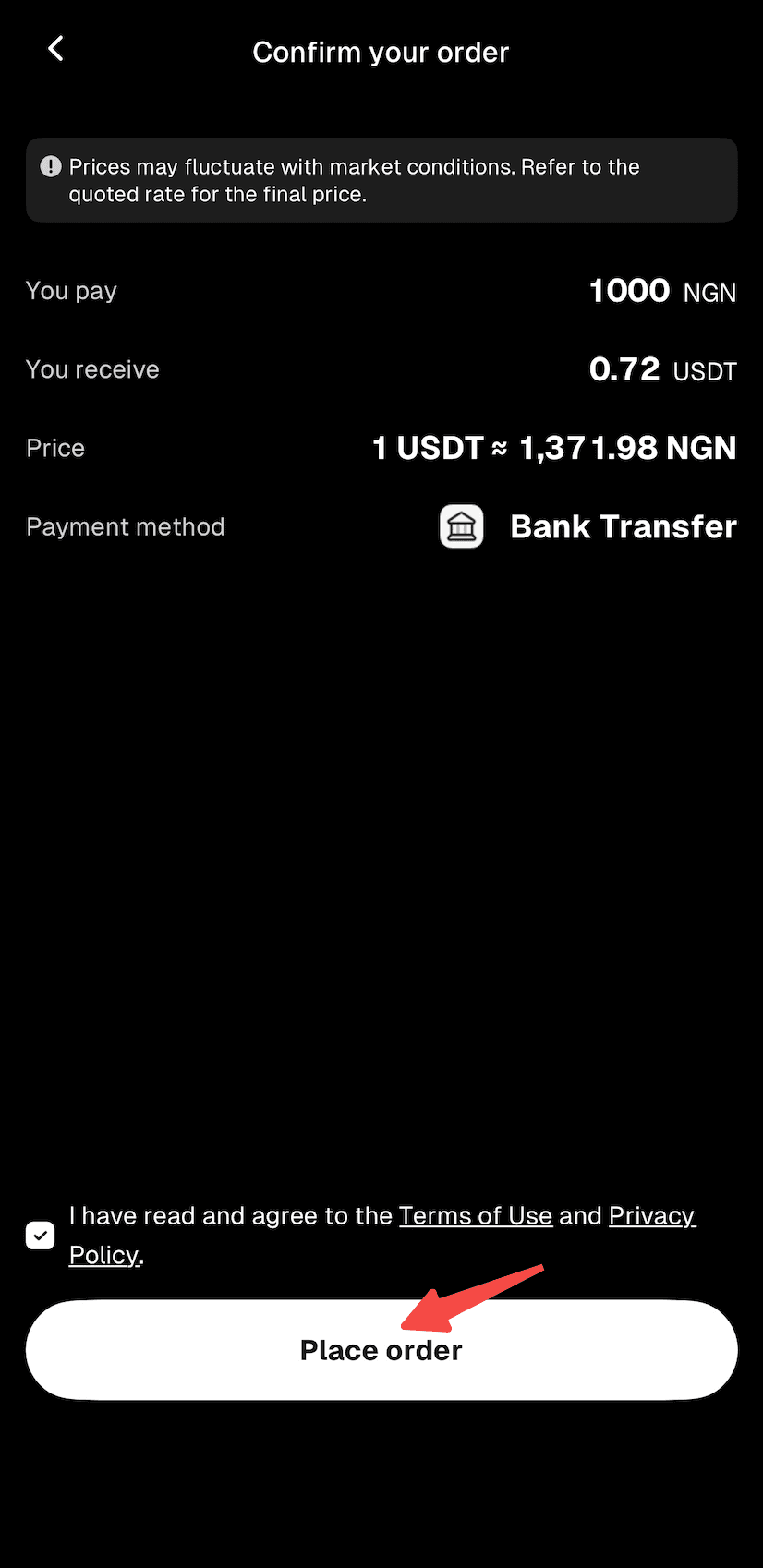
Step 7: Confirm the order details, then proceed with "Place Order."
Step 8: You'll receive the bank transfer details. Double-check all information and complete the transfer within 15 minutes.
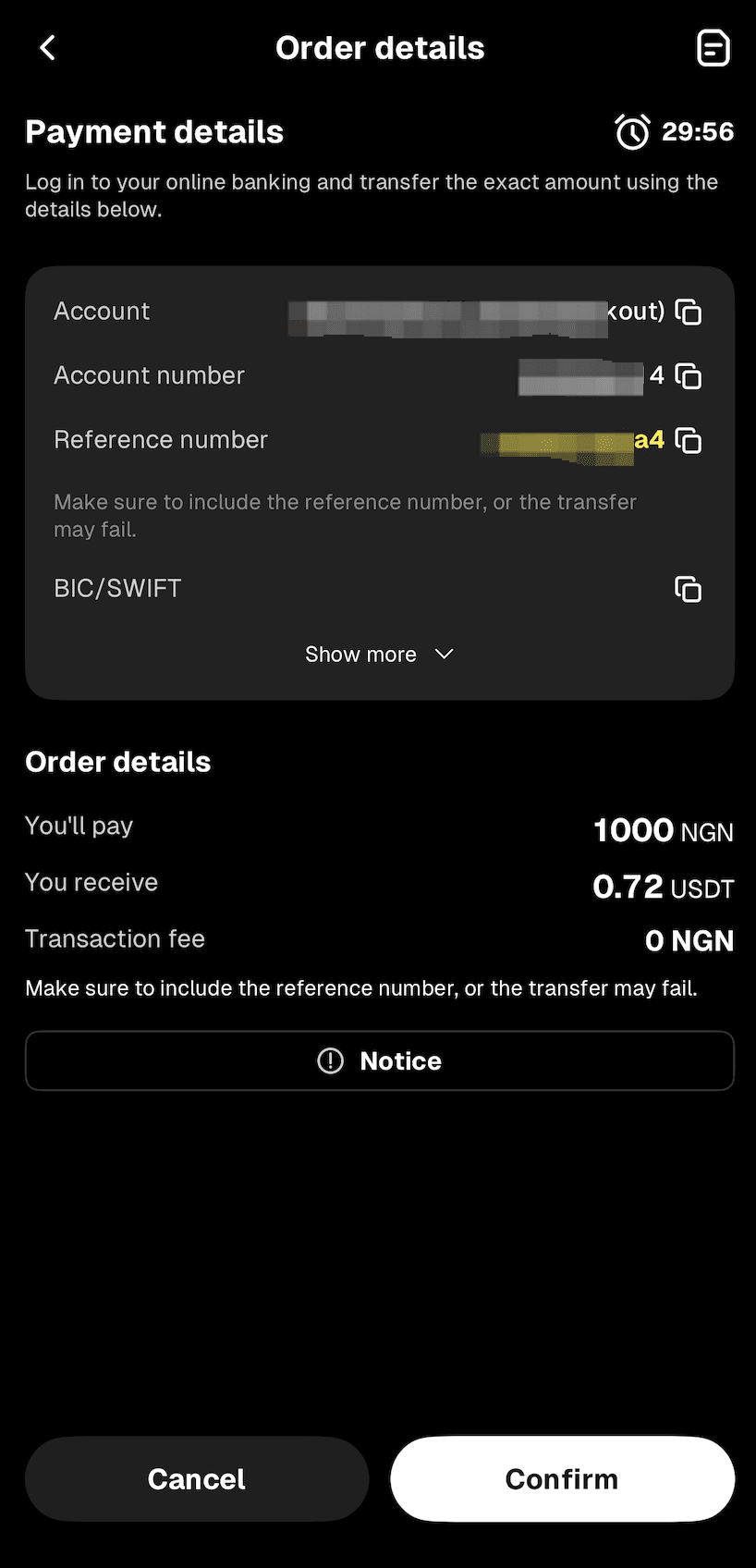
Step 9: Open your mobile banking app and complete the payment. Note: Enter the account name, account number, and reference number correctly to ensure smooth processing.
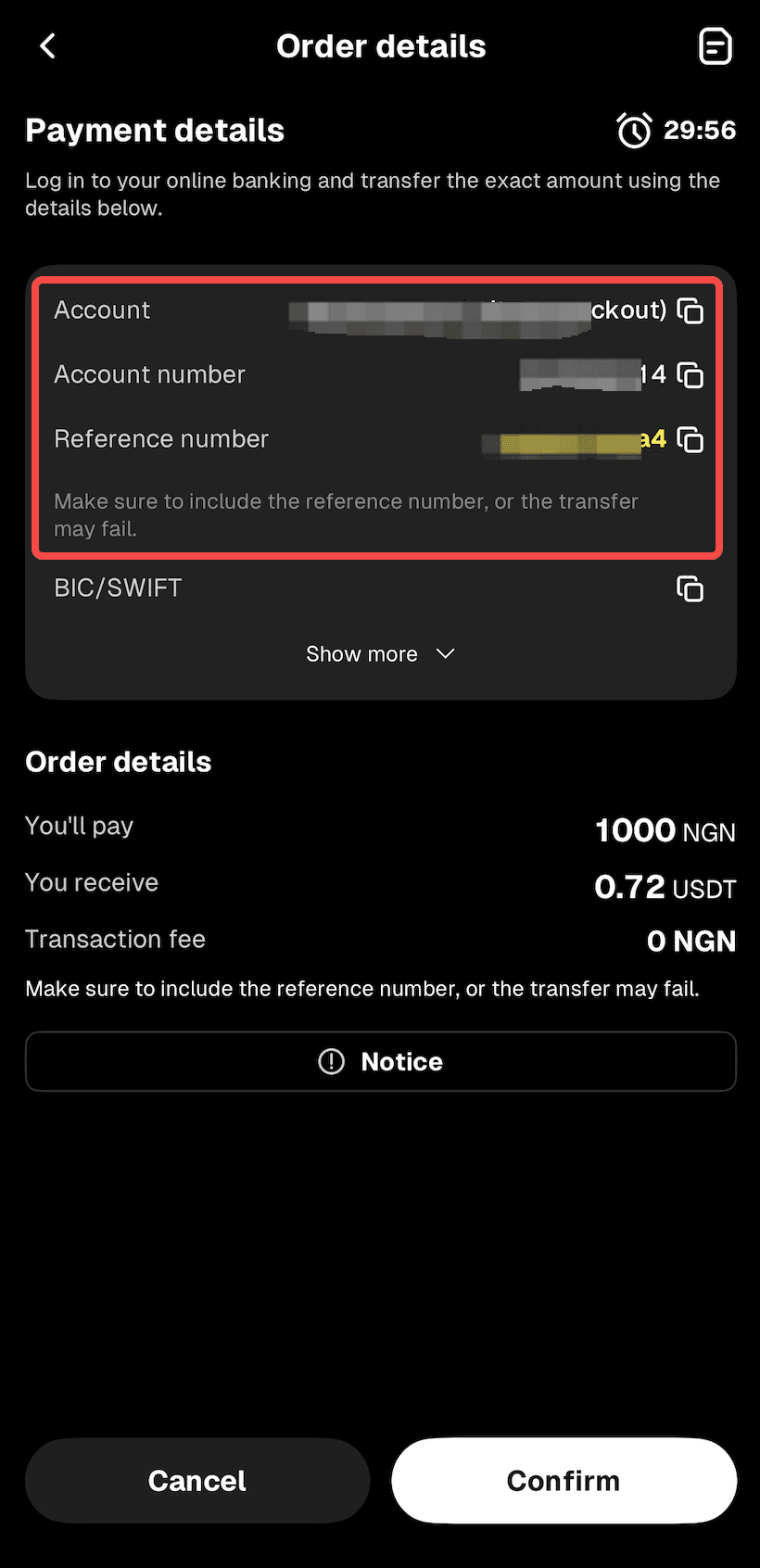
Step 10: Wait while the transaction is being processed. Your order will be completed automatically once payment is received. You can check the status in "Fiat Orders."
Method 2
Step 1: From the app homepage, tap "Deposit." Or go to the "Assets" page and tap "Buy Crypto."
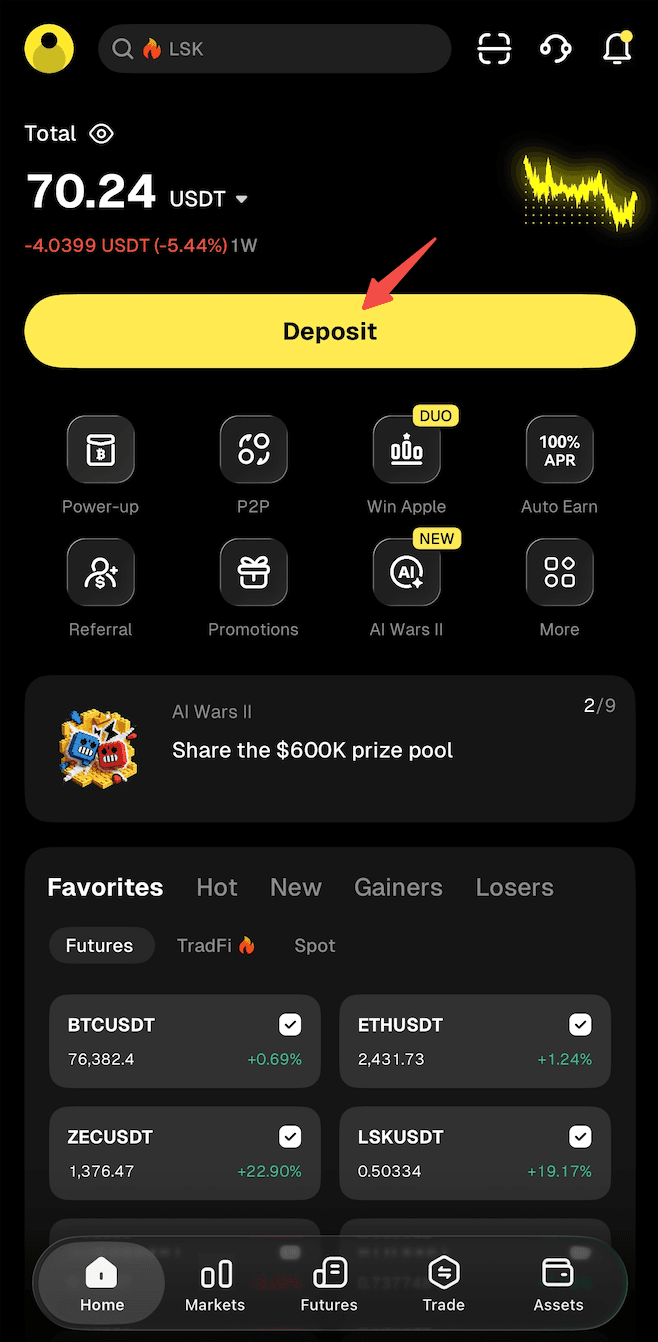
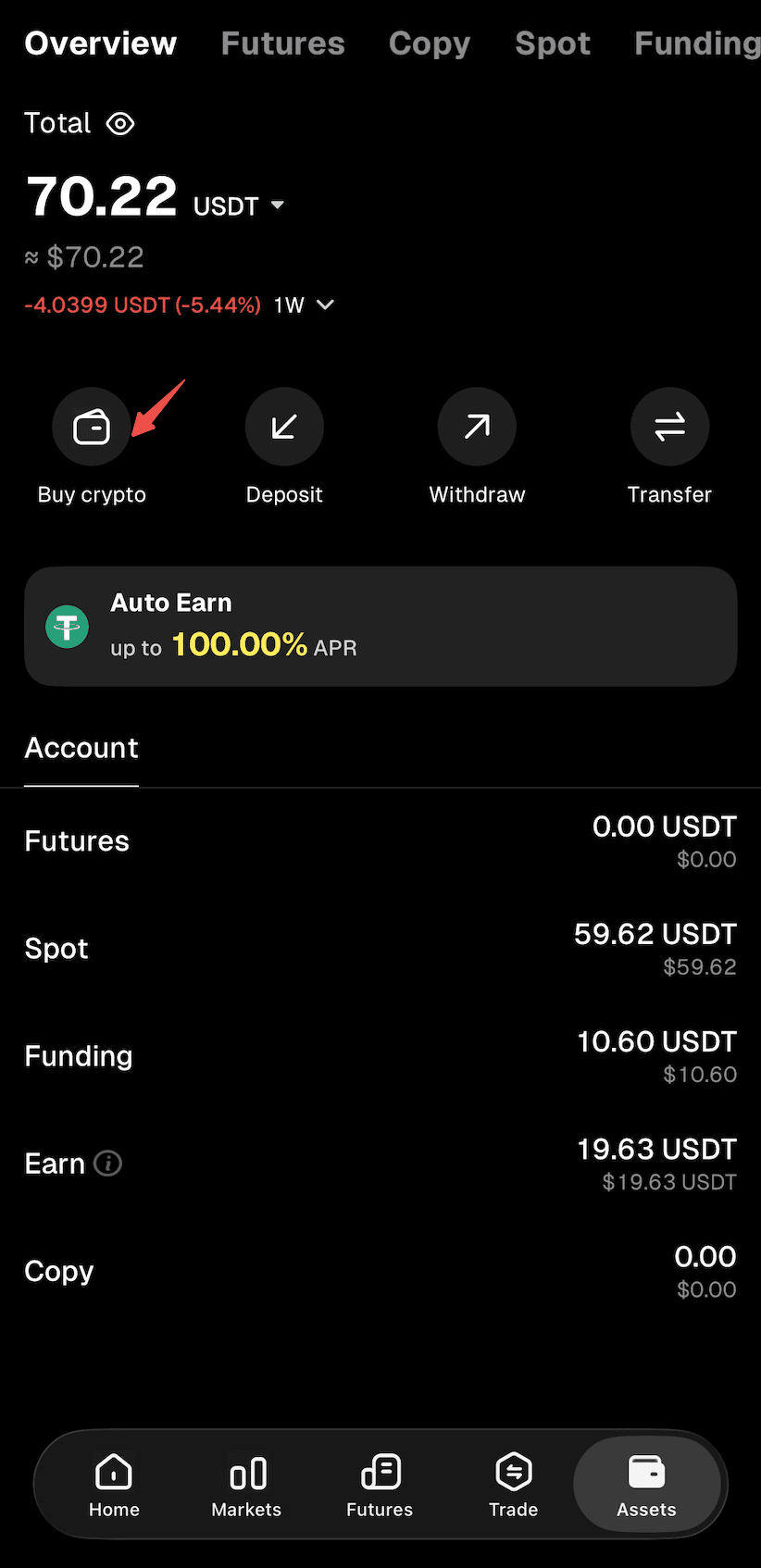
Step 2: Select "Buy Crypto" as the deposit method to enter the "Quick Buy" page.
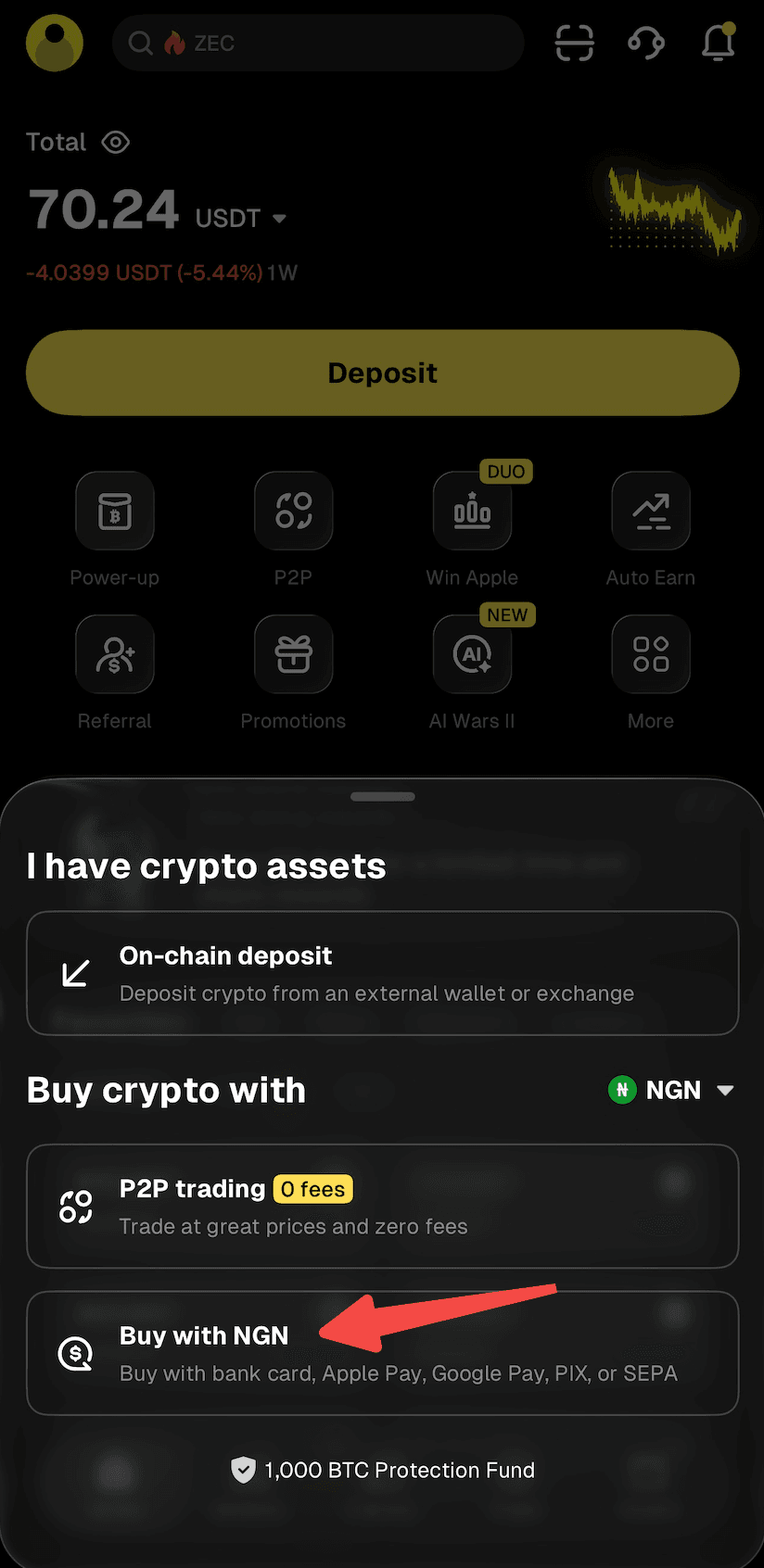
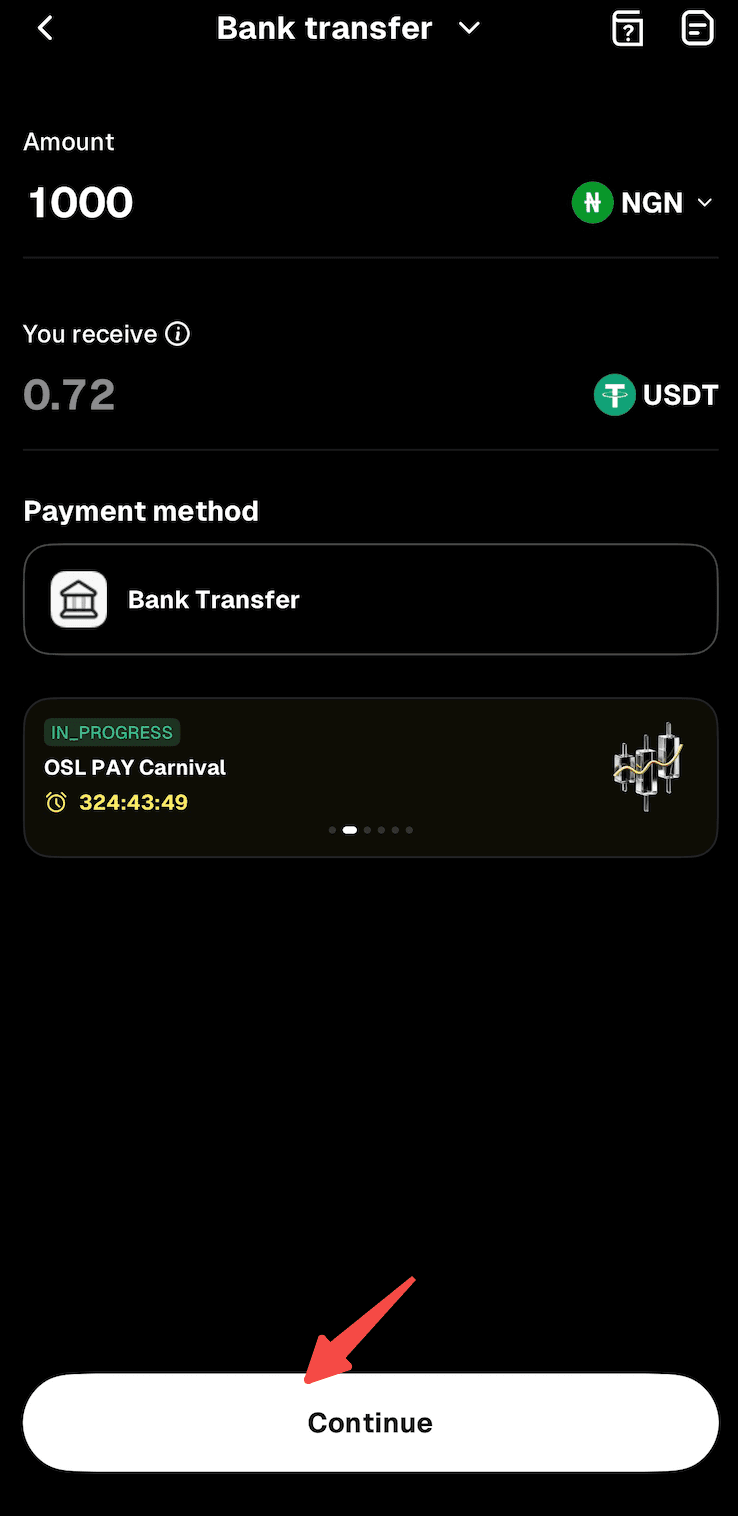
Step 3: Select "Bank Transfer" and proceed.
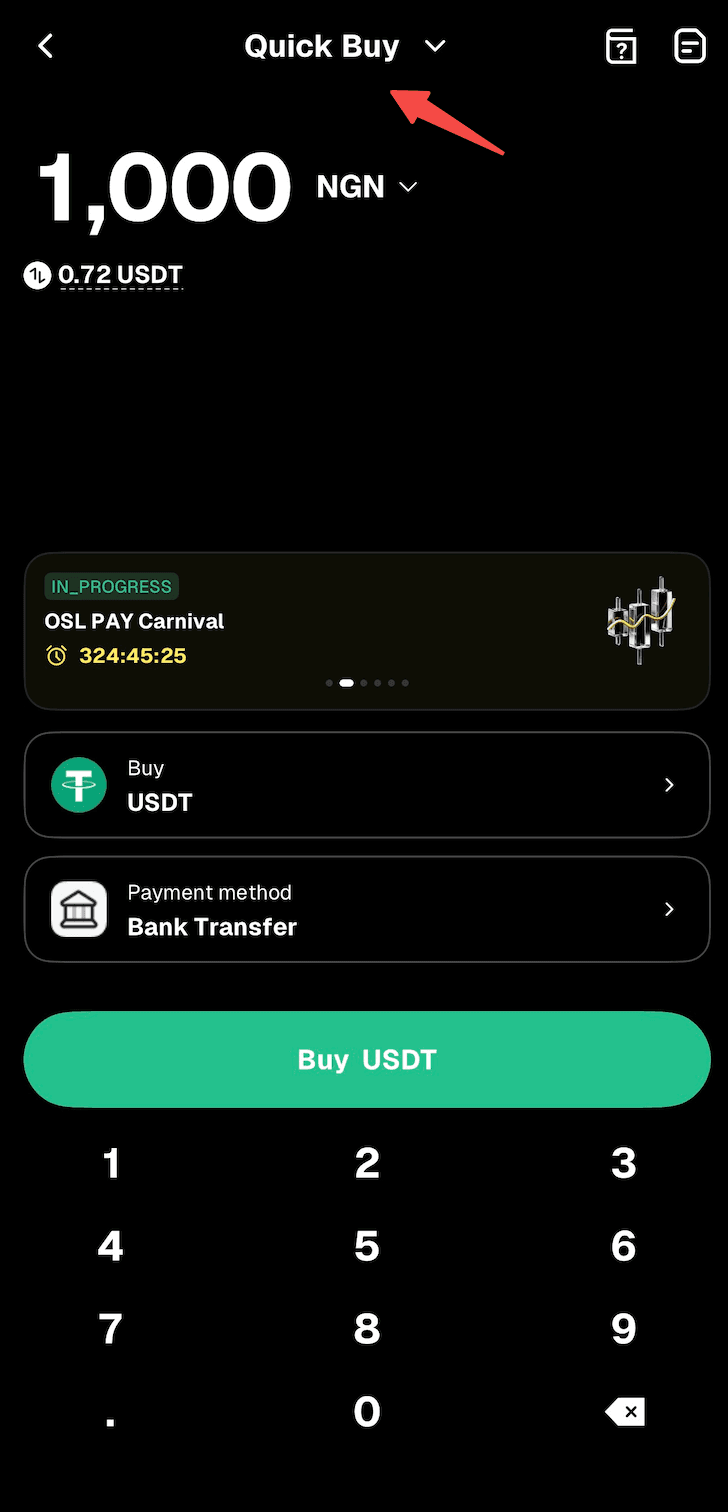
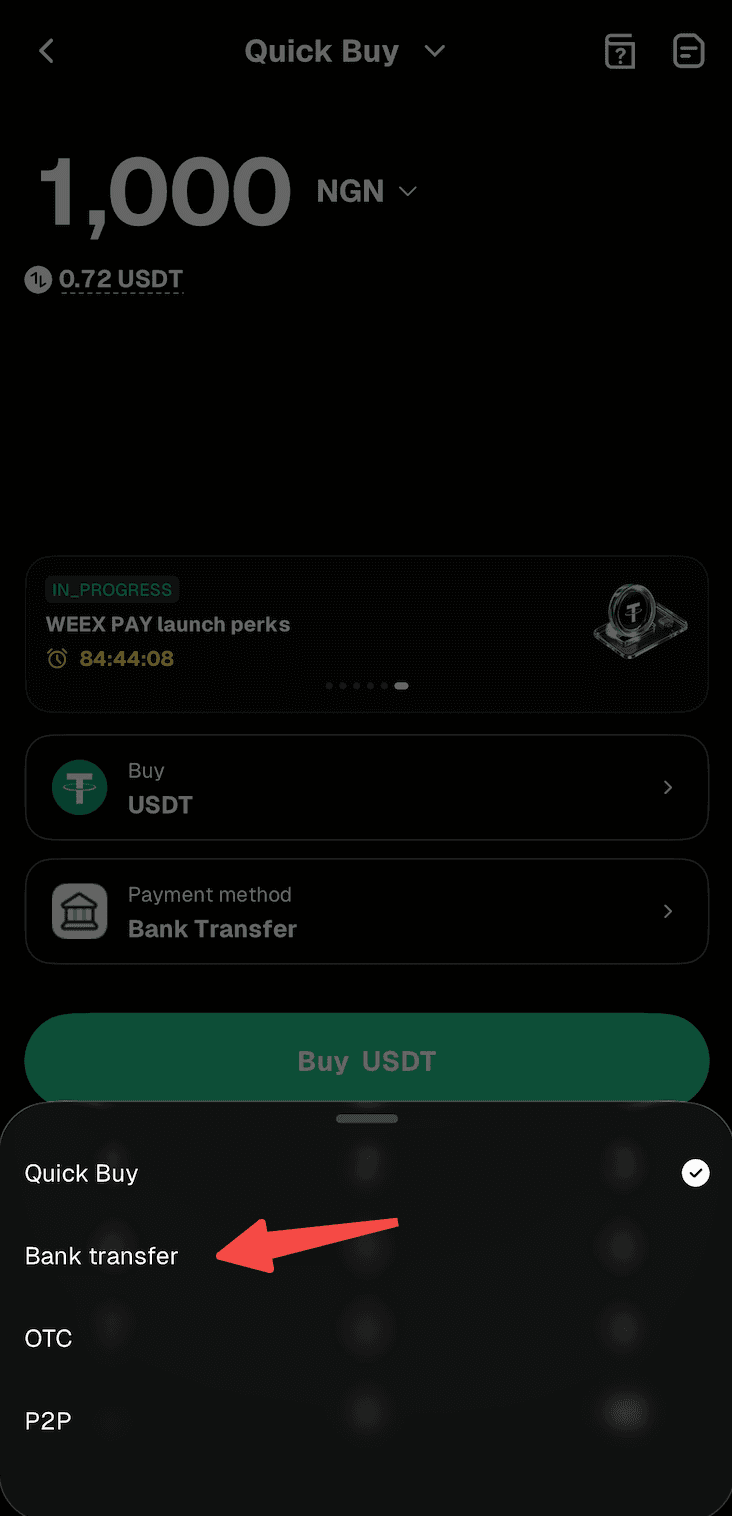
Step 4: Enter the amount of NGN you'd like to pay. The crypto amount will be calculated automatically.
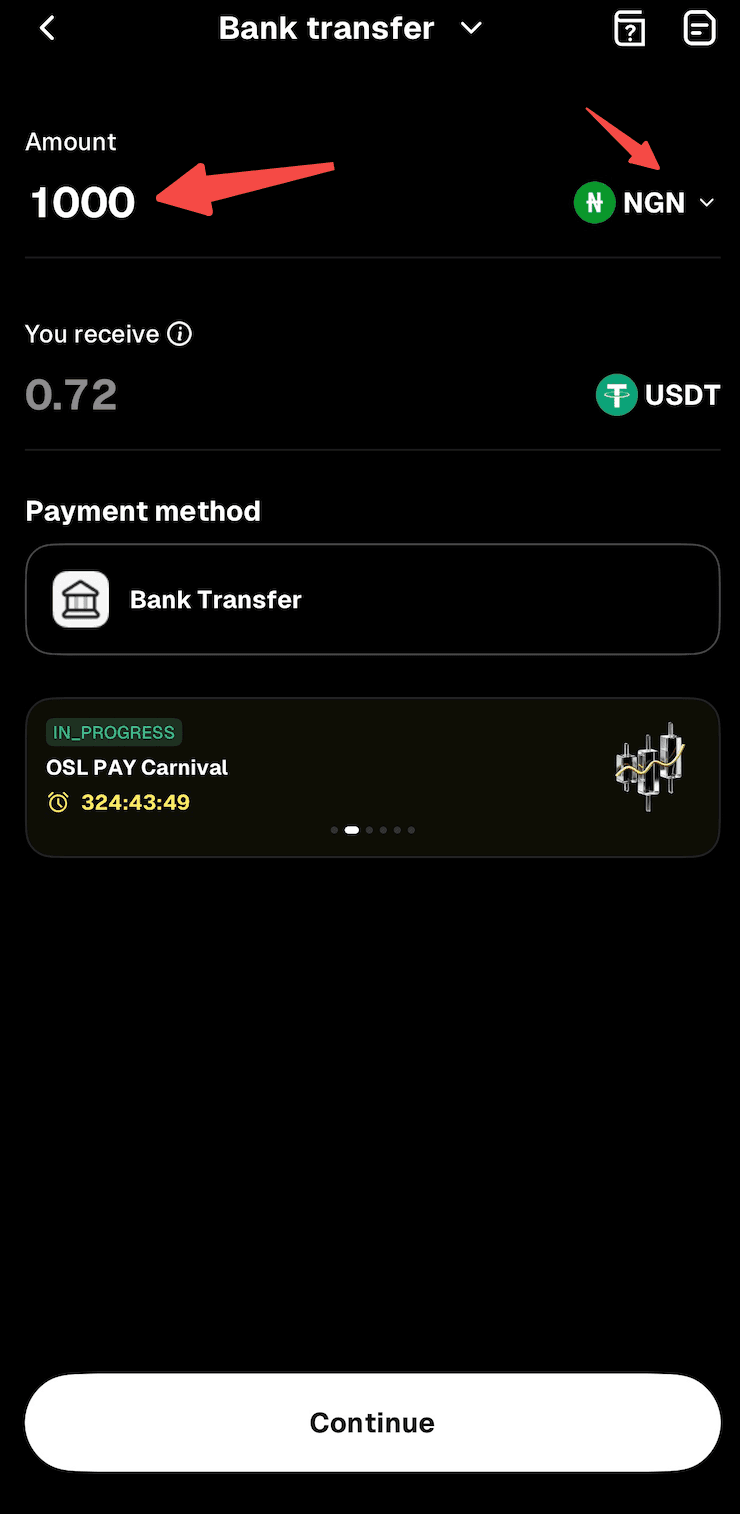
Step 5: Tap "Continue" to proceed. Note: If you haven't completed identity verification or linked your email address and phone number, you'll be directed to Step 6. If you've already done so, you'll proceed to Step 7.
Step 6: Follow the on-screen instructions to complete identity verification and link your email address and phone number, then wait for approval.
Step 7: Confirm the order details, then proceed with "Place Order."
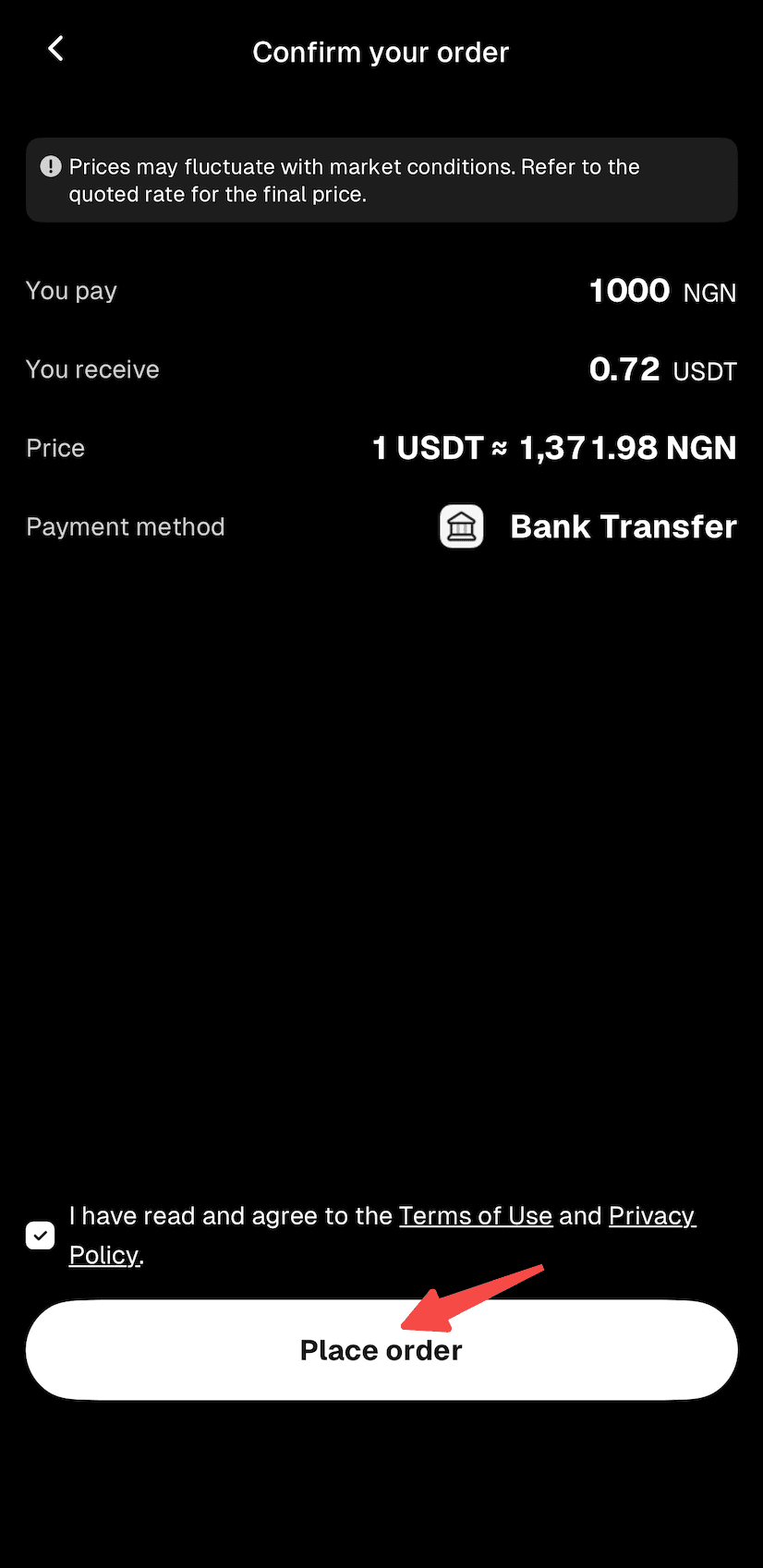
Step 8: You'll receive the bank transfer details. Double-check all information and complete the transfer within 15 minutes.
Step 9: Open your mobile banking app and complete the payment. Note: Enter the account name, account number, and reference number correctly to ensure smooth processing.
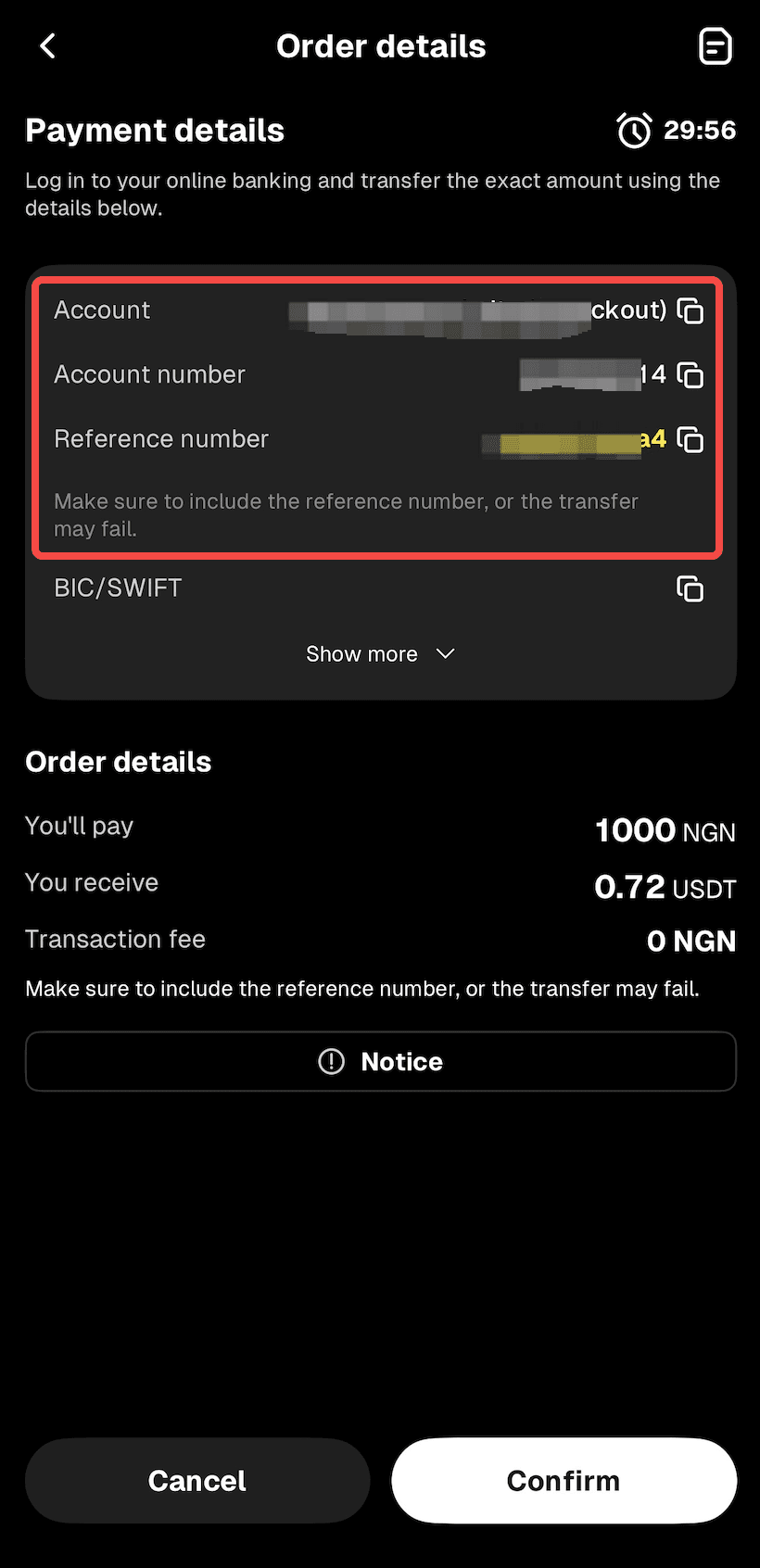
Step 10: Wait while the transaction is being processed. Your order will be completed automatically once payment is received. You can check the status in "Fiat Orders."
Related articles
Share
Gainers


Customer Support:@weikecs
Business Cooperation:@weikecs
Quant Trading & MM:[email protected]
VIP Program:[email protected]
