
Popular topics

Popular topics

Quick guide: Buy crypto with IDR via QRIS
By: WEEX
|
0
Web
Option I
Step 1: Go to the official website, find "Buy Crypto" in the top navigation bar, and enter the "Quick Buy" page.

Step 2: Select "IDR" as your fiat currency and "USDT" as the crypto you want to buy. Enter the amount of IDR you'd like to pay, and the crypto amount will be calculated automatically.
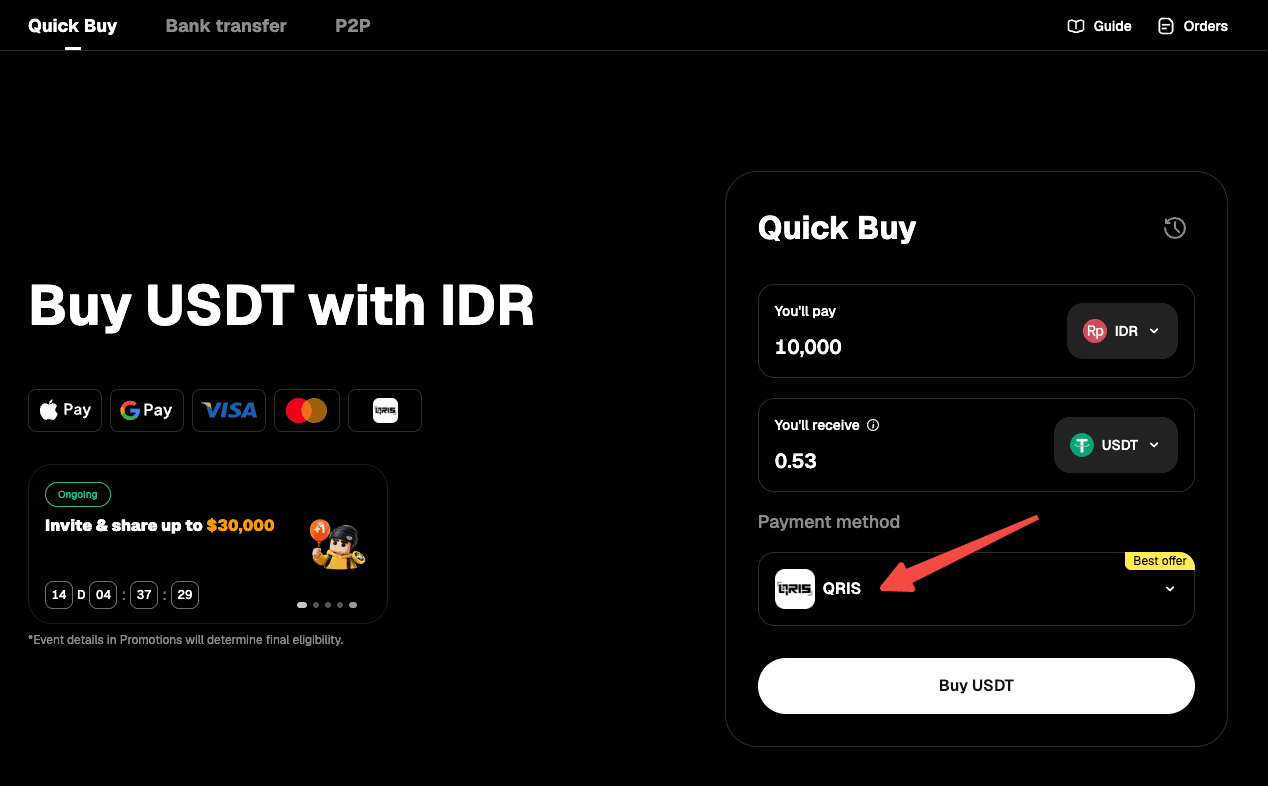
Step 3: Select "QRIS" in the payment method list.
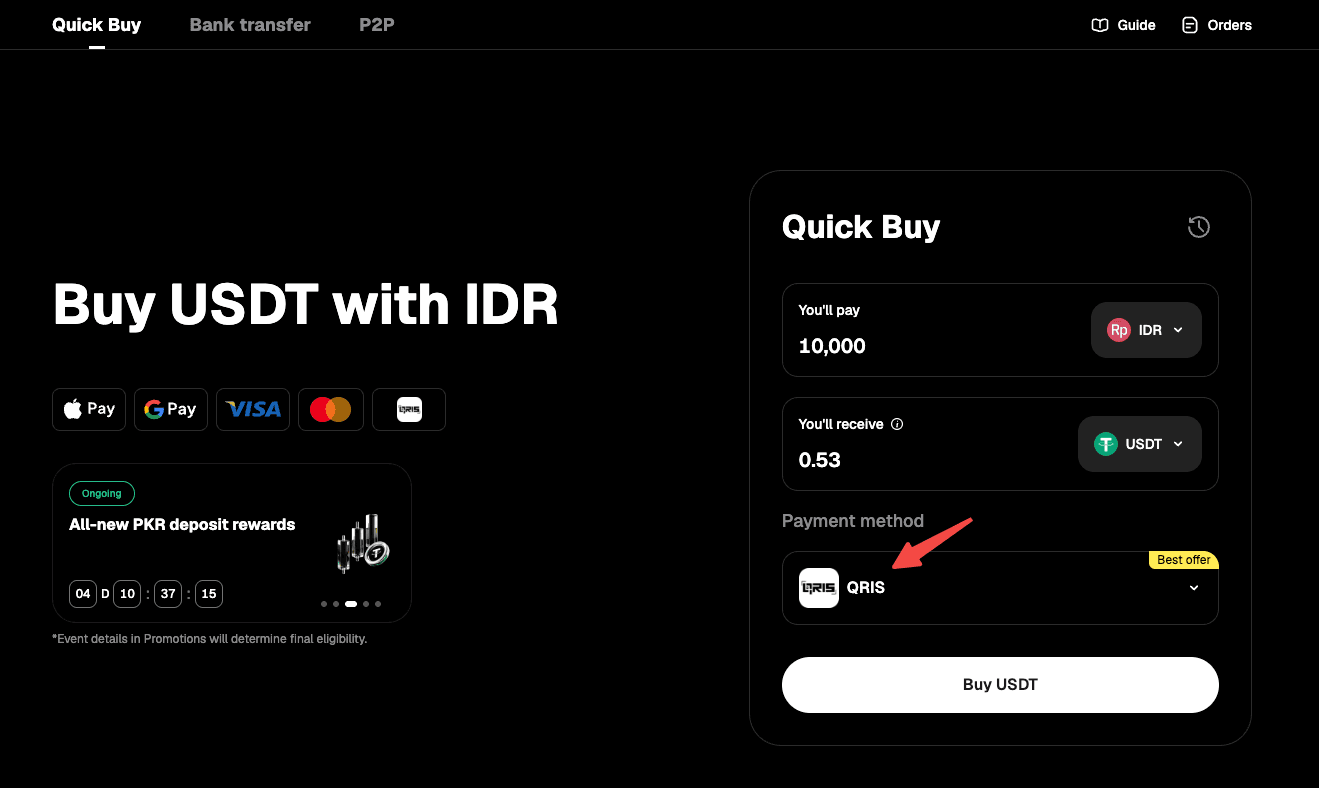
Step 4: Use "Buy Crypto" to proceed. Note: If you haven't completed identity verification, you'll be directed to Step 5. Verified users will proceed to order confirmation (Step 6).
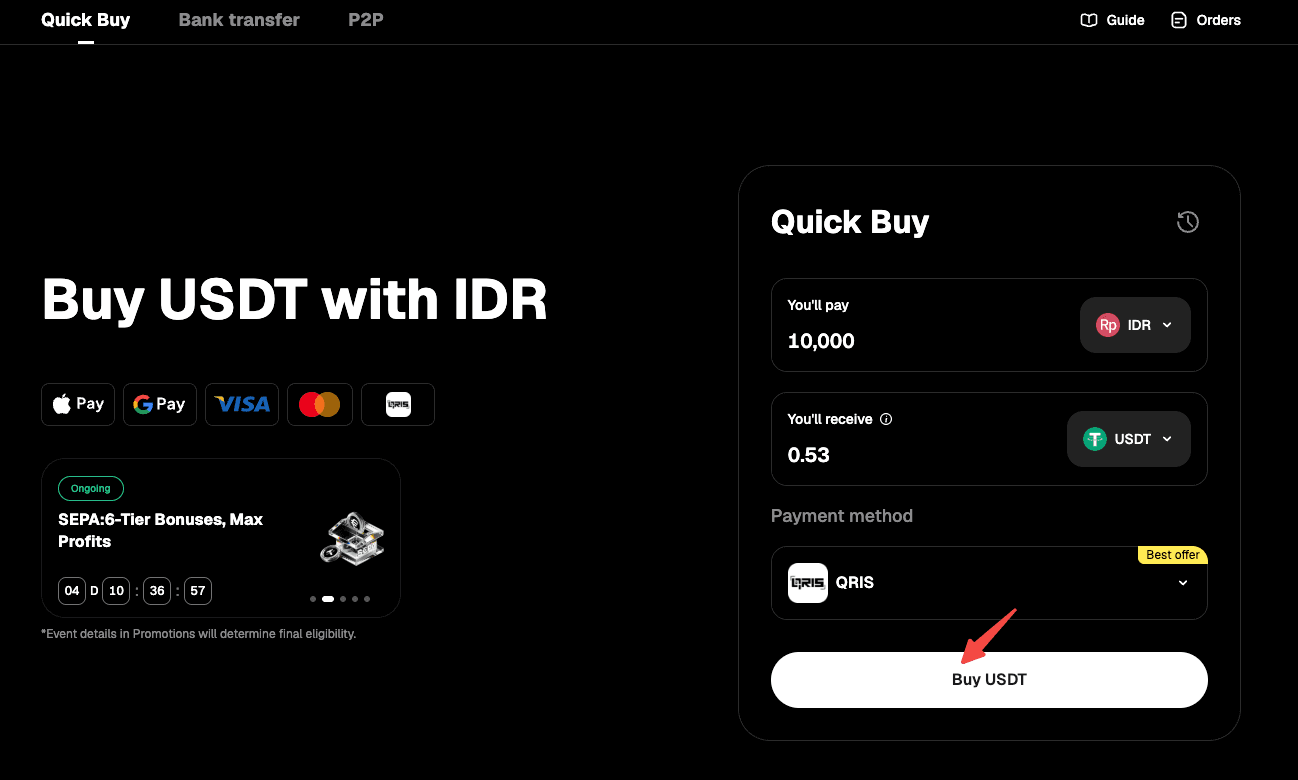
Step 5: Verify your identity as instructed on the page, then wait for confirmation.
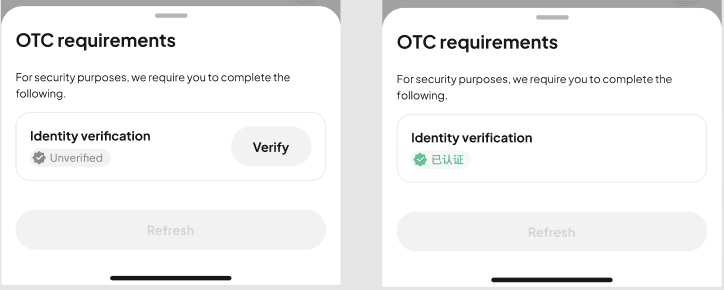
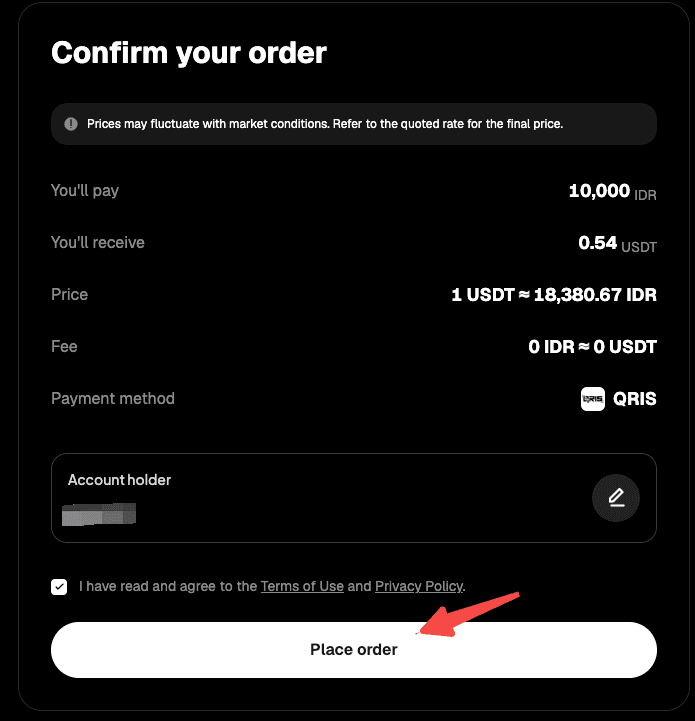
Step 6: Confirm the order details, then proceed with "Place Order."
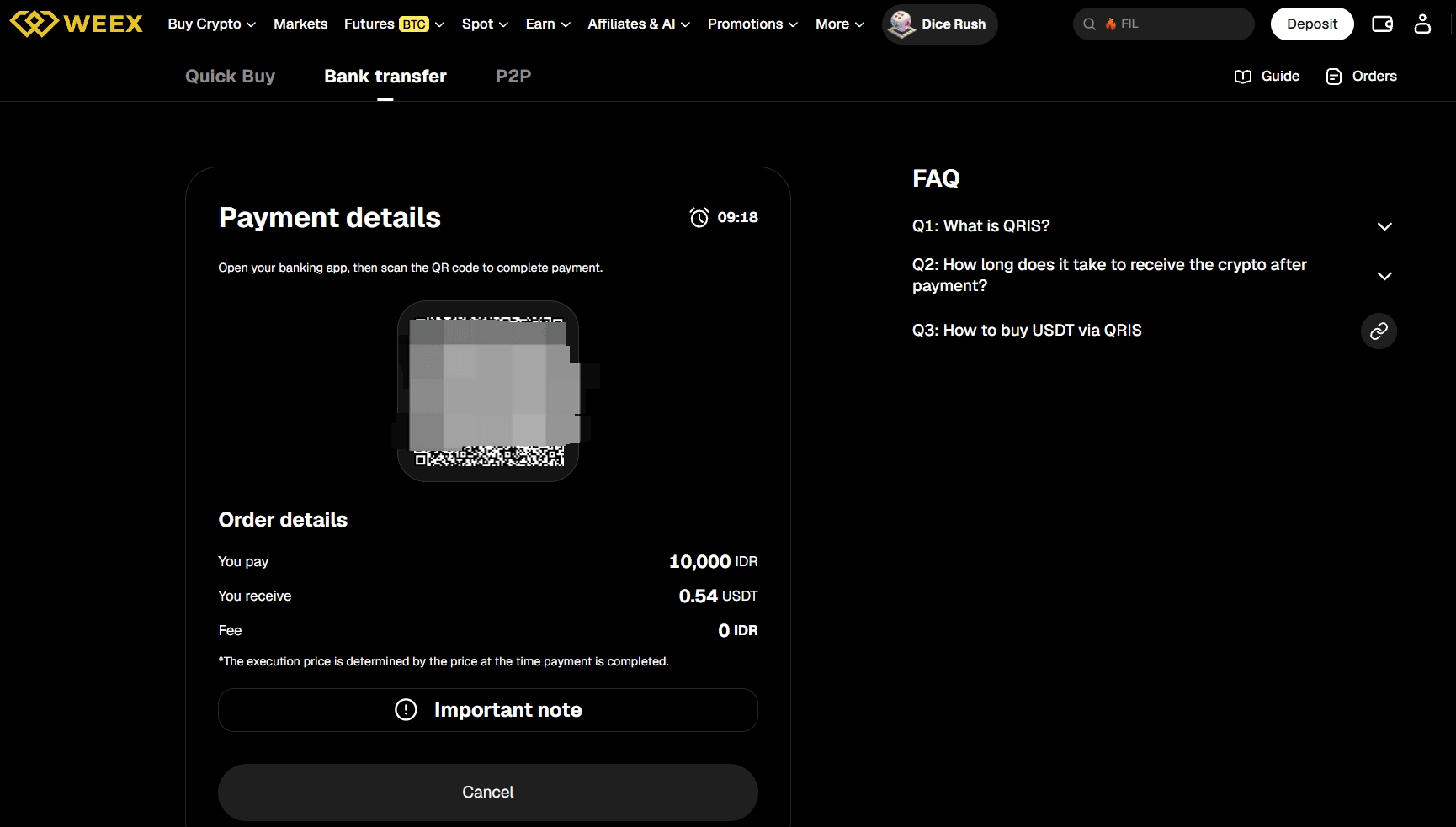
Step 7: You'll receive a QR code for the payment. Check the details carefully and complete the payment within 10 minutes to avoid delays.
Step 8: Use a payment app that supports QRIS to complete the payment.
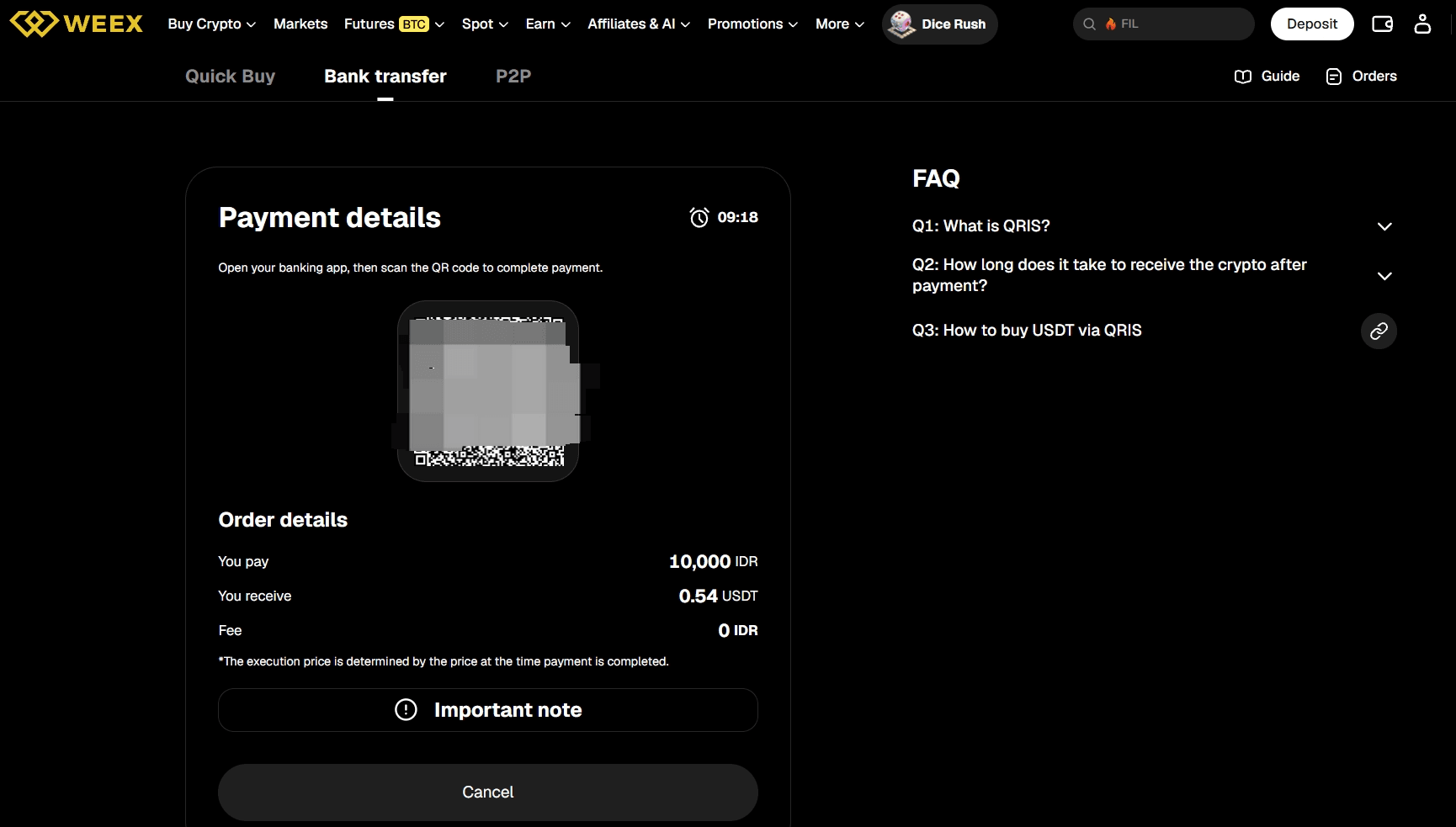
Step 9: Wait while the transaction is being processed. Your order will be completed automatically once payment is received. You can check the status in "Fiat Orders."
Option II
Step 1: Go to the official website, find "Buy Crypto" in the top navigation bar, and enter the "Quick Buy" page.

Step 2: Select "Bank Transfer" to proceed to the bank transfer page.
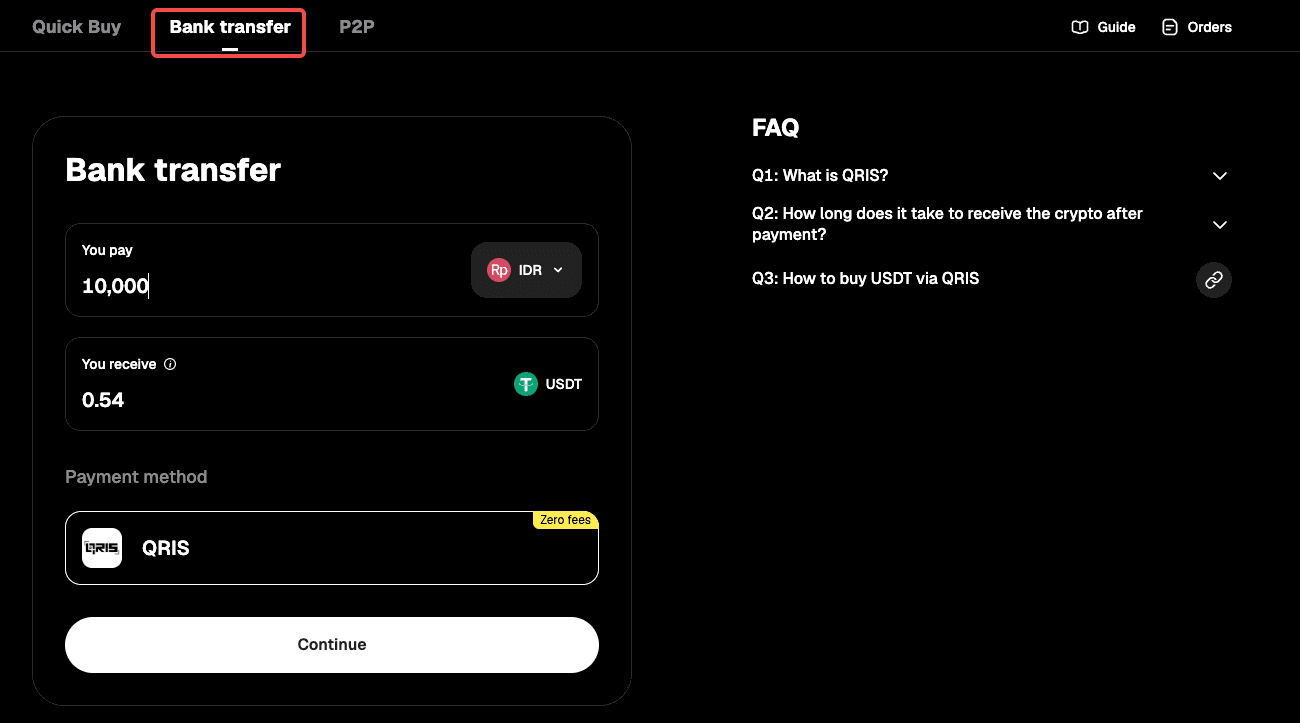
Step 3: Select "IDR" as your fiat currency, then enter the amount you want to pay and see the estimated crypto you'll receive in real time.
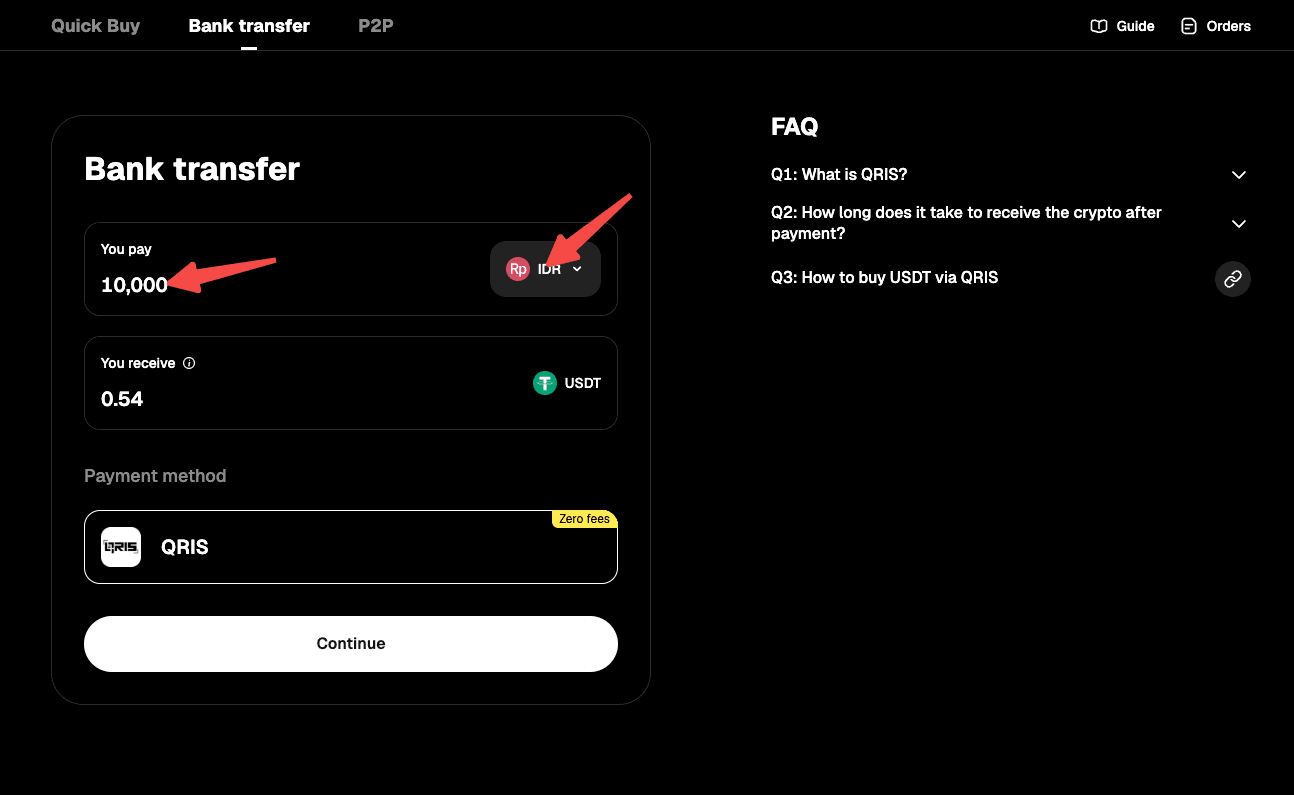
Step 4: Select "Continue" to proceed. Note: If you haven't completed identity verification, you'll be directed to Step 5. Verified users will proceed to order confirmation (Step 6).
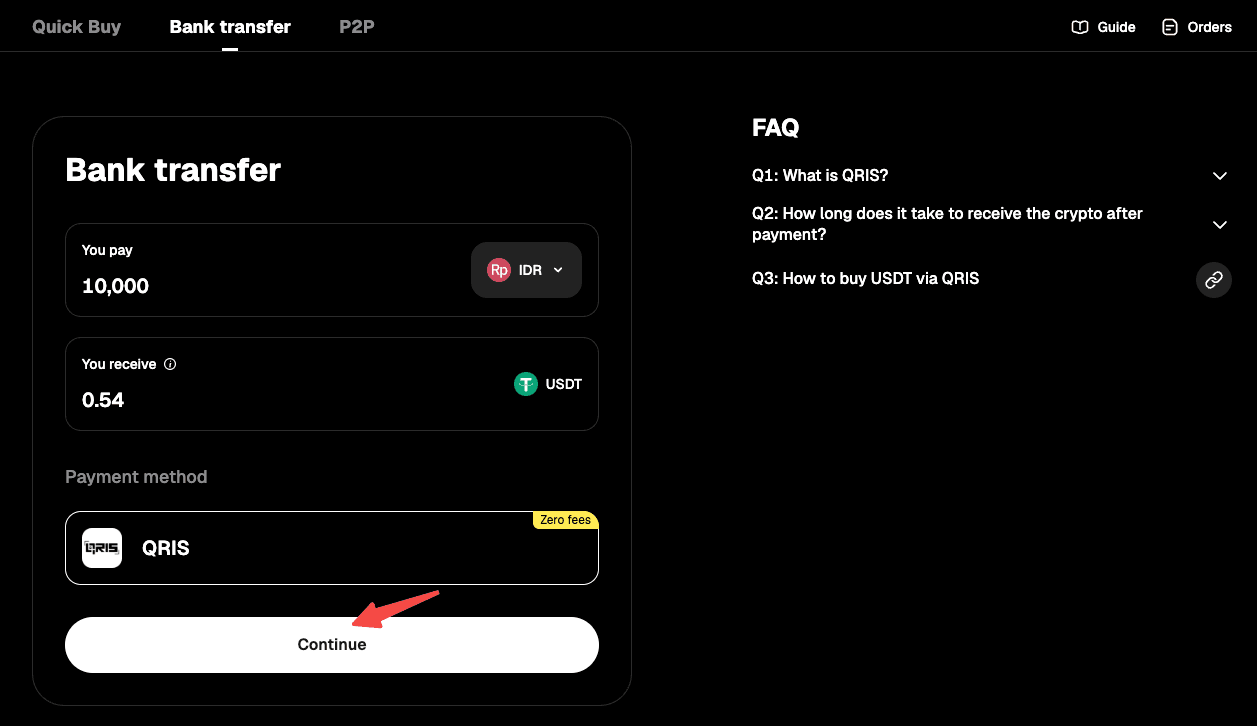
Step 5: Verify your identity as instructed on the page, then wait for confirmation.
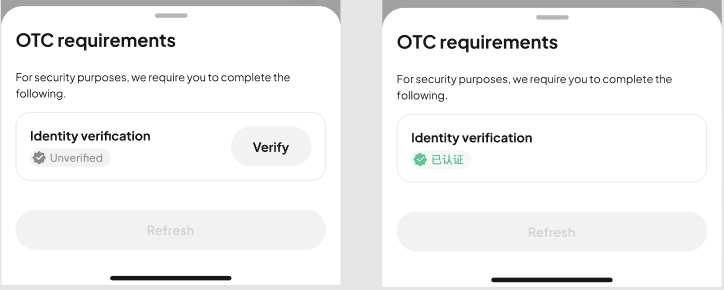
Step 6: Confirm the order details, then proceed with "Place Order."
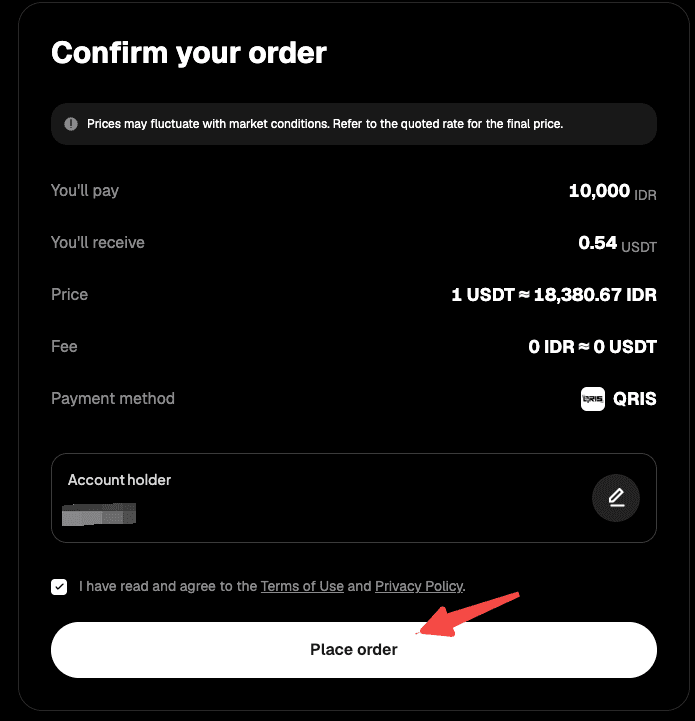
Step 7: You'll receive a QR code for the payment. Check the details carefully and complete the payment within 10 minutes to avoid delays.
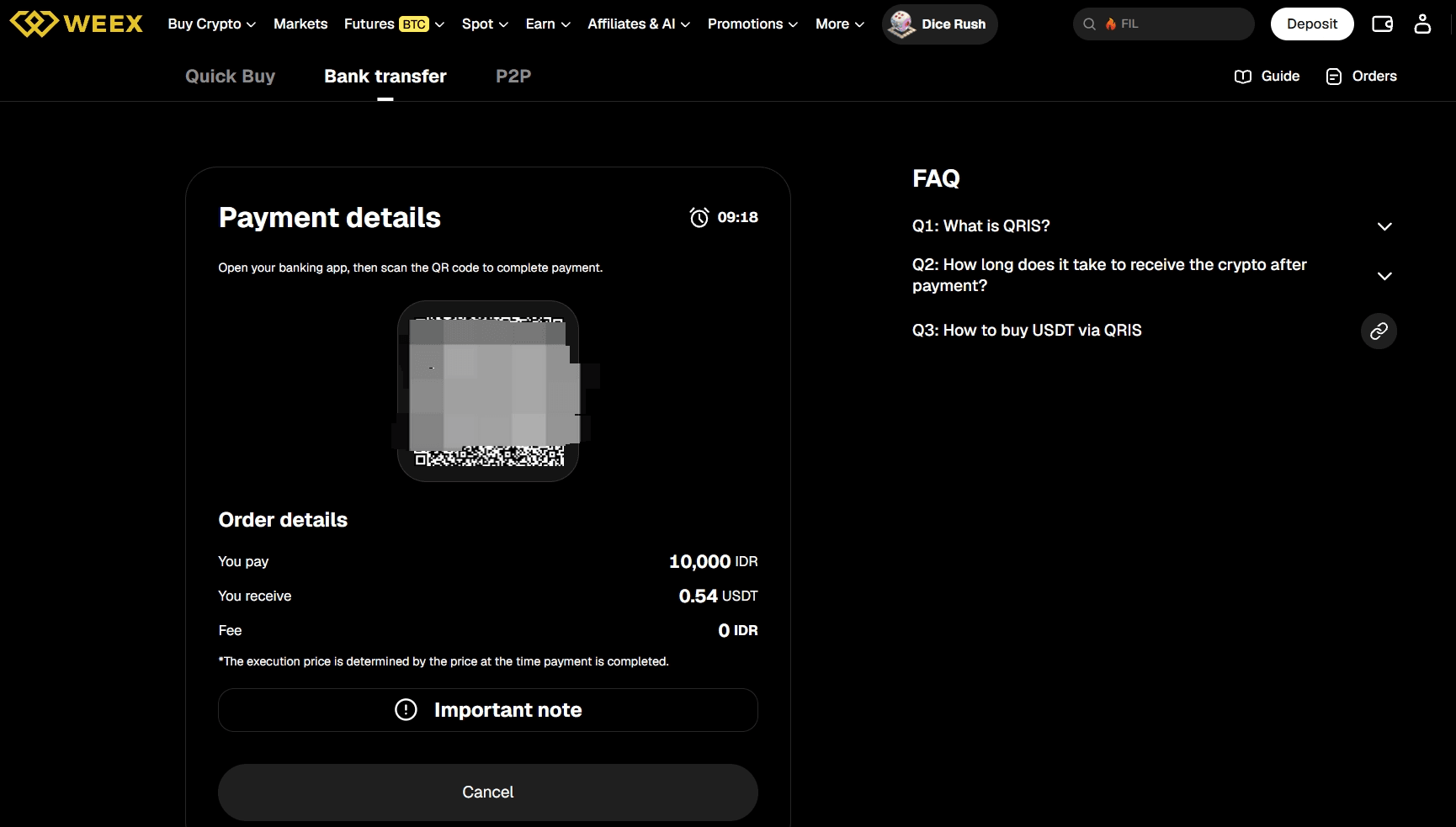
Step 8: Use a payment app that supports QRIS to complete the payment.
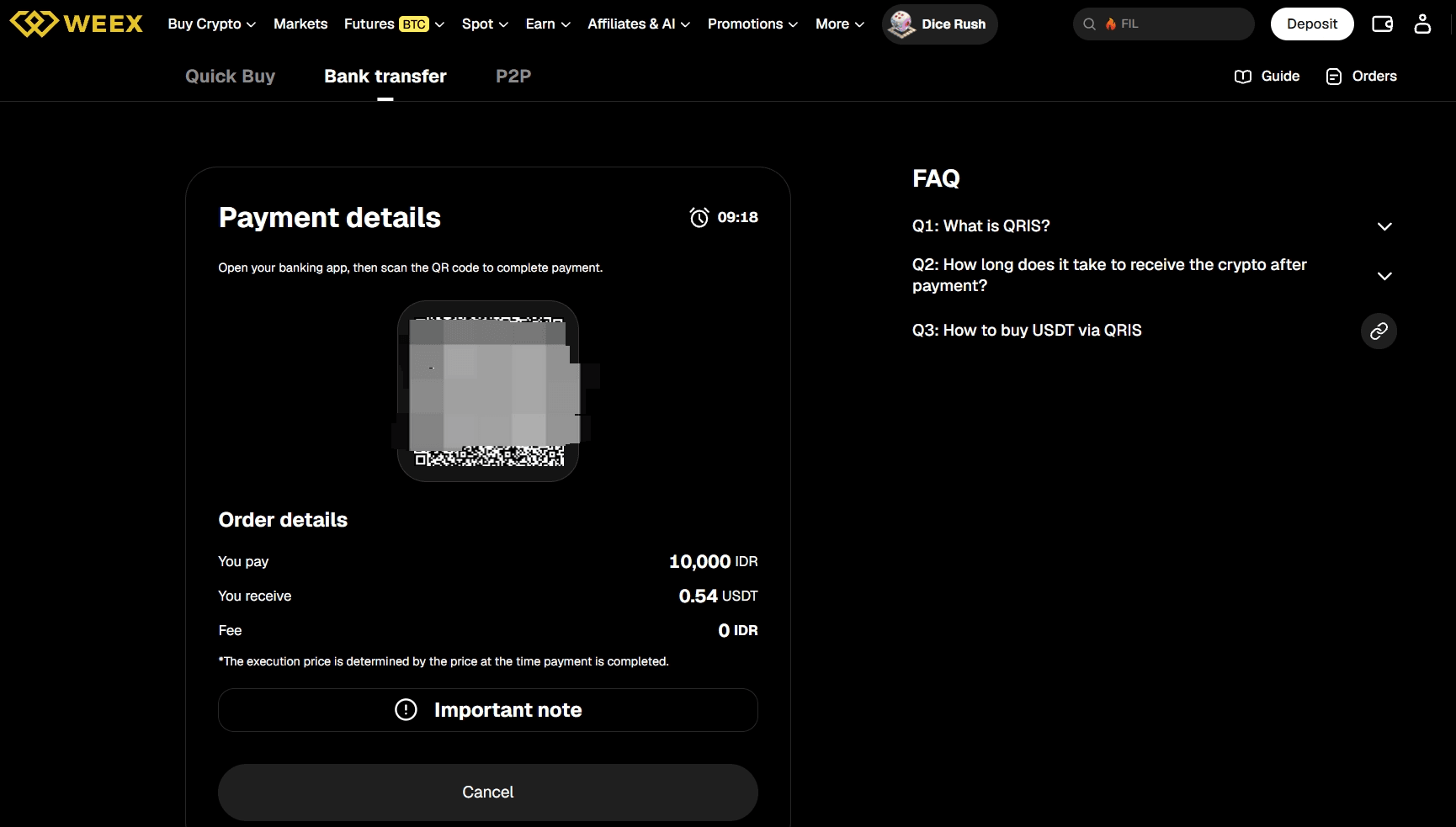
Step 9: Wait while the transaction is being processed. Your order will be completed automatically once payment is received. You can check the status in "Fiat Orders."
App
Option I
Step 1: On the app home screen, tap "Deposit," or go to "Assets" (bottom right) and enter the "Buy Crypto" page.
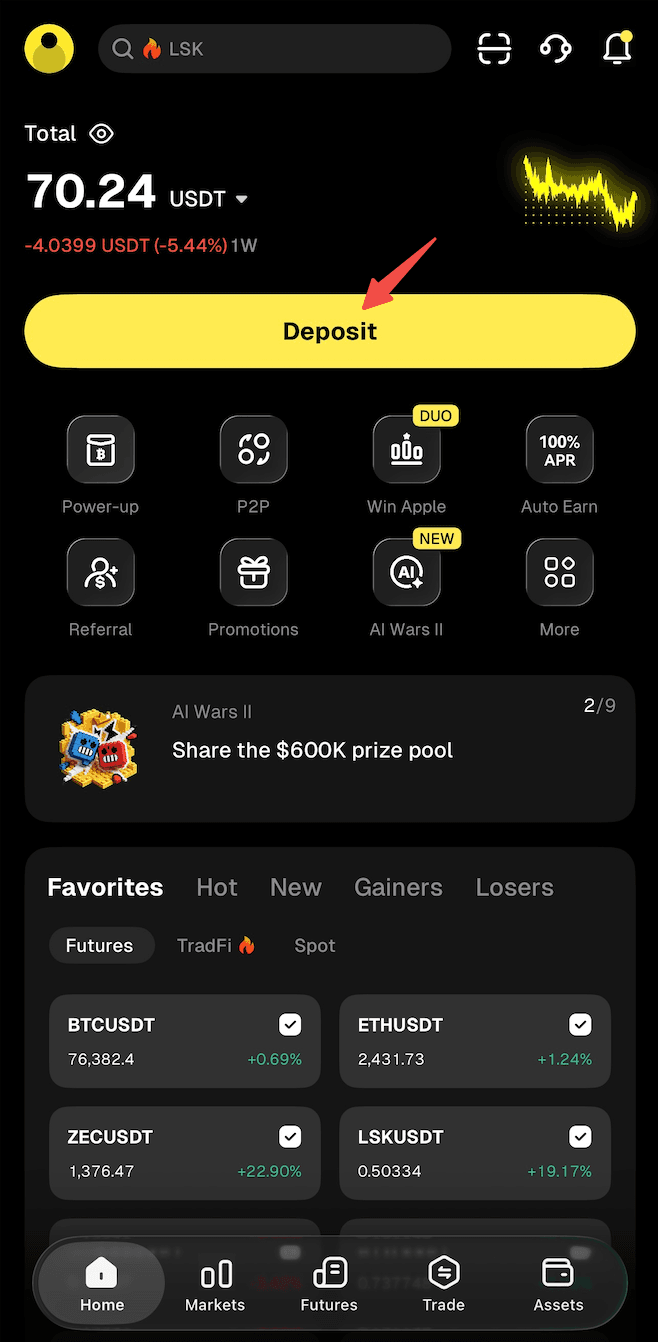
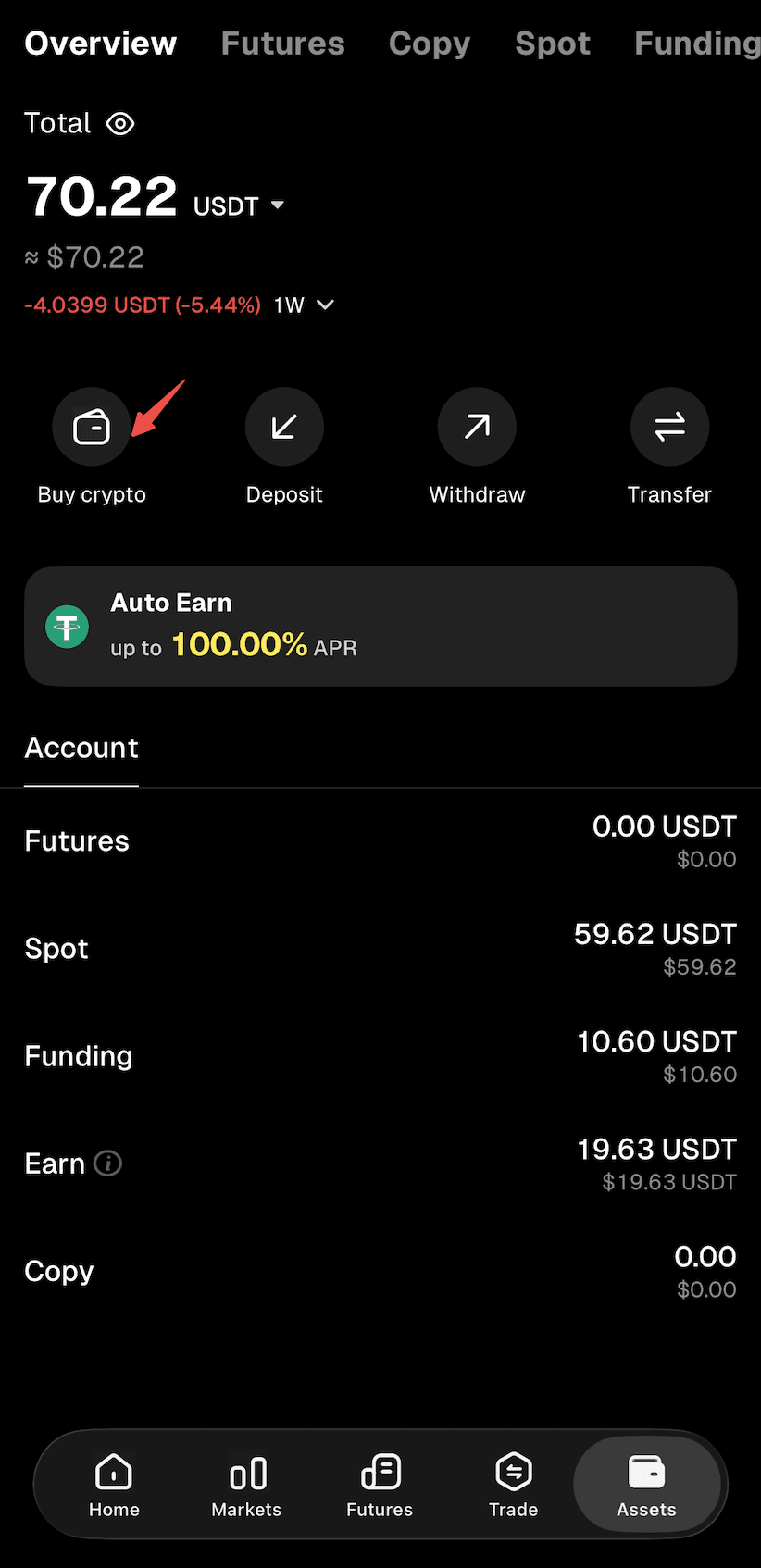
Step 2: Select "Buy Crypto" as the deposit method to enter the "Quick Buy" page.
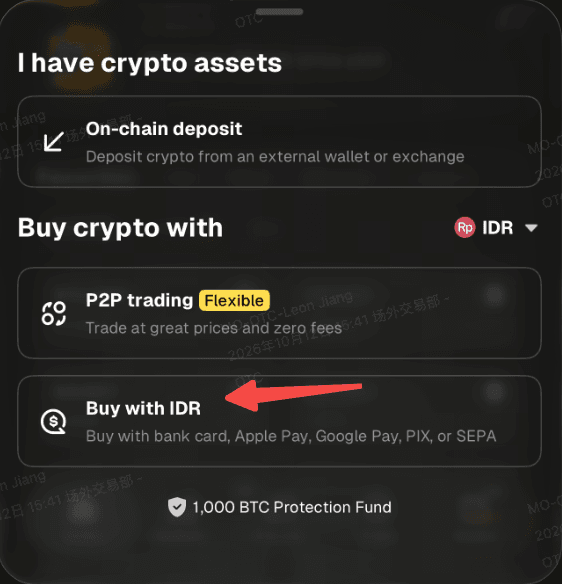
Step 3: Select "IDR" as your fiat currency and "USDT" as the crypto you want to buy. Enter the amount of IDR you'd like to pay, and the crypto amount will be calculated automatically.
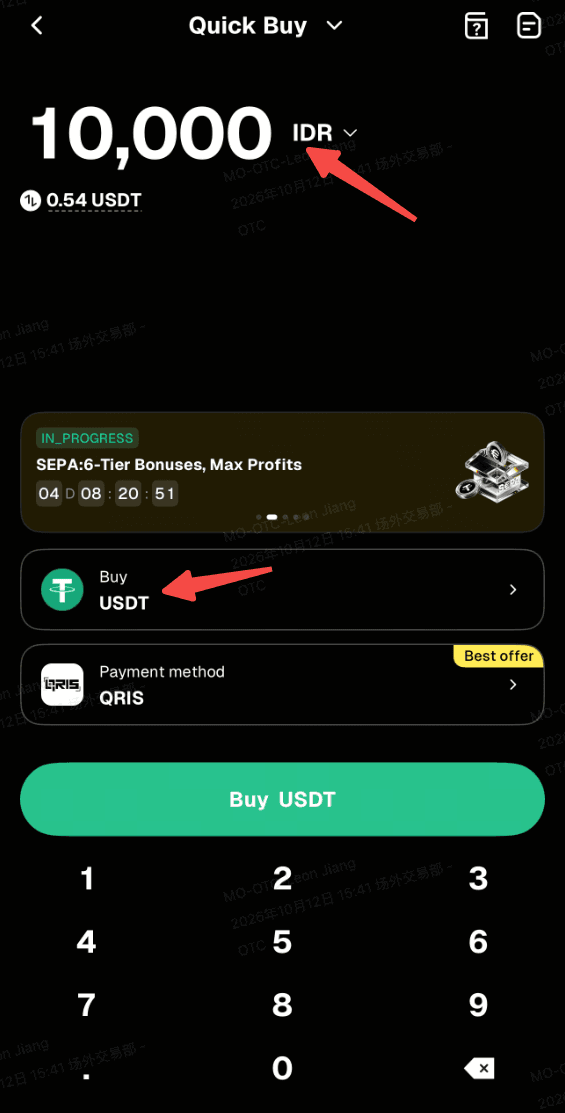
Step 4: Select "QRIS" in the payment method list.
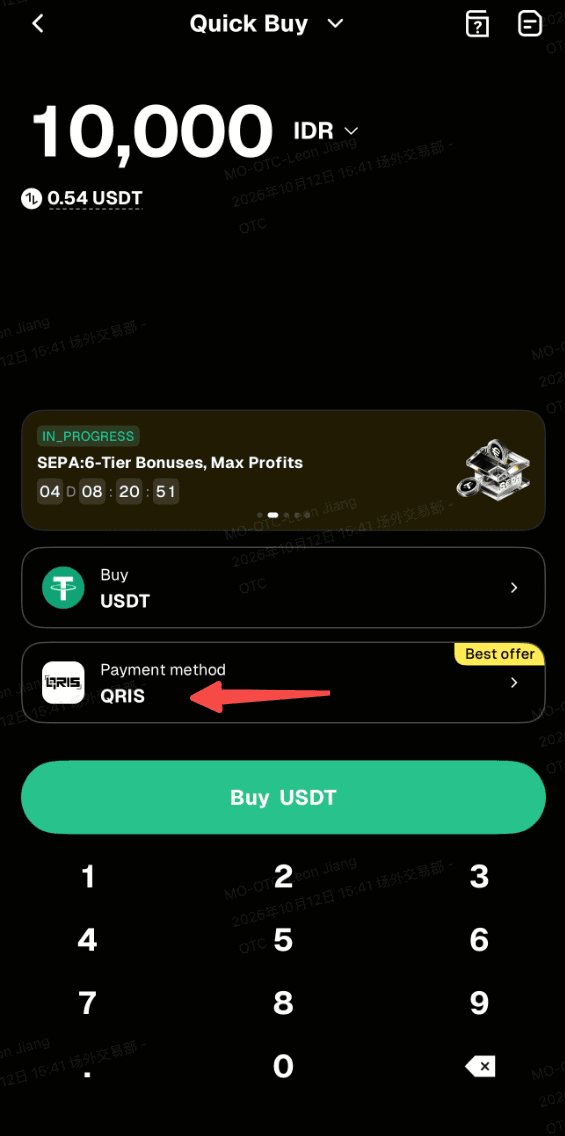
Step 5: Use "Buy Crypto" to proceed. Note: If you haven't completed identity verification, you'll be directed to Step 6. Verified users will proceed to order confirmation (Step 7).
Step 6: Verify your identity as instructed on the page, then wait for confirmation.
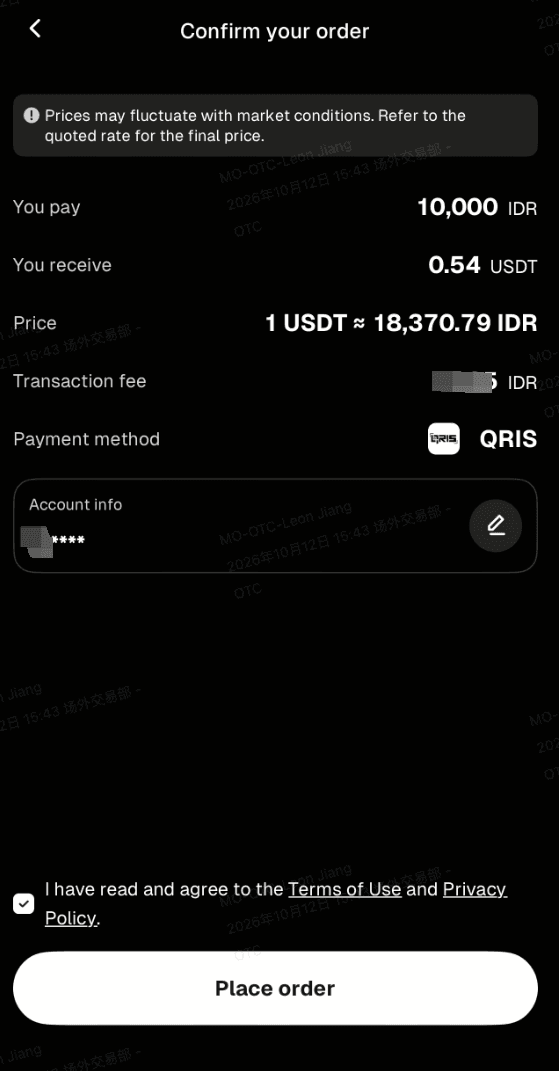
Step 7: Confirm the order details, then proceed with "Place Order."
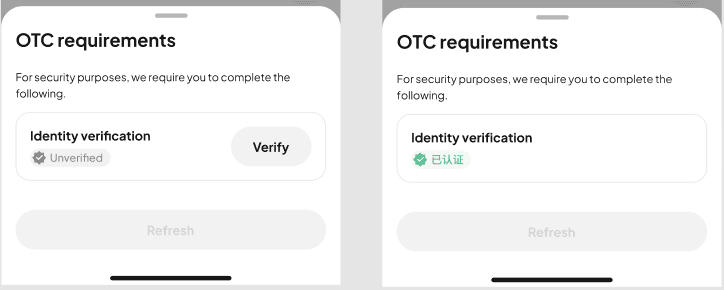
Step 8: You'll receive a QR code for the payment. Check the details carefully and complete the payment within 10 minutes to avoid delays.
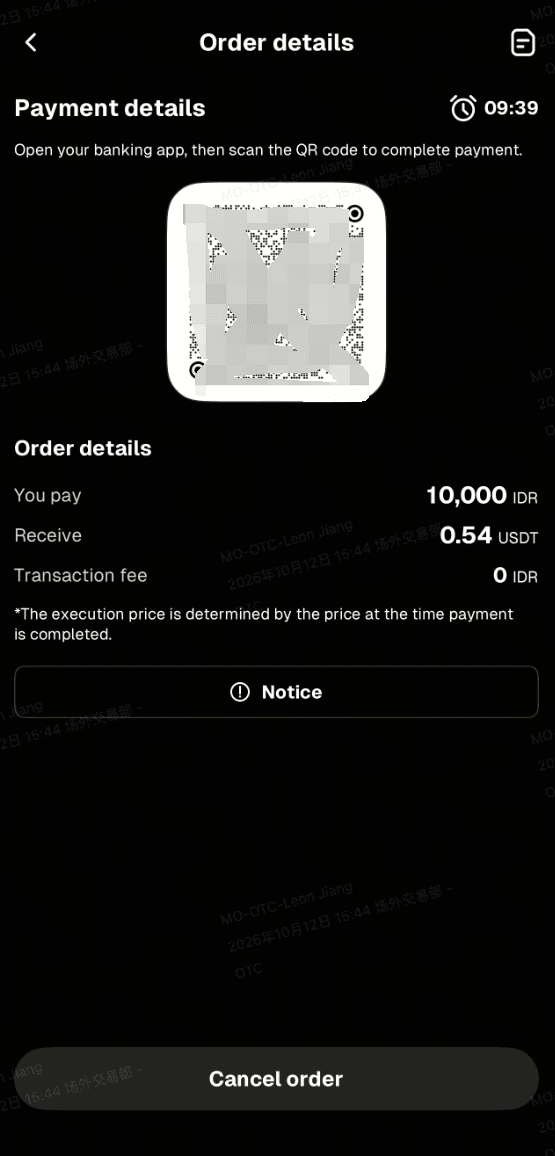
Step 9: Use a payment app that supports QRIS to complete the payment.
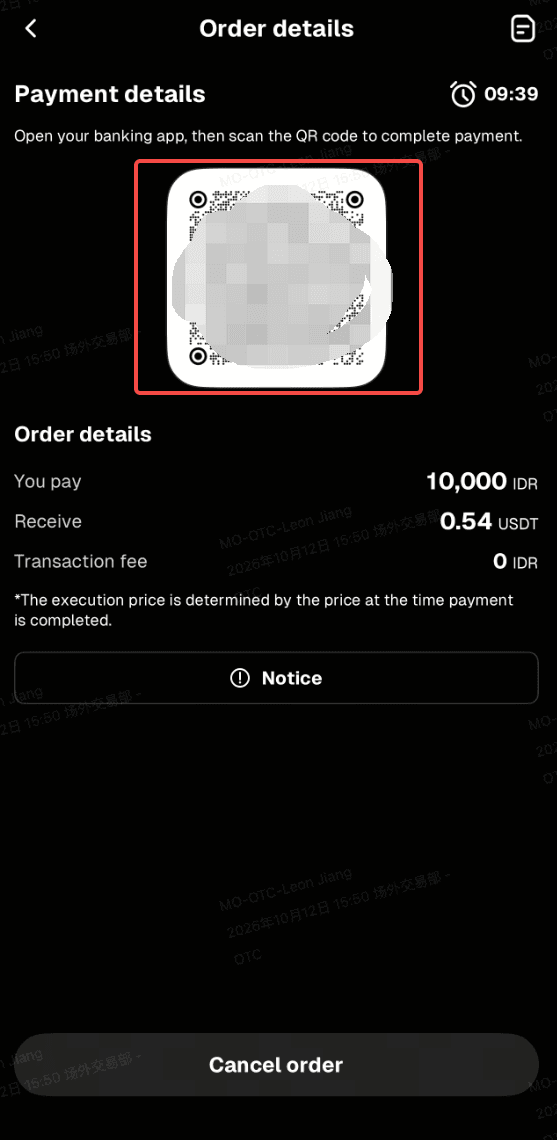
Step 10: Wait while the transaction is being processed. Your order will be completed automatically once payment is received. You can check the status in "Fiat Orders."
Option II
Step 1: On the app home screen, tap "Deposit," or go to "Assets" (bottom right) and enter the "Buy Crypto" page.
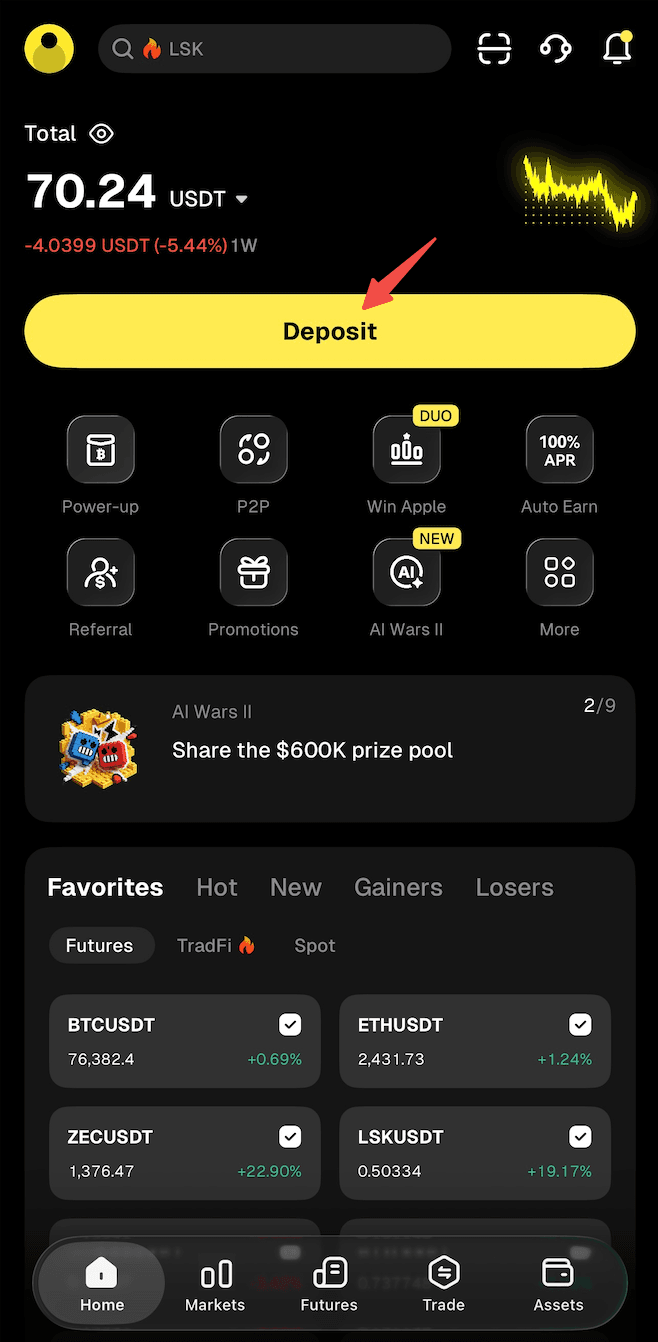
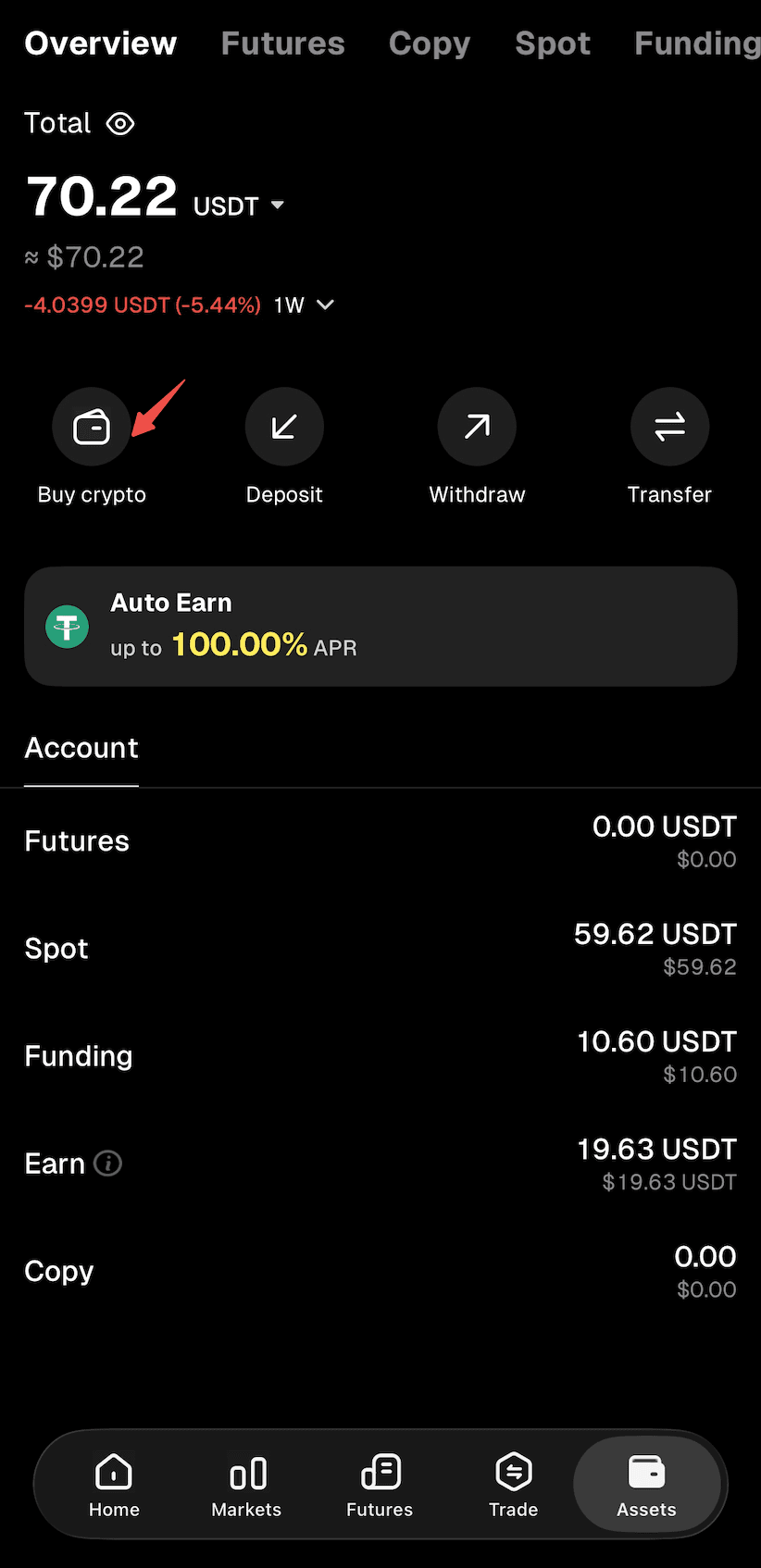
Step 2: Select "Buy Crypto" as the deposit method to enter the "Quick Buy" page.
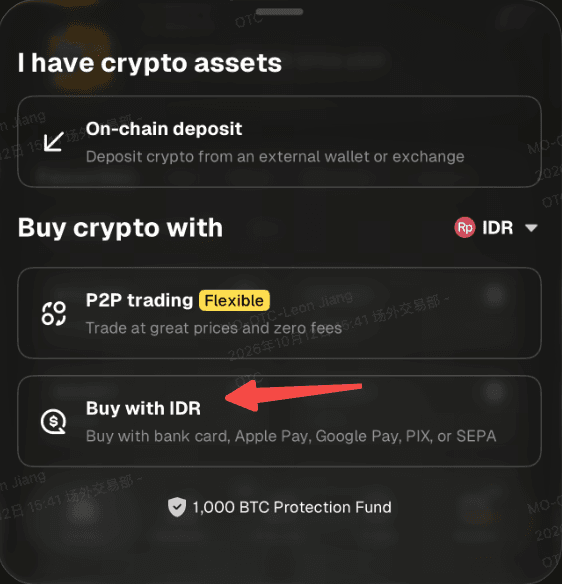
Step 3: Select "Bank Transfer" to proceed to the bank transfer page.
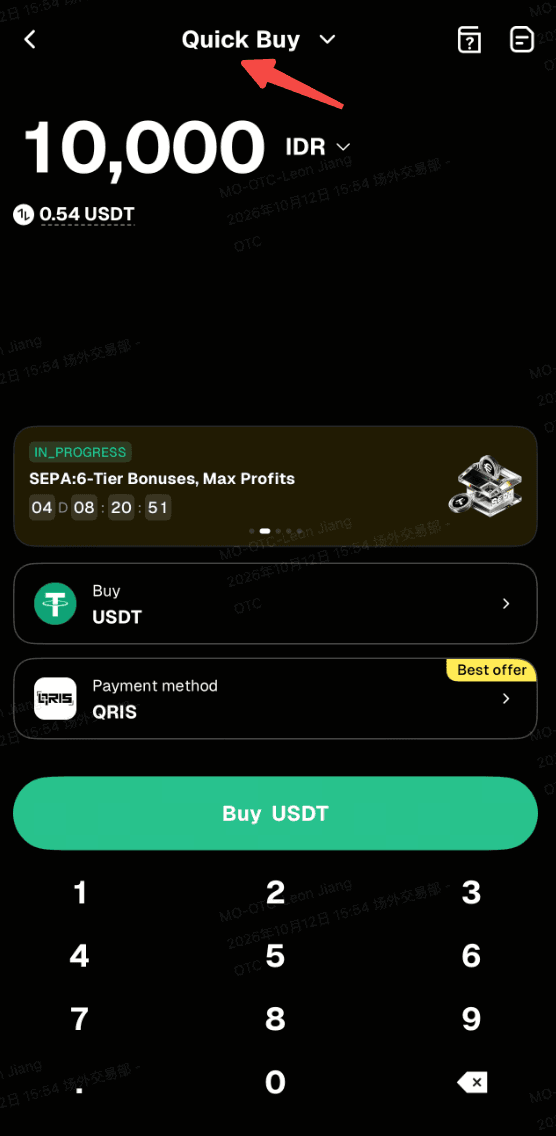
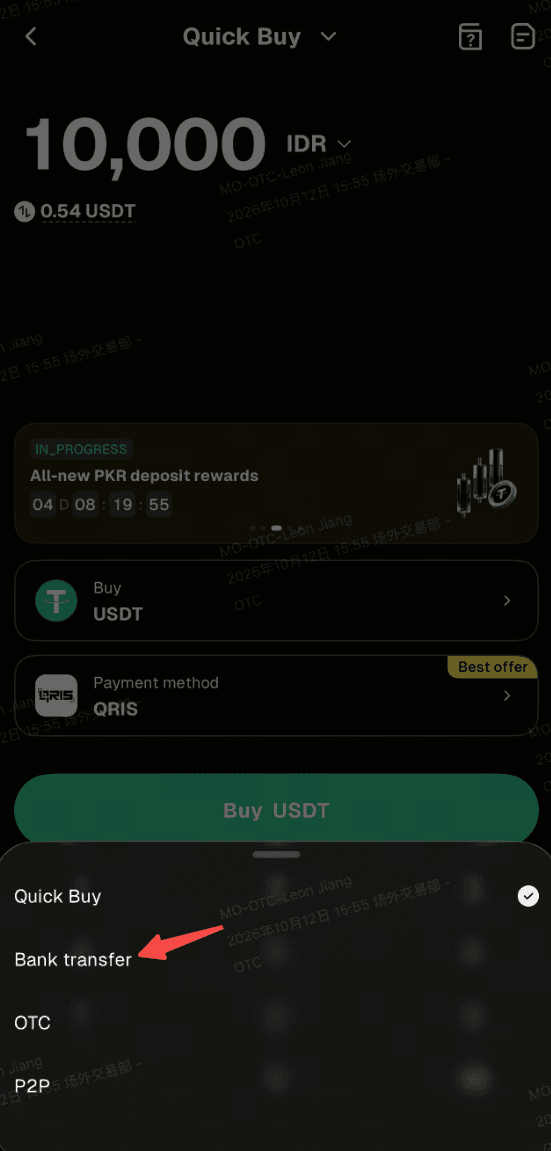
Step 4: Select "IDR" as your fiat currency, then enter the amount you want to pay and see the estimated crypto you'll receive in real time.
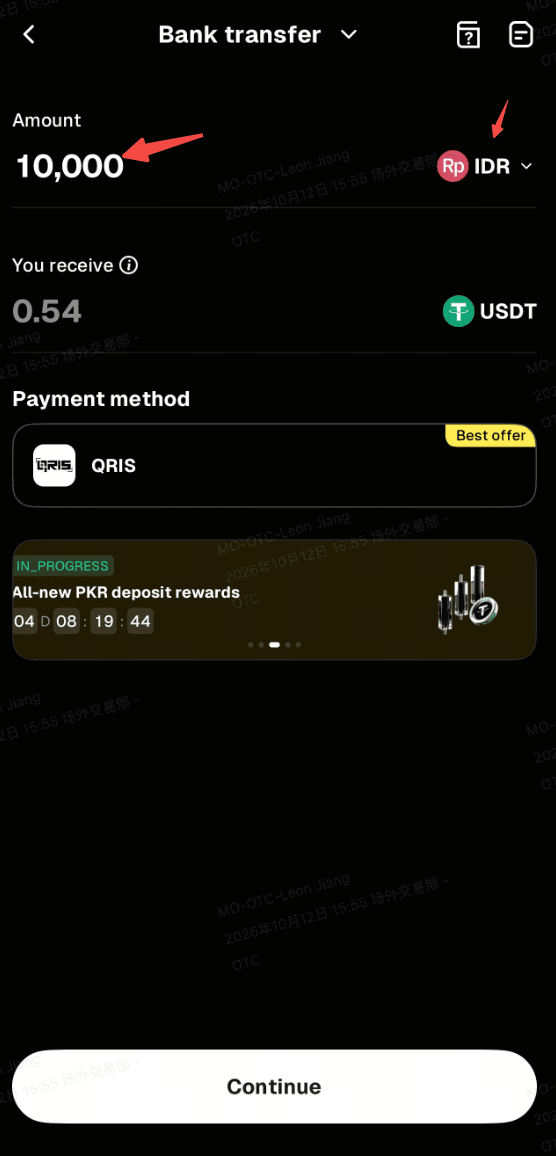
Step 5: Select "Continue" to proceed. Note: If you haven't completed identity verification, you'll be directed to Step 6. Verified users will proceed to order confirmation (Step 7).
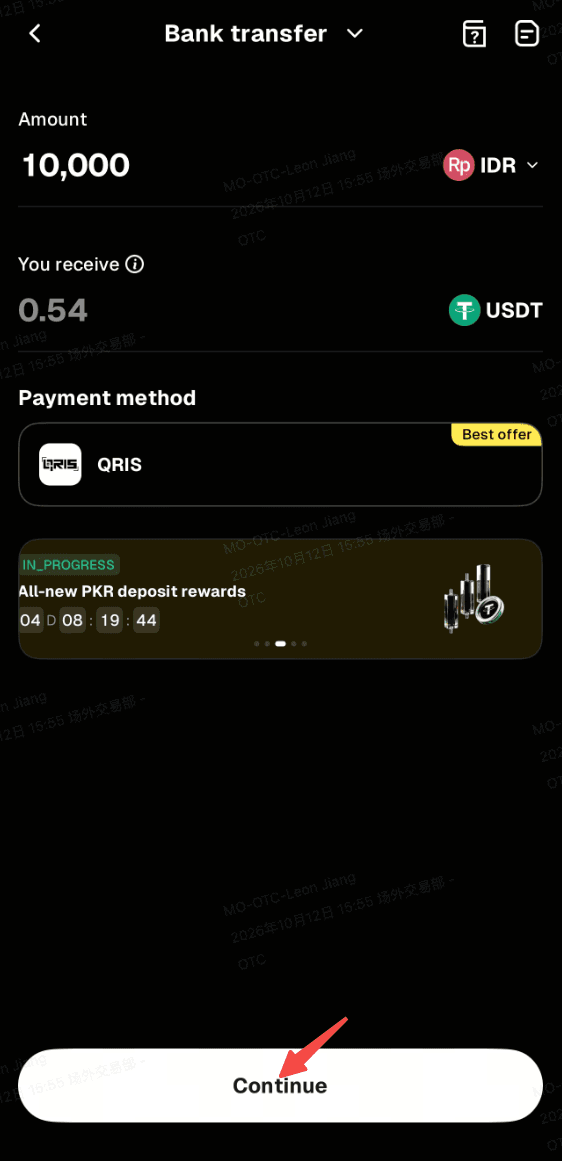
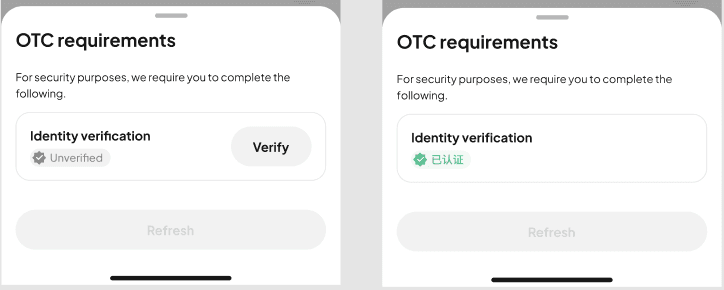
Step 6: Verify your identity as instructed on the page, then wait for confirmation.
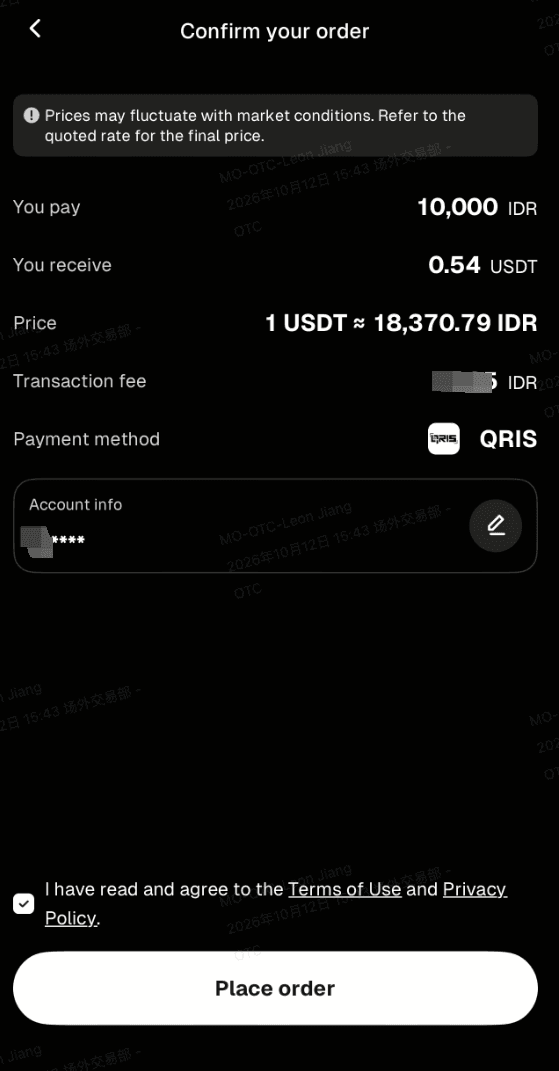
Step 7: Confirm the order details, then proceed with "Place Order."
Step 8: You'll receive a QR code for the payment. Check the details carefully and complete the payment within 10 minutes to avoid delays.
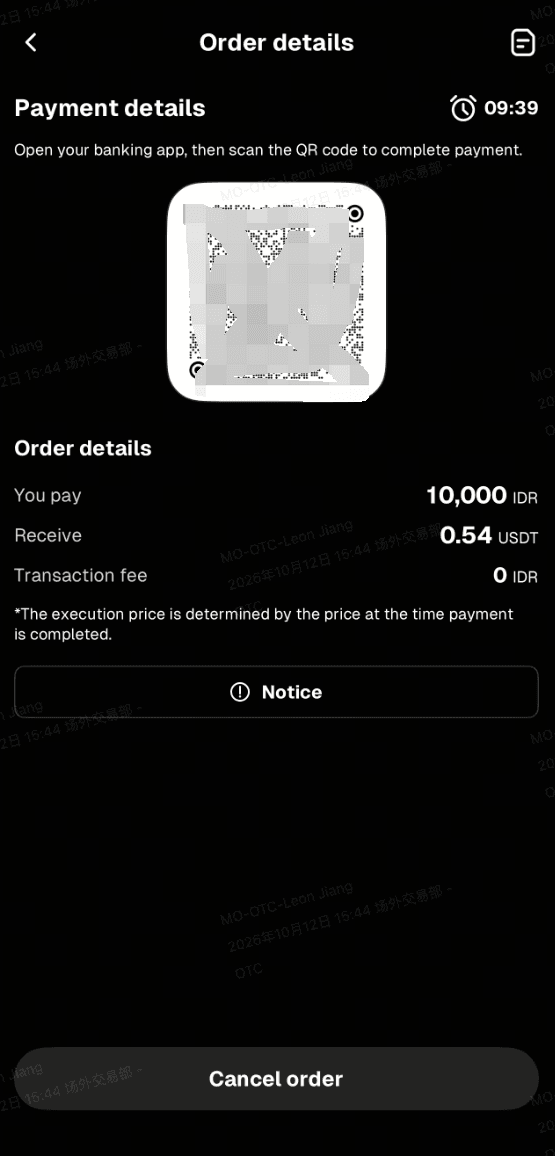
Step 9: Use a payment app that supports QRIS to complete the payment.
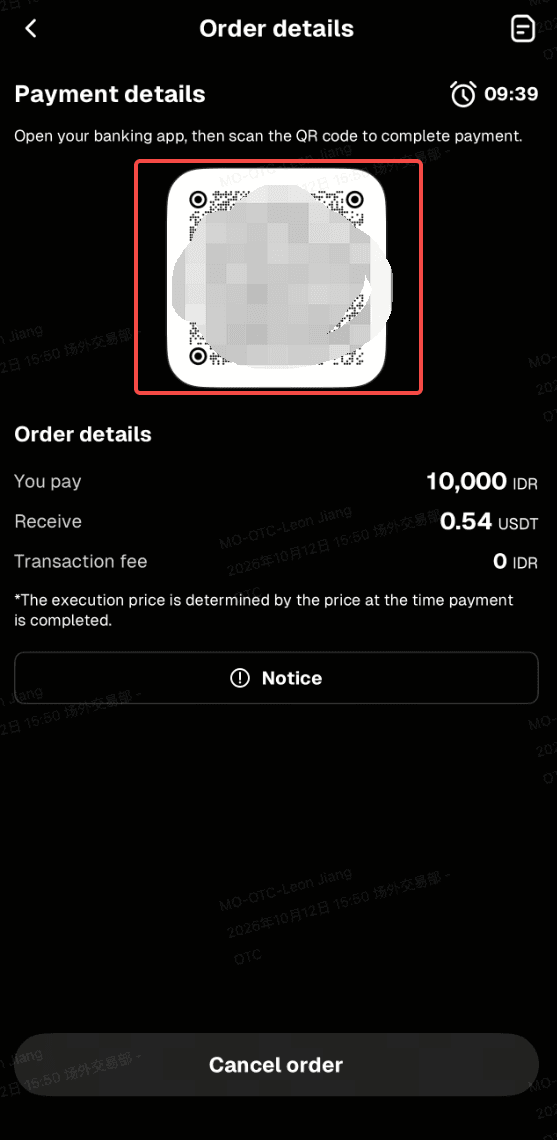
Step 10: Wait while the transaction is being processed. Your order will be completed automatically once payment is received. You can check the status in "Fiat Orders."
Related articles
Share
Gainers


Customer Support:@weikecs
Business Cooperation:@weikecs
Quant Trading & MM:[email protected]
VIP Program:[email protected]
