
How to Install Trust Wallet Safely: What Most Guides Leave Out

 Prefer us on Google



Installing Trust Wallet takes about three minutes. Losing everything in your wallet because of a mistake made during those three minutes can happen in seconds. The gap between those two realities is what most installation guides fail to address, and it is the gap this guide is specifically written to close.
The mistakes that cost crypto users their funds during wallet setup are not complicated. They are specific, repeatable, and almost entirely preventable if you know what they are before you begin. This guide covers the installation process and the safety considerations that experienced crypto users take for granted but that nobody explicitly tells beginners.
Step One: Download From the Right Place and Only the Right Place
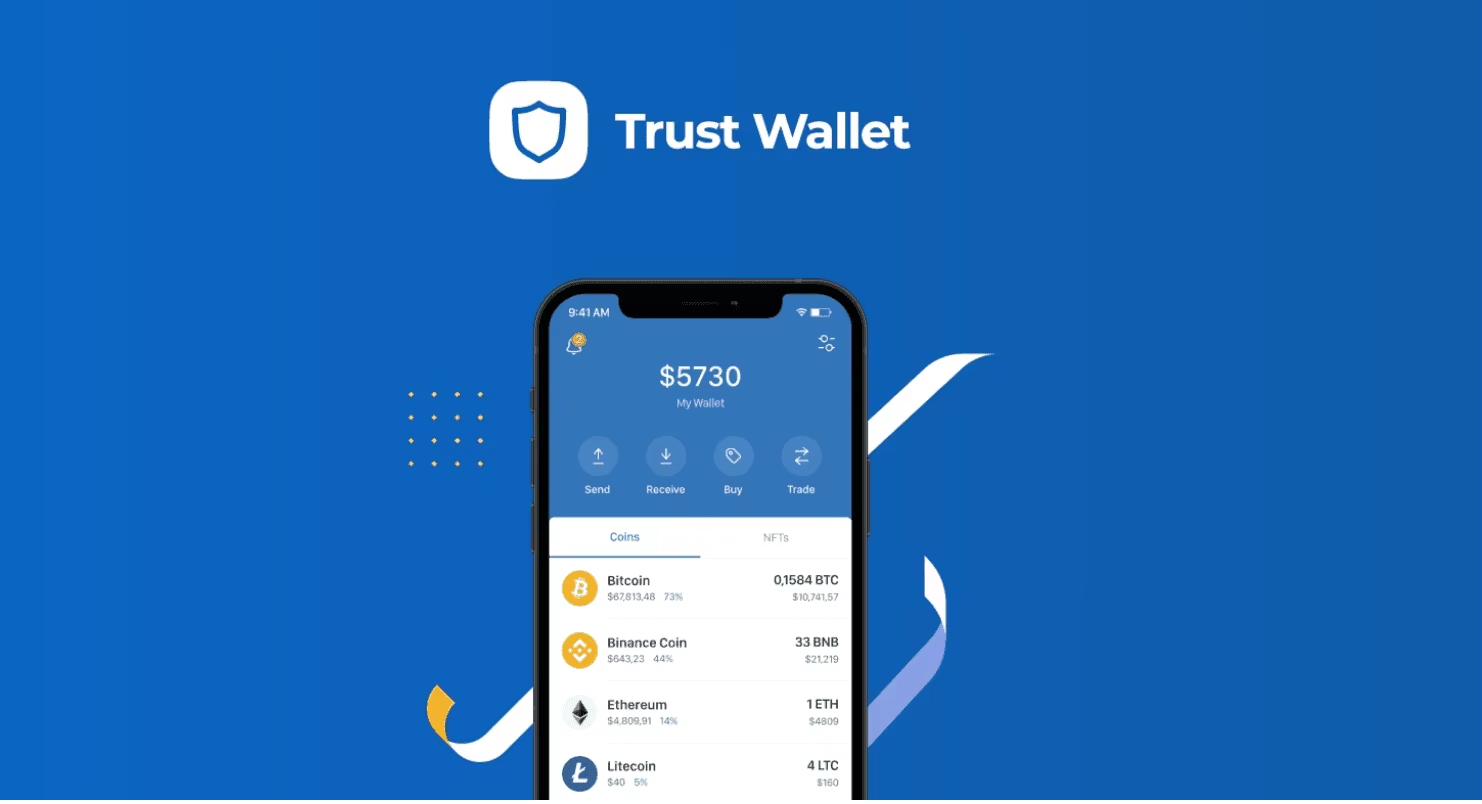
The single most dangerous moment in the entire Trust Wallet installation process is the one most guides treat as obvious: downloading the app.
Fake Trust Wallet apps exist on both the Apple App Store and Google Play Store. They exist on third-party app stores. They exist on websites that appear in Google search results for Trust Wallet download. They exist in links shared in Telegram groups, Discord servers, and social media posts. Trust Wallet itself has issued warnings about scam apps listed on Xiaomi and Amazon stores and has explicitly urged users to download only from verified sources.
The verified sources are two and only two. The Apple App Store listing reached through the official Trust Wallet website at trustwallet.com. The Google Play Store listing reached through the same official website. Do not search for Trust Wallet in the App Store or Play Store directly and assume the first result is legitimate. Navigate to trustwallet.com first and follow the download link from there. The extra thirty seconds this takes is the most valuable security action in the entire setup process.
The browser extension has an additional verification step. The Chrome Web Store listing for Trust Wallet should show the publisher as Trust Wallet and display a significant number of reviews and users consistent with a major product. Any extension showing a small user count, a different publisher name, or recent creation date is a fake regardless of how convincing the icon and description appear.
Step Two: Understand What You Are About to Create Before You Create It
Most guides jump immediately from download to wallet creation. Understanding what you are creating before you create it is the step that prevents the most common beginner mistakes.
When you tap Create New Wallet, Trust Wallet generates a 12-word recovery phrase. That phrase is not a password you choose. It is a cryptographic key generated from randomness that maps to your wallet's private keys. Every crypto wallet that uses this standard, including MetaMask, Exodus, and hardware wallets, uses the same underlying system. The 12 words are your wallet. Not your device. Not your Trust Wallet account. Your wallet.
This means three things that most beginners do not immediately understand.
First, if you install Trust Wallet on a new phone and restore using your 12-word phrase, you have the same wallet with all the same funds. The wallet exists on the blockchain, not on any specific device.
Second, if someone else gets your 12-word phrase, they have your wallet. Every coin, every token, everything. They do not need your phone, your password, or any other information. The phrase alone is sufficient.
Third, if you lose your 12-word phrase and lose access to your device, your funds are gone permanently. Trust Wallet cannot recover them. No one can. The blockchain has no customer service department.
Understanding these three realities before you tap Create New Wallet means you approach the recovery phrase step with the seriousness it deserves rather than treating it as a checkbox to get through.
Step Three: The Recovery Phrase Step Done Correctly
When Trust Wallet displays your 12-word recovery phrase, you are at the most critical moment of the entire setup process. What you do in the next two minutes determines whether your wallet is recoverable if anything goes wrong.
Write the words down on paper. Not in a notes app. Not in a screenshot. Not in an email to yourself. Not in a cloud document. On paper, with a pen, in order, numbered one through twelve. The reason is specific. Any digital storage of your recovery phrase creates a potential attack surface that does not exist for a piece of paper in your home. A notes app can be accessed if your phone is compromised. A screenshot can be uploaded to cloud storage automatically. An email can be intercepted or accessed if your email account is hacked. A piece of paper in your home cannot be accessed remotely by anyone.
Write it twice on two separate pieces of paper. Store them in two different physical locations. One might be at home and one at a trusted family member's house, or in a fireproof document safe. The specific locations matter less than the principle that a single point of failure for your recovery phrase storage is a risk that the small effort of a second copy eliminates entirely.
Never type your 12-word phrase into any website, app, or form that asks for it during normal wallet use. Trust Wallet will never ask for your recovery phrase after setup. No legitimate crypto service will ever ask for your recovery phrase to verify your identity, unlock your account, or process a transaction. Any request for your recovery phrase is a phishing attempt without exception.
Step Four: The Password That Most Guides Confuse With Security
Trust Wallet asks you to set a passcode or use biometric authentication to open the app. Most guides present this as a security feature and move on. It is a security feature, but a limited one that beginners frequently misunderstand in ways that create false confidence.
The app passcode prevents someone who physically has your phone from opening Trust Wallet without knowing the code or bypassing your biometrics. It is useful protection against a stolen phone scenario.
The app passcode does not protect your crypto if someone has your 12-word recovery phrase. It does not protect your crypto if malware on your device can read your files. It does not protect your crypto if a fake app asked you for your phrase during a fake setup process. The passcode is the door lock on your device. The recovery phrase is the deed to the property. They protect against different threats and neither substitutes for the other.
Set a strong passcode that you do not use for any other app or account. Enable biometric authentication if your device supports it. Then remember that these measures protect against device theft, not against recovery phrase compromise.
Step Five: The Verification Step That Trust Wallet Requires
After showing you the recovery phrase, Trust Wallet asks you to verify it by selecting words in order. Most guides present this as a simple confirmation step. It is, but its purpose deserves explicit explanation.
The verification step exists to ensure you actually recorded your phrase before Trust Wallet lets you access the wallet. It is the app's way of reducing the likelihood that you screenshot the phrase, assume you can find it later, and discover months afterward that you cannot.
Complete the verification using the paper copy you just wrote down rather than the phrase still visible on screen. This confirms that your written record is accurate rather than confirming that you can read words off a screen. If you make mistakes during verification, that is valuable information telling you that your written copy has errors that need to be corrected before you close the phrase display.
The Browser Extension Warning That Most Guides Omit
If you intend to use Trust Wallet's browser extension for desktop Web3 interactions, the security context that most installation guides omit is the documented incident from December 2025.
Trust Wallet disclosed a security incident related to its browser extension that affected a subset of users and required the company to initiate a compensation process. The incident involved the extension environment's vulnerability to attack vectors that the mobile app is not exposed to in the same way.
Trust Wallet's own guidance following the incident, consistent with independent security researcher recommendations, is to treat the browser extension as appropriate for smaller active trading balances and frequent dApp interactions rather than as the primary storage location for significant holdings.
Installing the browser extension is safe and useful for active Web3 use if you understand this context. Installing it and using it as your primary wallet for storing large amounts of crypto without cold storage backup is a risk that the December 2025 incident demonstrated is real rather than theoretical.
The practical setup that experienced crypto users follow is to keep meaningful long-term holdings in cold storage, maintain a smaller hot wallet balance in Trust Wallet mobile for active use, and use the browser extension only for dApp interactions with amounts they would be comfortable losing if the extension environment were compromised.
The Phishing Threats That Appear After Installation
Once your wallet is set up, the most common threats shift from installation mistakes to ongoing phishing attempts, and knowing what they look like before you encounter them is the most effective protection.
Fake customer support is the most common post-installation attack. Users who post questions about Trust Wallet on Reddit, Twitter, or Telegram frequently receive direct messages from accounts claiming to be Trust Wallet support offering to help. These accounts ask for your recovery phrase to verify your wallet or diagnose your problem. Trust Wallet has no direct message support function. Any account that contacts you offering personalized support and asks for your phrase is a scammer without exception.
Token airdrop scams involve tokens appearing in your wallet that you did not purchase. These tokens are sent to your address by scammers and are designed to attract your attention. Clicking on the token, visiting any website the token promotes, or attempting to sell the token by interacting with its associated contract can trigger a transaction that gives the scammer access to drain your legitimate holdings. Ignore unexpected tokens in your wallet and do not interact with them.
Fake Trust Wallet update notifications appear as messages claiming your wallet needs to be updated and directing you to a link. Trust Wallet updates come through the App Store or Play Store only. Any external link claiming to be a Trust Wallet update is a phishing attempt.
What To Do If Something Goes Wrong
Every Trust Wallet user should know what to do if they suspect their wallet has been compromised before it happens, because acting quickly in a compromise scenario is the only way to limit damage.
If you believe your recovery phrase has been exposed to anyone, create a new wallet immediately with a new recovery phrase and transfer all your assets to the new wallet before the attacker has time to act. The speed of this response determines how much you can save.
If you see unexpected transactions leaving your wallet, do not try to understand what happened first. Move remaining assets to a new wallet first and investigate afterward. Every second spent investigating rather than moving assets is a second the attacker can use to drain what remains.
If you installed Trust Wallet from a source other than the official website and are now uncertain whether you installed the legitimate app, delete the app and reinstall from trustwallet.com. If you entered your recovery phrase anywhere other than the legitimate Trust Wallet app during setup, create a new wallet and move your assets immediately.
For those looking to participate in global financial markets, having access to the right trading platform matters. WEEX offers crypto and stock trading products, covering major global markets including US stocks and digital assets.
Conclusion
Installing Trust Wallet safely requires understanding five things that most guides leave out. The only safe download sources are the App Store and Play Store links from trustwallet.com directly. The recovery phrase is your wallet and must be stored on paper in multiple physical locations. The app passcode protects against device theft but not against recovery phrase compromise. The browser extension carries additional risk documented in Trust Wallet's own December 2025 security disclosure. And the phishing attempts that follow installation are predictable enough to recognize and avoid if you know what they look like before you encounter them.
The three minutes it takes to install Trust Wallet are among the most consequential three minutes in any crypto user's experience. The safety measures that protect everything you put in that wallet require less than ten additional minutes of attention during setup. The asymmetry between the effort required and the protection provided makes every step in this guide worth taking before you add a single dollar of crypto to your new wallet.
FAQ
1. Where is the safest place to download Trust Wallet?
The only safe download sources are the App Store and Google Play Store links accessed through the official Trust Wallet website at trustwallet.com. Searching directly in app stores or following links from social media, search engines, or messaging apps risks downloading a fake app designed to steal your recovery phrase.
2. What should I do with my Trust Wallet recovery phrase?
Write it on paper in order, numbered one through twelve, and store copies in two separate physical locations. Never photograph it, screenshot it, type it into any app or website, or store it in any digital format. Trust Wallet will never ask for your recovery phrase after setup, and any request for it is a phishing attempt.
3. Is the Trust Wallet browser extension safe?
The browser extension is useful for active Web3 interactions but carries additional risk documented in Trust Wallet's December 2025 security incident disclosure. Use it for smaller active balances and frequent dApp interactions rather than as primary storage for significant holdings. Keep large long-term holdings in cold storage.
4. What is the difference between the Trust Wallet passcode and the recovery phrase?
The passcode prevents someone with physical access to your device from opening the app. The recovery phrase is the cryptographic key to your wallet and protects against a different threat entirely. Having a strong passcode does not protect your funds if your recovery phrase is compromised, and vice versa.
5. What should I do if I think my Trust Wallet has been compromised?
Create a new wallet with a new recovery phrase immediately and transfer all remaining assets to the new wallet before investigating what happened. Speed is the only variable you control in a compromise scenario. Move assets first, investigate afterward.
Disclaimer: This content is provided for general branding and informational purposes only and doesn't constitute financial, investment, legal, or tax advice. Any events, rewards, online events, or related information mentioned herein should not be considered a recommendation, solicitation, or invitation to purchase, sell, trade, or otherwise deal in any crypto assets or to use any services. Crypto assets are highly volatile and may result in loss. WEEX services and online events may not be available in all regions and are subject to applicable laws, regulations, and eligibility requirements. You are responsible for ensuring that your use of WEEX services complies with local laws and for carefully assessing the risks before participating in any crypto-related activities.
You may also like
Introducing Cash Cat ($CASHCAT): Robinhood Chain Meme Token and Price Prediction
Cash Cat is a Robinhood Chain meme token drawing attention after a fast market debut, a 1B supply, and sharp price swings.
LLY Stock Forecast: Can AI and Weight Loss Drugs Drive More Growth?
This article maps how Eli Lilly’s GLP-1 weight-loss franchise and AI-driven R&D could influence LLY’s traditional equity and…
CASHCAT Airdrop: How to Earn Up to 50,000 USDT in Rewards on WEEX
This guide breaks down how the CASHCAT Airdrop works on WEEX, the rewards on the table, and a…
What Is SOXS ETF? The 3X Bear Semiconductor ETF Explained
This guide breaks down SOXS—the Direxion Daily Semiconductor Bear 3X Shares—so you understand what a 3x inverse semiconductor…
Trust Wallet Transaction Stuck or Failed? Here's How to Fix It
A stuck or failed transaction in Trust Wallet is one of the most common problems crypto users encounter and one of the most misunderstood. The cause is almost always related to gas fees or network congestion rather than anything wrong with your wallet. This guide explains why transactions get stuck or fail, how to fix each situation, and how to prevent it from happening again.
Trust Wallet vs MetaMask: Which One Is Better for Beginners?
Trust Wallet and MetaMask are the two most widely used self-custody crypto wallets in the world. They serve different primary purposes and suit different types of crypto users. This guide compares them directly on the dimensions that matter most for beginners making their first wallet choice.

Trust Wallet Seed Phrase: How to Store It Safely and What Never to Do
Your Trust Wallet seed phrase is the single most important piece of information associated with your crypto holdings. Every security measure in the world is irrelevant if your seed phrase is compromised. This guide focuses entirely on storage methods, the specific mistakes that lead to loss, and the habits that protect your seed phrase over the long term.

O Airdrop for New Users: Earn USDT Rewards on WEEX
New to trading O and looking for USDT rewards? This guide explains how the WEEX O Airdrop for…

Samsung Stock vs SK Hynix Stock: Which Korean Memory Giant Is the Better Buy Right Now?
Samsung stock and SK Hynix stock are the two largest memory companies in the world and the two dominant forces in the AI memory boom of 2026. This guide compares the two specifically on the variables that matter for the buy decision rather than on company history or general descriptions.
What Is Trust Wallet? A Complete Beginner's Guide
Trust Wallet is a self custody crypto wallet used by more than 200 million people across more than 100 blockchains. This guide explains what Trust Wallet actually is, how it works, what is new in 2026, and what beginners need to know before using it.
Is Samsung Stock a Buy After Falling 15% From Its All Time High?
Samsung stock is trading approximately 15% below its all time high despite reporting the highest quarterly operating profit ever recorded by a technology company. This guide focuses on the buy decision specifically, examining what the 15% discount actually represents and whether the business case justifies buying at current levels.

How to Buy Samsung Stock: What Non-Korean Investors Need to Know
Samsung Electronics has no US-listed ADR and no direct equivalent to SKHY on any major Western exchange. Non-Korean investors who want Samsung exposure have four main options, each with different cost structures, accessibility levels, and risk profiles. This guide explains each option precisely and what the tradeoffs actually are.

Samsung Stock Falls 7% on Record Profit: Why 1800% Earnings Growth Was Not Enough
Samsung stock fell roughly 7% on July 7 after reporting Q2 operating profit of approximately $58 billion, a 19 fold increase from the same quarter a year earlier. The result beat analyst estimates. The stock fell anyway. This guide explains the specific mechanism that produced that outcome and what it means for investors watching the July 30 full earnings report.
Why Oil Prices Are Rising Again: The Iran Hormuz Crisis and What It Means for Your Portfolio
Oil prices surged more than 3% after the US and Iran exchanged fresh strikes and issued conflicting statements about whether the Strait of Hormuz remains open. Brent crude climbed toward $79 a barrel. This guide explains what the Strait of Hormuz crisis actually is, why it moves oil prices, and what the current escalation means for different parts of an investment portfolio.
Iran Crisis and Stock Markets: Which Sectors Win and Which Lose?
The Iran Hormuz crisis has been reshaping sector performance since February 2026. Not all stocks react the same way when oil prices spike. Some sectors benefit directly and immediately. This guide maps which sectors win, which lose, and why the current crisis is producing unusual patterns in some categories.
Bitcoin and the Iran Crisis: Does Crypto Act as a Safe Haven When Oil Spikes?
Oil prices surged more than 3% on July 13 after fresh US-Iran strikes raised new questions about Strait of Hormuz access. Bitcoin and crypto markets responded with characteristic ambiguity. This guide examines whether crypto genuinely acts as a safe haven during oil price shocks, what the historical evidence says, and what the Iran crisis specifically reveals about crypto's role in a geopolitical stress environment.
KOSPI Crash and SKHY: Why South Korean Stocks Fall While US-Listed ADRs Hold
The KOSPI fell more than 8% and triggered a circuit breaker on July 13 while SKHY held near $168 on Nasdaq. The same company's shares moving in opposite directions on two exchanges on the same day is not a contradiction. It is the result of three distinct mechanisms operating simultaneously. This guide explains each one.
What Is a KOSPI Circuit Breaker and Why Has It Triggered Seven Times in 2026?
The KOSPI circuit breaker triggered for the seventh time in 2026 on July 13, halting all South Korean stock trading for 20 minutes after the index fell more than 8%. This guide explains what the circuit breaker is, why it keeps triggering, and what it reveals about the specific structure of the Korean market.
SK Hynix Stock Price Prediction 2026–2030: Can SKHY Reach $500?
SK Hynix stock price is trading at approximately $168 after its Nasdaq debut. Getting to $500 by 2030 requires roughly 198% appreciation over four years. This guide examines what the path to $500 actually requires across four years and three independent growth drivers that operate on different timelines.

SK Hynix Stock Price History: From $40 to $168 in One Year, What Drove the Rally?
SK Hynix stock price was trading near $40 per Korean share equivalent less than a year ago. Today SKHY trades at $168 on Nasdaq after the largest foreign ADR listing in history. This guide maps what drove each phase and what it means for where SK Hynix stock price goes next.
Should You Still Buy SKHY? What SK Hynix Stock's 13% IPO Gain Tells Investors
SK Hynix stock price opened at $170 on July 10 and closed at $168.01, representing a 13% gain from the $149 IPO price. The stock is now trading under its permanent SKHY ticker after switching from SKHYV. This guide focuses on whether the 13% first day gain changes the buy decision and what the current SK Hynix stock price implies about the investment case.
SK Hynix Stock Falls 13% in Korea as SKHY Surges in the US: What Just Happened?
SK Hynix stock fell more than 13% on the Korea Exchange on Monday, triggering a circuit breaker that briefly suspended trading of the entire KOSPI index. This guide explains why the same company's shares moved in opposite directions on two exchanges simultaneously and what it means for investors holding either.
SK Hynix Stock in Korea: Price, Drivers, and How to Buy It
SK Hynix stock (KRX: 000660) is Korea's most valuable listed company on the AI memory boom. See the price, drivers, risks, and how foreign investors can buy it.
Stock Futures Explained: What They Are and How to Trade Them
Stock futures let traders lock in an index price today and preview the market open. Learn how stock futures work, how to read them, and their risks.
BATRA Stock: Price, Forecast, and How to Trade Atlanta Braves Holdings in 2026
BATRA stock explained — Atlanta Braves Holdings price, share classes, 2026 forecast, and how to trade equity exposure via tokenized stocks.
TSMC Stock (TSM): Price, 2026 Forecast, and How to Get Exposure
TSMC stock trades near $434 in July 2026. See TSM's valuation, dividend, analyst price targets, how to buy it, and the key risks before you invest.
GDWR Coin (Global Digital Water Reserve): Legit or Hype?
Is GDWR coin legit? Global Digital Water Reserve is a Solana narrative token with no water backing. See its price, supply, risks, and how to buy safely.

USOH Crypto Scam or Legit? A Complete Risk Analysis
Is USOH Crypto legit or a scam? Explore United States Oil Holdings, its tokenized oil reserve claims, on-chain data, key risks, and investment considerations.
GDWR Crypto Scam or Legit? A Complete Risk Analysis
Is GDWR Crypto legit or a scam? Learn what Global Digital Water Reserve is, review its on-chain data, risk factors, and whether the project is backed by real-world water assets.

AI Stock Outlook: Will Iran Tensions Change the Market Outlook?
Explore how Iran tensions, rising oil prices, interest rates, and Big Tech AI spending could shape the next phase of the AI stock rally.
Introducing Cash Cat ($CASHCAT): Robinhood Chain Meme Token and Price Prediction
Cash Cat is a Robinhood Chain meme token drawing attention after a fast market debut, a 1B supply, and sharp price swings.
LLY Stock Forecast: Can AI and Weight Loss Drugs Drive More Growth?
This article maps how Eli Lilly’s GLP-1 weight-loss franchise and AI-driven R&D could influence LLY’s traditional equity and…
CASHCAT Airdrop: How to Earn Up to 50,000 USDT in Rewards on WEEX
This guide breaks down how the CASHCAT Airdrop works on WEEX, the rewards on the table, and a…
What Is SOXS ETF? The 3X Bear Semiconductor ETF Explained
This guide breaks down SOXS—the Direxion Daily Semiconductor Bear 3X Shares—so you understand what a 3x inverse semiconductor…
Trust Wallet Transaction Stuck or Failed? Here's How to Fix It
A stuck or failed transaction in Trust Wallet is one of the most common problems crypto users encounter and one of the most misunderstood. The cause is almost always related to gas fees or network congestion rather than anything wrong with your wallet. This guide explains why transactions get stuck or fail, how to fix each situation, and how to prevent it from happening again.
Trust Wallet vs MetaMask: Which One Is Better for Beginners?
Trust Wallet and MetaMask are the two most widely used self-custody crypto wallets in the world. They serve different primary purposes and suit different types of crypto users. This guide compares them directly on the dimensions that matter most for beginners making their first wallet choice.

Contents
Latest articles


Latest coin listings on WEEX


