
Trust Wallet vs MetaMask: Which One Is Better for Beginners?

 Prefer us on Google


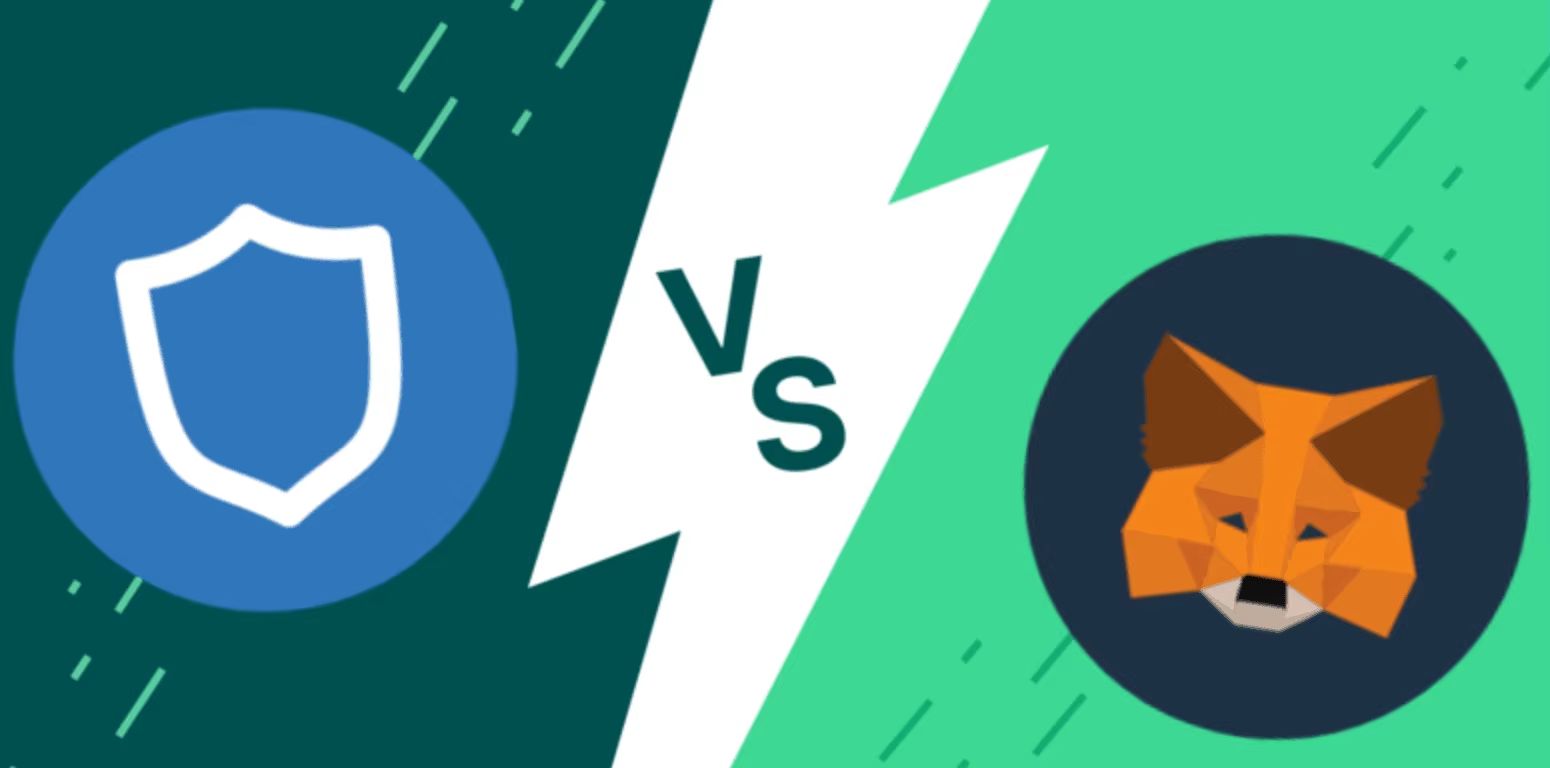
Trust Wallet and MetaMask are not competing products in the way that two smartphones from different brands compete. They are tools built for overlapping but distinct use cases, and choosing between them as a beginner depends less on which one is objectively better and more on what you actually plan to do with crypto.
That said, the comparison is genuinely useful because the two wallets make different trade-offs that favor different kinds of users, and understanding those trade-offs before you commit to one prevents the frustration of discovering six months later that you chose the wrong tool for how you actually use crypto.
What Each Wallet Was Built For
MetaMask was created in 2016 specifically for Ethereum. Its original purpose was to give users a way to interact with Ethereum-based decentralized applications directly from a browser without running a full Ethereum node. That origin shapes everything about MetaMask's design, its strengths, and its limitations. The browser extension remains its primary interface, and Ethereum and EVM-compatible chains remain its strongest ground.
Trust Wallet was built from the beginning as a mobile-first multi-chain wallet. Its founding vision was a single app that could hold any cryptocurrency across any blockchain, giving users one interface for their entire crypto portfolio regardless of which networks they used. That origin shapes Trust Wallet equally. The mobile app is the core experience, and breadth across more than 100 blockchains is its primary competitive strength.
Understanding these founding purposes matters for beginners because it tells you what each wallet is optimized for before you look at any specific feature comparison.
Supported Blockchains
The most practical difference between Trust Wallet and MetaMask for most beginners is which blockchains each supports and how easily.
Trust Wallet supports more than 100 blockchains natively within a single interface. Bitcoin, Ethereum, BNB Smart Chain, Solana, Polygon, Avalanche, Arbitrum, Base, Optimism, Tron, and dozens of others are all accessible through the same app without any manual configuration. Switching between networks is seamless and the portfolio view shows all your holdings across all chains simultaneously.
MetaMask natively supports Ethereum and EVM-compatible networks. For most of those networks, adding them to MetaMask requires manually entering the network's RPC URL, chain ID, and other technical parameters, or using a third-party service like Chainlist to add them automatically. Bitcoin and Solana, two of the largest blockchain ecosystems, are not supported in MetaMask at all without third-party extensions that introduce additional complexity and security considerations.
For beginners who are starting with Ethereum and EVM chains exclusively, MetaMask's network support is entirely adequate. For beginners who want to hold Bitcoin alongside Ethereum tokens, or who want to explore Solana's ecosystem, or who simply want one wallet that handles everything without configuration, Trust Wallet's native multi chain support is a meaningful advantage.
Mobile vs Desktop Experience
Trust Wallet and MetaMask approach the interface question from opposite directions, and your primary device for crypto activity should influence your choice.
Trust Wallet is built primarily as a mobile app with a browser extension added later. The mobile experience is polished, intuitive, and designed for users who manage their crypto from their phones. The mobile app handles everything from portfolio management to swapping to dApp browsing to staking without requiring a desktop at any point. The desktop extension exists and is functional but the mobile app is clearly the primary product.
MetaMask is built primarily as a browser extension with a mobile app added later. The extension is deeply integrated with desktop browsers and the Ethereum dApp ecosystem in ways the mobile app does not fully replicate. Most Ethereum DeFi protocols, NFT marketplaces, and Web3 applications are designed with MetaMask's browser extension as the default connection method. The MetaMask mobile app is good but the browser experience is where MetaMask's design is most refined.
For beginners who primarily use their phone for everything and want a crypto wallet that matches that behavior, Trust Wallet fits more naturally. For beginners who primarily use a desktop or laptop for crypto activities and want to interact with Ethereum dApps, MetaMask's extension fits more naturally.
Ease of Setup for Complete Beginners
Setup complexity is one of the most important considerations for beginners because a confusing setup process increases the likelihood of seed phrase mistakes that create security vulnerabilities from the very beginning.
Trust Wallet's Classic setup involves downloading the app, creating a wallet, recording the 12-word recovery phrase, and completing the verification step. The process is guided clearly and takes approximately three minutes. Trust Wallet SWIFT, the newer account abstraction-based option, reduces the setup to passkey creation without a recovery phrase, making it even more accessible for users who find the seed phrase concept intimidating.
MetaMask's setup involves downloading the extension or mobile app, creating a wallet, recording a 12-word secret recovery phrase, and completing verification. The process is comparable in complexity to Trust Wallet Classic and similarly guided. MetaMask does not currently offer an equivalent to Trust Wallet SWIFT's passkey-based setup, meaning all MetaMask users manage a traditional recovery phrase.
Both wallets present the recovery phrase step with appropriate emphasis on its importance. Neither wallet makes the setup process confusing for beginners who follow the instructions carefully. The difference is that Trust Wallet offers a simpler path for users who genuinely struggle with traditional key management through the SWIFT option, while MetaMask requires traditional seed phrase management for all users.
Built-In Features Comparison
The range of things you can do directly within each wallet without connecting to external services differs meaningfully between Trust Wallet and MetaMask.
Trust Wallet includes built-in token swapping across multiple networks, staking for proof-of-stake assets, stablecoin earning through on-chain protocols, a dApp browser for mobile Web3 access, NFT display and management, perpetual futures trading through Hyperliquid integration, prediction market access through Hyperliquid HIP-4 outcome contracts, tokenized stock access through bStocks on BNB Chain, and AI agent payment infrastructure through the Trust Wallet Agent Kit.
MetaMask includes built-in token swapping through MetaMask Swaps which aggregates multiple decentralized exchanges, a portfolio dashboard showing holdings across connected networks, basic staking for Ethereum through MetaMask Staking, and a bridge function for moving assets between networks. MetaMask's feature set is more focused than Trust Wallet's broader platform approach.
For beginners who want a comprehensive platform that keeps everything in one place, Trust Wallet's feature breadth means fewer third-party apps and services are needed. For beginners who want a focused wallet for Ethereum activities and prefer to use specialized dApps for trading and DeFi rather than built-in wallet features, MetaMask's more streamlined feature set suits that approach.
Security Comparison
Both Trust Wallet and MetaMask use the same fundamental security model. Your private keys are generated on your device, encrypted, and never transmitted to external servers. Both are non-custodial, meaning neither company holds your assets or can access your funds. Both use the same BIP39 seed phrase standard, meaning a wallet created in one can theoretically be restored in the other using the same recovery phrase.
The differences in security posture are at the implementation level rather than the foundational model level.
Trust Wallet includes a Security Scanner that automatically filters potential scam tokens from search results, reducing one of the most common attack vectors for beginners who accidentally interact with fraudulent tokens. Trust Wallet disclosed a browser extension security incident in December 2025 that required user compensation, and their subsequent guidance recommends using the mobile app as the primary interface with the extension reserved for smaller active balances.
MetaMask has invested significantly in transaction simulation and signing clarity improvements, showing users a preview of what a transaction will actually do before they confirm it. This feature helps beginners identify potentially malicious contract interactions that a bare transaction approval screen might not make obvious. MetaMask has also experienced security incidents in its history, including issues related to browser extension vulnerabilities that mirror the broader challenge all extension-based wallets face.
For beginners, the practical security guidance is similar for both wallets. Store your recovery phrase on paper in a secure physical location. Never share it with anyone. Be cautious about which dApps you connect your wallet to. Keep the app updated. Use a hardware wallet for significant holdings rather than relying entirely on any software wallet regardless of which you choose.
Gas Fee Management
For beginners navigating gas fees for the first time, how each wallet presents and manages fees affects the user experience significantly.
Trust Wallet provides standard, fast, and custom gas options for transactions on supported networks. The interface is straightforward and the preset options handle most situations without requiring users to understand the underlying mechanics. For advanced users who want granular control over gas price and gas limit separately, the custom option provides that access.
MetaMask is widely regarded as having more sophisticated gas fee management than most competing wallets. It displays real-time network fee estimates, shows the estimated confirmation time for different fee levels, and has historically been faster to adapt its fee estimation algorithms to network condition changes. For users who frequently make time-sensitive transactions on Ethereum during high congestion periods, MetaMask's gas fee tooling is noticeably more refined.
For beginners who are not yet making time-sensitive transactions and who are primarily learning how crypto works, both wallets handle gas fees adequately. For more advanced users making frequent Ethereum transactions where fee optimization matters financially, MetaMask's gas tooling is a genuine advantage.
dApp Compatibility
Decentralized application compatibility is where MetaMask's ecosystem dominance becomes most relevant for users who intend to use DeFi protocols, NFT marketplaces, and other Web3 applications.
MetaMask is the default wallet that most Ethereum dApps are designed to detect and connect to. When you visit Uniswap, OpenSea, Aave, Compound, or virtually any other established Ethereum dApp, the connect wallet flow typically shows MetaMask as the primary option with other wallets available through WalletConnect. The integration is direct and frictionless.
Trust Wallet connects to dApps through WalletConnect, which is a connection protocol that works with virtually all major dApps and provides the same functionality as a native integration. The user experience involves one additional step of scanning a QR code or selecting Trust Wallet from the wallet options menu rather than clicking a single MetaMask button. For mobile users, Trust Wallet's built-in dApp browser provides direct connection without WalletConnect for compatible applications.
For beginners, this difference is minor in practice. WalletConnect works well with Trust Wallet and the extra step is not a meaningful barrier. For power users who connect to many different Ethereum dApps frequently from a desktop browser, MetaMask's native integrations provide a marginally smoother experience.
Which One for Which Beginner
Rather than a single answer that applies to all beginners, three common beginner profiles have three different optimal choices.
The beginner who is starting with Bitcoin and wants to explore multiple blockchains over time should choose Trust Wallet. MetaMask cannot hold Bitcoin natively, and Trust Wallet's multi-chain support means no wallet switching is needed as the user's crypto interests expand beyond Ethereum.
The beginner who is starting specifically with Ethereum, wants to use Ethereum DeFi protocols from a desktop browser, and plans to stay primarily in the Ethereum ecosystem should choose MetaMask. The native browser extension integration with Ethereum dApps, the refined gas fee tooling, and the extensive community resources make MetaMask the better fit for this specific use case.
The beginner who wants the simplest possible start and is primarily using a mobile phone should choose Trust Wallet. The SWIFT option removes recovery phrase complexity for users who find it intimidating, the mobile-first design is more intuitive on smaller screens, and the built-in features reduce the need for additional apps.
For those looking to participate in global financial markets, having access to the right trading platform matters. WEEX offers crypto and stock trading products, covering major global markets including US stocks and digital assets.
Conclusion
Trust Wallet and MetaMask are both excellent self-custody wallets that serve different primary use cases. Trust Wallet wins on multi-chain breadth, mobile experience, built-in feature range, and accessibility for beginners through the SWIFT setup option. MetaMask wins on Ethereum dApp native integration, desktop browser experience, gas fee management sophistication, and the volume of community resources available.
For most absolute beginners who are not yet sure which blockchain they will focus on, Trust Wallet's broader coverage and mobile first design make it the more forgiving starting point. For beginners who know they are entering through Ethereum and plan to use DeFi from a desktop, MetaMask is the more natural fit for that specific path.
The good news for anyone anxious about making the wrong choice is that both wallets use the same seed phrase standard. If you start with one and decide later that the other fits your needs better, you can restore your wallet in the other application using your existing seed phrase without losing access to any funds.
FAQ
1. Which is better for beginners, Trust Wallet or MetaMask?
It depends on what you plan to do. Trust Wallet is better for beginners who want multi-chain support including Bitcoin and Solana, prefer mobile over desktop, or want a simpler setup through Trust Wallet SWIFT. MetaMask is better for beginners starting specifically with Ethereum who want to use DeFi dApps from a desktop browser and value the extensive community resources available.
2. Does Trust Wallet support Ethereum like MetaMask does?
Yes. Trust Wallet fully supports Ethereum and all EVM-compatible networks including Polygon, Arbitrum, Base, Optimism, and BNB Smart Chain. The difference is that Trust Wallet also supports non-EVM networks like Bitcoin and Solana that MetaMask does not natively support.
3. Can I use the same seed phrase in both Trust Wallet and MetaMask?
Yes. Both wallets use the BIP39 seed phrase standard, meaning the same 12-word recovery phrase can restore your Ethereum wallet in either application. Note that the same phrase will show different assets in each wallet because MetaMask only sees EVM-compatible assets while Trust Wallet shows assets across all supported chains.
4. Is Trust Wallet or MetaMask safer?
Both use the same fundamental security model where your private keys never leave your device. Both have experienced security incidents related to browser extensions. The practical security difference is that Trust Wallet includes a Security Scanner for scam tokens while MetaMask offers more sophisticated transaction simulation showing what a transaction will actually do before you confirm it.
5. Can I switch from Trust Wallet to MetaMask or vice versa?
Yes. Because both wallets use the same seed phrase standard, you can restore your wallet in either application at any time using your existing recovery phrase. Your Ethereum and EVM-compatible assets will be immediately accessible. Assets on non-EVM chains like Bitcoin and Solana will only be visible in Trust Wallet since MetaMask does not support those networks.
Disclaimer: This content is provided for general branding and informational purposes only and doesn't constitute financial, investment, legal, or tax advice. Any events, rewards, online events, or related information mentioned herein should not be considered a recommendation, solicitation, or invitation to purchase, sell, trade, or otherwise deal in any crypto assets or to use any services. Crypto assets are highly volatile and may result in loss. WEEX services and online events may not be available in all regions and are subject to applicable laws, regulations, and eligibility requirements. You are responsible for ensuring that your use of WEEX services complies with local laws and for carefully assessing the risks before participating in any crypto-related activities.
You may also like
Introducing Cash Cat ($CASHCAT): Robinhood Chain Meme Token and Price Prediction
Cash Cat is a Robinhood Chain meme token drawing attention after a fast market debut, a 1B supply, and sharp price swings.
LLY Stock Forecast: Can AI and Weight Loss Drugs Drive More Growth?
This article maps how Eli Lilly’s GLP-1 weight-loss franchise and AI-driven R&D could influence LLY’s traditional equity and…
CASHCAT Airdrop: How to Earn Up to 50,000 USDT in Rewards on WEEX
This guide breaks down how the CASHCAT Airdrop works on WEEX, the rewards on the table, and a…
What Is SOXS ETF? The 3X Bear Semiconductor ETF Explained
This guide breaks down SOXS—the Direxion Daily Semiconductor Bear 3X Shares—so you understand what a 3x inverse semiconductor…
Trust Wallet Transaction Stuck or Failed? Here's How to Fix It
A stuck or failed transaction in Trust Wallet is one of the most common problems crypto users encounter and one of the most misunderstood. The cause is almost always related to gas fees or network congestion rather than anything wrong with your wallet. This guide explains why transactions get stuck or fail, how to fix each situation, and how to prevent it from happening again.

Trust Wallet Seed Phrase: How to Store It Safely and What Never to Do
Your Trust Wallet seed phrase is the single most important piece of information associated with your crypto holdings. Every security measure in the world is irrelevant if your seed phrase is compromised. This guide focuses entirely on storage methods, the specific mistakes that lead to loss, and the habits that protect your seed phrase over the long term.
O Airdrop for New Users: Earn USDT Rewards on WEEX
New to trading O and looking for USDT rewards? This guide explains how the WEEX O Airdrop for…
How to Install Trust Wallet Safely: What Most Guides Leave Out
Most Trust Wallet installation guides tell you where to download the app and how to save your recovery phrase. Few explain the specific mistakes that result in lost funds, compromised wallets, and successful phishing attacks during the setup process. This guide focuses on what those other guides skip.
Samsung Stock vs SK Hynix Stock: Which Korean Memory Giant Is the Better Buy Right Now?
Samsung stock and SK Hynix stock are the two largest memory companies in the world and the two dominant forces in the AI memory boom of 2026. This guide compares the two specifically on the variables that matter for the buy decision rather than on company history or general descriptions.
What Is Trust Wallet? A Complete Beginner's Guide
Trust Wallet is a self custody crypto wallet used by more than 200 million people across more than 100 blockchains. This guide explains what Trust Wallet actually is, how it works, what is new in 2026, and what beginners need to know before using it.
Is Samsung Stock a Buy After Falling 15% From Its All Time High?
Samsung stock is trading approximately 15% below its all time high despite reporting the highest quarterly operating profit ever recorded by a technology company. This guide focuses on the buy decision specifically, examining what the 15% discount actually represents and whether the business case justifies buying at current levels.
How to Buy Samsung Stock: What Non-Korean Investors Need to Know
Samsung Electronics has no US-listed ADR and no direct equivalent to SKHY on any major Western exchange. Non-Korean investors who want Samsung exposure have four main options, each with different cost structures, accessibility levels, and risk profiles. This guide explains each option precisely and what the tradeoffs actually are.
Samsung Stock Falls 7% on Record Profit: Why 1800% Earnings Growth Was Not Enough
Samsung stock fell roughly 7% on July 7 after reporting Q2 operating profit of approximately $58 billion, a 19 fold increase from the same quarter a year earlier. The result beat analyst estimates. The stock fell anyway. This guide explains the specific mechanism that produced that outcome and what it means for investors watching the July 30 full earnings report.
Why Oil Prices Are Rising Again: The Iran Hormuz Crisis and What It Means for Your Portfolio
Oil prices surged more than 3% after the US and Iran exchanged fresh strikes and issued conflicting statements about whether the Strait of Hormuz remains open. Brent crude climbed toward $79 a barrel. This guide explains what the Strait of Hormuz crisis actually is, why it moves oil prices, and what the current escalation means for different parts of an investment portfolio.
Iran Crisis and Stock Markets: Which Sectors Win and Which Lose?
The Iran Hormuz crisis has been reshaping sector performance since February 2026. Not all stocks react the same way when oil prices spike. Some sectors benefit directly and immediately. This guide maps which sectors win, which lose, and why the current crisis is producing unusual patterns in some categories.
Bitcoin and the Iran Crisis: Does Crypto Act as a Safe Haven When Oil Spikes?
Oil prices surged more than 3% on July 13 after fresh US-Iran strikes raised new questions about Strait of Hormuz access. Bitcoin and crypto markets responded with characteristic ambiguity. This guide examines whether crypto genuinely acts as a safe haven during oil price shocks, what the historical evidence says, and what the Iran crisis specifically reveals about crypto's role in a geopolitical stress environment.
KOSPI Crash and SKHY: Why South Korean Stocks Fall While US-Listed ADRs Hold
The KOSPI fell more than 8% and triggered a circuit breaker on July 13 while SKHY held near $168 on Nasdaq. The same company's shares moving in opposite directions on two exchanges on the same day is not a contradiction. It is the result of three distinct mechanisms operating simultaneously. This guide explains each one.
What Is a KOSPI Circuit Breaker and Why Has It Triggered Seven Times in 2026?
The KOSPI circuit breaker triggered for the seventh time in 2026 on July 13, halting all South Korean stock trading for 20 minutes after the index fell more than 8%. This guide explains what the circuit breaker is, why it keeps triggering, and what it reveals about the specific structure of the Korean market.
SK Hynix Stock Price Prediction 2026–2030: Can SKHY Reach $500?
SK Hynix stock price is trading at approximately $168 after its Nasdaq debut. Getting to $500 by 2030 requires roughly 198% appreciation over four years. This guide examines what the path to $500 actually requires across four years and three independent growth drivers that operate on different timelines.
SK Hynix Stock Price History: From $40 to $168 in One Year, What Drove the Rally?
SK Hynix stock price was trading near $40 per Korean share equivalent less than a year ago. Today SKHY trades at $168 on Nasdaq after the largest foreign ADR listing in history. This guide maps what drove each phase and what it means for where SK Hynix stock price goes next.
Should You Still Buy SKHY? What SK Hynix Stock's 13% IPO Gain Tells Investors
SK Hynix stock price opened at $170 on July 10 and closed at $168.01, representing a 13% gain from the $149 IPO price. The stock is now trading under its permanent SKHY ticker after switching from SKHYV. This guide focuses on whether the 13% first day gain changes the buy decision and what the current SK Hynix stock price implies about the investment case.
SK Hynix Stock Falls 13% in Korea as SKHY Surges in the US: What Just Happened?
SK Hynix stock fell more than 13% on the Korea Exchange on Monday, triggering a circuit breaker that briefly suspended trading of the entire KOSPI index. This guide explains why the same company's shares moved in opposite directions on two exchanges simultaneously and what it means for investors holding either.
SK Hynix Stock in Korea: Price, Drivers, and How to Buy It
SK Hynix stock (KRX: 000660) is Korea's most valuable listed company on the AI memory boom. See the price, drivers, risks, and how foreign investors can buy it.
Stock Futures Explained: What They Are and How to Trade Them
Stock futures let traders lock in an index price today and preview the market open. Learn how stock futures work, how to read them, and their risks.
BATRA Stock: Price, Forecast, and How to Trade Atlanta Braves Holdings in 2026
BATRA stock explained — Atlanta Braves Holdings price, share classes, 2026 forecast, and how to trade equity exposure via tokenized stocks.
TSMC Stock (TSM): Price, 2026 Forecast, and How to Get Exposure
TSMC stock trades near $434 in July 2026. See TSM's valuation, dividend, analyst price targets, how to buy it, and the key risks before you invest.
GDWR Coin (Global Digital Water Reserve): Legit or Hype?
Is GDWR coin legit? Global Digital Water Reserve is a Solana narrative token with no water backing. See its price, supply, risks, and how to buy safely.
USOH Crypto Scam or Legit? A Complete Risk Analysis
Is USOH Crypto legit or a scam? Explore United States Oil Holdings, its tokenized oil reserve claims, on-chain data, key risks, and investment considerations.
GDWR Crypto Scam or Legit? A Complete Risk Analysis
Is GDWR Crypto legit or a scam? Learn what Global Digital Water Reserve is, review its on-chain data, risk factors, and whether the project is backed by real-world water assets.
AI Stock Outlook: Will Iran Tensions Change the Market Outlook?
Explore how Iran tensions, rising oil prices, interest rates, and Big Tech AI spending could shape the next phase of the AI stock rally.
Introducing Cash Cat ($CASHCAT): Robinhood Chain Meme Token and Price Prediction
Cash Cat is a Robinhood Chain meme token drawing attention after a fast market debut, a 1B supply, and sharp price swings.
LLY Stock Forecast: Can AI and Weight Loss Drugs Drive More Growth?
This article maps how Eli Lilly’s GLP-1 weight-loss franchise and AI-driven R&D could influence LLY’s traditional equity and…
CASHCAT Airdrop: How to Earn Up to 50,000 USDT in Rewards on WEEX
This guide breaks down how the CASHCAT Airdrop works on WEEX, the rewards on the table, and a…
What Is SOXS ETF? The 3X Bear Semiconductor ETF Explained
This guide breaks down SOXS—the Direxion Daily Semiconductor Bear 3X Shares—so you understand what a 3x inverse semiconductor…
Trust Wallet Transaction Stuck or Failed? Here's How to Fix It
A stuck or failed transaction in Trust Wallet is one of the most common problems crypto users encounter and one of the most misunderstood. The cause is almost always related to gas fees or network congestion rather than anything wrong with your wallet. This guide explains why transactions get stuck or fail, how to fix each situation, and how to prevent it from happening again.
Trust Wallet Seed Phrase: How to Store It Safely and What Never to Do
Your Trust Wallet seed phrase is the single most important piece of information associated with your crypto holdings. Every security measure in the world is irrelevant if your seed phrase is compromised. This guide focuses entirely on storage methods, the specific mistakes that lead to loss, and the habits that protect your seed phrase over the long term.
Contents
Latest articles




Latest coin listings on WEEX


