
Trust Wallet Transaction Stuck or Failed? Here's How to Fix It

 Prefer us on Google


A transaction that will not move is one of the most anxiety-inducing experiences in crypto, particularly for users who are new to self-custody wallets. The funds appear to have left your wallet but have not arrived at the destination. The transaction shows as pending indefinitely. Or the transaction fails outright and you are left wondering whether your funds are lost.
They are almost certainly not lost. Understanding why transactions get stuck or fail, and what to do about each situation, turns what feels like a crisis into a manageable technical problem with a specific solution.
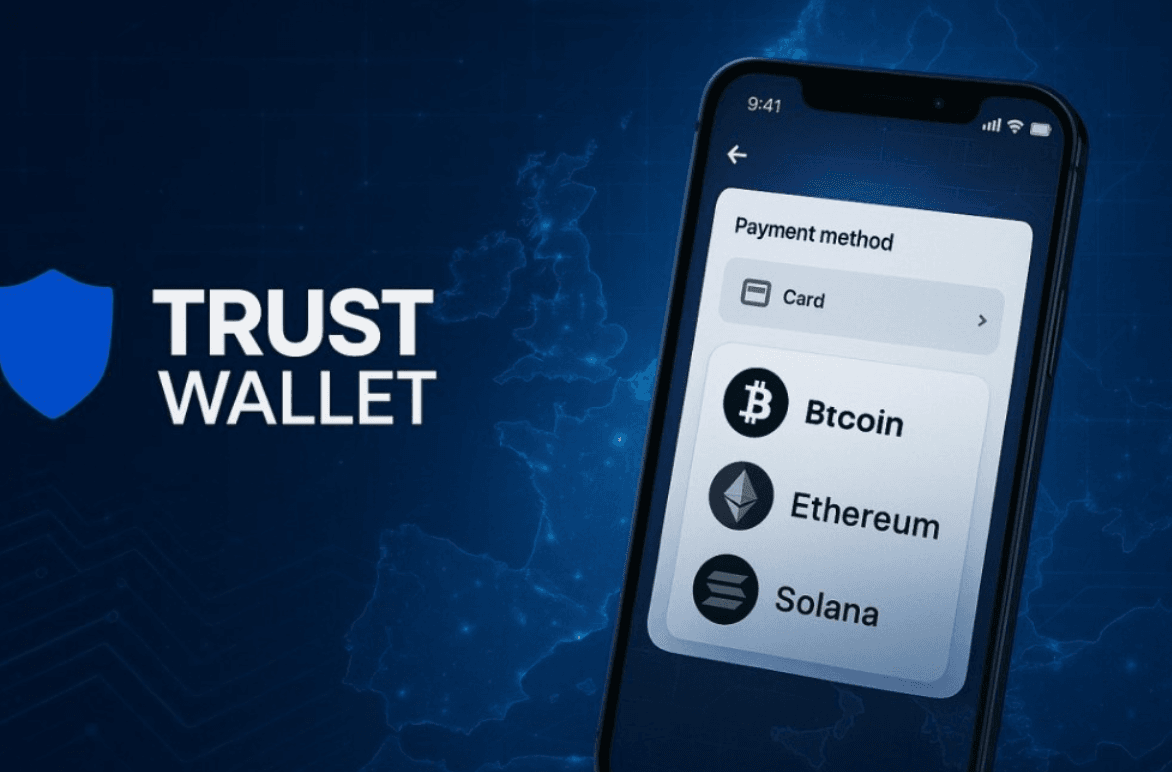
Why Transactions Get Stuck in the First Place
Before fixing a stuck transaction, understanding why it happened prevents the frustration of fixing it and then having it happen again immediately.
Every blockchain transaction requires a fee paid to the validators or miners who process it. On Ethereum and EVM-compatible networks, this fee is called gas. On Bitcoin, it is called a transaction fee. On Solana, it is called a priority fee. The name differs by network but the mechanism is the same: you are bidding for space in the next block that validators process.
When network activity is low, almost any fee amount gets your transaction included quickly. When network activity is high and many transactions are competing for the same block space, validators process transactions in order of fee size, highest first. A transaction submitted with a fee that was appropriate when you sent it can become stuck if network congestion increases afterward, because transactions offering higher fees jump ahead of yours in the queue.
The transaction does not disappear when it gets stuck. It sits in the mempool, which is the waiting area of unconfirmed transactions, until either a validator eventually includes it in a block or the network drops it after an extended period. On Ethereum, this waiting period can extend for hours or days during high congestion. On Bitcoin, it can extend even longer. On faster networks like Solana, the window is shorter but the mechanism is the same.
The Difference Between Stuck and Failed
Stuck and failed are two different situations that require different responses, and confusing them leads to incorrect fixes that either do not work or make the situation worse.
A stuck transaction is pending. It has been broadcast to the network and is sitting in the mempool waiting to be included in a block. Your funds are technically in transit and have not yet arrived at either the destination or your wallet. The transaction hash exists and you can look it up on a blockchain explorer. The status shows as pending rather than confirmed or failed.
A failed transaction has been attempted and rejected. The transaction hash exists, the blockchain processed the attempt, but the transaction did not execute successfully. Your funds return to your wallet, though you still pay the gas fee for the failed attempt. Common causes of failed transactions are insufficient gas limits, smart contract errors, slippage tolerance being exceeded on a swap, or attempting to interact with a contract that has already reached a state where your transaction is no longer valid.
The key distinction for troubleshooting is that a stuck transaction requires intervention to either speed up or cancel it, while a failed transaction has already resolved and your funds are already back. If your funds show in your wallet after a failed transaction, no further action is needed beyond understanding what caused the failure and adjusting before trying again.
How to Check the Status of Your Transaction
Before taking any action, confirming whether your transaction is stuck or failed is the essential first step.
Find your transaction hash in Trust Wallet by navigating to the asset involved, tapping on the transaction in your history, and looking for the transaction ID or hash. It is a long string of letters and numbers that uniquely identifies your transaction on the blockchain.
Take that hash to the appropriate blockchain explorer for the network you used. For Ethereum and EVM networks, Etherscan is the standard. For BNB Smart Chain, BSCscan. For Solana, Solscan. For Bitcoin, mempool.space provides particularly useful information about transaction status and estimated confirmation time.
The explorer will show you the current status clearly. Pending means stuck in the mempool. Success means confirmed and the funds have arrived. Failed means the transaction was processed but did not execute. If you cannot find the transaction at all on the explorer, there may have been a broadcast failure and the transaction never reached the network, which is a different situation addressed later in this guide.
How to Speed Up a Stuck Transaction on Ethereum
Ethereum and EVM-compatible networks give you two options for addressing a stuck transaction: speed it up by resubmitting with a higher gas fee, or cancel it by submitting a replacement transaction that sends zero value to yourself.
Both approaches work through the same mechanism. On Ethereum, each transaction from your address uses a sequential number called a nonce. A stuck transaction holds a specific nonce value. To replace it, you submit a new transaction using the same nonce with a higher gas fee. The network will process whichever transaction using that nonce offers the highest fee and ignore the other.
Trust Wallet provides a speed up option directly within the app for pending transactions on supported networks. To access it, navigate to your transaction history for the relevant asset, find the pending transaction, and look for a Speed Up or Cancel option. Tapping Speed Up submits a replacement transaction with a higher gas fee automatically. Tapping Cancel submits a zero-value transaction to your own address using the same nonce, effectively canceling the original.
If the in-app option is not available for your specific situation, you can manually submit a replacement transaction through a web3 interface connected to your Trust Wallet using WalletConnect. The replacement transaction must use the same nonce as the stuck transaction and offer a gas price meaningfully higher than the original, typically at least 10% to 20% above the current network gas price to ensure it gets processed ahead of the stuck transaction.
The timing of this intervention matters. Speed up and cancel operations only work while your original transaction is still pending in the mempool. Once a transaction has been included in a block, whether as a success or a failure, it cannot be altered. If your transaction has been pending for a very short time, there is a small window where even a speed up transaction may arrive too late to replace the original.
How to Fix a Stuck Bitcoin Transaction
Bitcoin transactions work differently from Ethereum transactions and require a different approach when stuck.
Bitcoin does not use nonces in the same way Ethereum does, which means the replacement transaction mechanism does not apply directly. Instead, Bitcoin offers two approaches for stuck transactions.
Replace by Fee is a mechanism where a Bitcoin transaction can be rebroadcast with a higher fee, replacing the original in miners' mempools if the transaction was initially broadcast with the RBF flag enabled. Trust Wallet enables RBF by default on Bitcoin transactions, which means most Bitcoin transactions sent through Trust Wallet can be replaced with a higher-fee version if they get stuck. To use RBF in Trust Wallet, find the pending transaction in your Bitcoin transaction history and look for an option to increase the fee or accelerate the transaction.
Child Pays for Parent is an alternative mechanism where you create a new transaction that spends the output of the stuck transaction and includes a fee high enough to make the combined fee rate of both transactions attractive to miners. This approach is more technically complex and typically used when RBF is not available. Trust Wallet does not expose CPFP directly in the interface, so this approach generally requires exporting your private key to a more technical wallet interface.
For most Trust Wallet users with stuck Bitcoin transactions, waiting is often the most practical option if the fee is not extremely low. Bitcoin's mempool cycles through transactions over time, and many low-fee transactions eventually confirm during periods of lower network activity even without intervention.
Why Transactions Fail on Swap
Failed transactions are particularly common during token swaps, and the causes in the swap context are different from simple send transactions.
Slippage tolerance is the most common cause of failed swaps. When you swap one token for another in Trust Wallet, the swap executes at the best available price at the moment the transaction is processed. Between the moment you confirm the swap and the moment it executes on chain, the price can move. If the price moves beyond your slippage tolerance, the swap contract rejects the transaction to protect you from receiving significantly less than you expected. The transaction fails, your funds return to your wallet minus the gas fee for the failed attempt.
The fix for slippage-related failures is to increase your slippage tolerance in Trust Wallet's swap settings before resubmitting. The trade-off is that higher slippage tolerance means you might receive less than expected if price movement is large. For stable pairs with low volatility, a 0.5% slippage tolerance is usually sufficient. For volatile tokens or low-liquidity pairs, 1% to 3% may be necessary to ensure the transaction executes.
Insufficient gas limit is another common cause of failed swaps, particularly for complex token contracts with multiple operations. Trust Wallet estimates the gas limit automatically but the estimate is occasionally too low for tokens with unusual transfer mechanisms, automatic reflection, tax functions, or other non-standard behaviors. If a swap fails repeatedly with a sufficient gas price, increasing the gas limit manually in the advanced settings before resubmitting often resolves the issue.
Token approval failures occur when you attempt to swap a token that Trust Wallet has not yet been approved to spend on your behalf through the relevant decentralized exchange contract. You must first send an approval transaction granting the contract permission to handle your tokens, and then the swap transaction can proceed. Trust Wallet typically handles this automatically as a two-step process, but if the approval transaction fails or was never broadcast, the swap will fail until the approval is in place.
What to Do When Your Transaction Does Not Appear at All
A scenario that causes significant confusion is submitting a transaction in Trust Wallet and finding that it does not appear on the blockchain explorer at all, not as pending, not as failed, simply absent.
This situation indicates a broadcast failure where the transaction was created by Trust Wallet but never successfully transmitted to the blockchain network. It can happen due to poor internet connectivity at the moment of submission, a temporary Trust Wallet server issue, or network congestion so severe that even the broadcast itself did not succeed.
The resolution is straightforward. Your funds are still in your wallet because a transaction that was never broadcast cannot have moved them. Check your balance to confirm the funds are present. If they are, simply resubmit the transaction under better network conditions. Ensure you have a stable internet connection and that Trust Wallet is fully updated before resubmitting.
If your balance shows the funds as deducted but the transaction does not appear anywhere on the explorer, try refreshing your wallet by pulling down on the asset screen to trigger a balance update. Trust Wallet occasionally displays cached balance information that does not reflect the current blockchain state. A refresh forces the wallet to query the blockchain directly and typically resolves display discrepancies.
Preventing Stuck and Failed Transactions
Understanding the common causes of stuck and failed transactions makes prevention straightforward once you know what to adjust.
Checking current network gas prices before submitting any transaction takes less than a minute and prevents the most common cause of stuck transactions. For Ethereum, ETH Gas Station and Etherscan's gas tracker show current recommended gas prices in real time. Setting your gas price at or above the recommended fast rate virtually eliminates the risk of your transaction getting stuck under normal network conditions.
Using Trust Wallet's suggested gas settings rather than the default for time-sensitive transactions is the simplest adjustment. Trust Wallet offers standard, fast, and custom gas options. Selecting fast adds a modest additional fee in exchange for significantly faster confirmation, which is worth the cost when you need the transaction to complete promptly.
For swaps, setting your slippage tolerance appropriately for the specific tokens involved before confirming prevents the majority of failed swap transactions. Checking the liquidity of the trading pair before swapping also helps, as low-liquidity pairs are more prone to price movement between confirmation and execution.
Keeping Trust Wallet updated to the latest version ensures you have the most current gas estimation algorithms and network connectivity improvements. Outdated app versions occasionally submit transactions with parameters that newer network conditions have made inadequate.
For those looking to participate in global financial markets, having access to the right trading platform matters. WEEX offers crypto and stock trading products, covering major global markets including US stocks and digital assets.
Conclusion
A stuck or failed Trust Wallet transaction is a technical problem with a specific cause and a specific solution in almost every case. Stuck transactions result from insufficient gas fees relative to current network demand and can be resolved by speeding up or canceling through the same nonce replacement mechanism. Failed transactions have already resolved with funds returned to your wallet, requiring only understanding of the cause before resubmitting with adjusted parameters.
The anxiety that accompanies a stuck or failed transaction is understandable but rarely warranted. Your funds are virtually always either still in your wallet, in transit in the mempool, or returned after a failed attempt. The blockchain keeps an accurate and immutable record of every transaction state, and checking that record through the appropriate explorer before taking any action gives you accurate information to work from rather than worst-case assumptions.
Prevention is more valuable than the fix. Checking gas prices before submitting, using appropriate slippage settings for swaps, and keeping Trust Wallet updated eliminate the majority of stuck and failed transaction situations before they occur.
FAQ
1. Why is my Trust Wallet transaction stuck?
A stuck transaction means it is pending in the mempool waiting to be included in a block. The most common cause is submitting the transaction with a gas fee that is too low relative to current network demand. Validators process higher-fee transactions first, leaving low-fee transactions waiting until network congestion decreases or you replace the transaction with a higher fee.
2. How do I cancel a stuck Trust Wallet transaction?
Find the pending transaction in your Trust Wallet transaction history and look for a Cancel option. This submits a replacement transaction using the same nonce with a higher gas fee that sends zero value to your own address, effectively replacing and canceling the original. The cancellation only works while the original transaction is still pending in the mempool.
3. Why did my Trust Wallet swap fail?
The most common causes are slippage tolerance being exceeded when the price moved between your confirmation and the transaction executing on chain, insufficient gas limit for tokens with complex transfer mechanisms, or a missing token approval. Increase your slippage tolerance in swap settings and resubmit, or increase the gas limit manually through advanced settings if slippage is not the cause.
4. Are my funds lost if my Trust Wallet transaction failed?
No. A failed transaction means the blockchain processed the attempt but did not execute it successfully. Your funds return to your wallet automatically. You pay the gas fee for the failed attempt but the principal amount is not lost. Check your wallet balance after a failed transaction and you will find the funds present.
5. My transaction does not appear on the blockchain explorer at all. What happened?
A transaction absent from the explorer was never successfully broadcast to the network. Your funds are still in your wallet. Check your balance to confirm, refresh the wallet by pulling down on the asset screen to force a balance update, and resubmit the transaction under stable internet conditions. No intervention beyond resubmission is required.
Disclaimer: This content is provided for general branding and informational purposes only and doesn't constitute financial, investment, legal, or tax advice. Any events, rewards, online events, or related information mentioned herein should not be considered a recommendation, solicitation, or invitation to purchase, sell, trade, or otherwise deal in any crypto assets or to use any services. Crypto assets are highly volatile and may result in loss. WEEX services and online events may not be available in all regions and are subject to applicable laws, regulations, and eligibility requirements. You are responsible for ensuring that your use of WEEX services complies with local laws and for carefully assessing the risks before participating in any crypto-related activities.
You may also like
Introducing Cash Cat ($CASHCAT): Robinhood Chain Meme Token and Price Prediction
Cash Cat is a Robinhood Chain meme token drawing attention after a fast market debut, a 1B supply, and sharp price swings.
LLY Stock Forecast: Can AI and Weight Loss Drugs Drive More Growth?
This article maps how Eli Lilly’s GLP-1 weight-loss franchise and AI-driven R&D could influence LLY’s traditional equity and…
CASHCAT Airdrop: How to Earn Up to 50,000 USDT in Rewards on WEEX
This guide breaks down how the CASHCAT Airdrop works on WEEX, the rewards on the table, and a…
What Is SOXS ETF? The 3X Bear Semiconductor ETF Explained
This guide breaks down SOXS—the Direxion Daily Semiconductor Bear 3X Shares—so you understand what a 3x inverse semiconductor…
Trust Wallet vs MetaMask: Which One Is Better for Beginners?
Trust Wallet and MetaMask are the two most widely used self-custody crypto wallets in the world. They serve different primary purposes and suit different types of crypto users. This guide compares them directly on the dimensions that matter most for beginners making their first wallet choice.

Trust Wallet Seed Phrase: How to Store It Safely and What Never to Do
Your Trust Wallet seed phrase is the single most important piece of information associated with your crypto holdings. Every security measure in the world is irrelevant if your seed phrase is compromised. This guide focuses entirely on storage methods, the specific mistakes that lead to loss, and the habits that protect your seed phrase over the long term.

O Airdrop for New Users: Earn USDT Rewards on WEEX
New to trading O and looking for USDT rewards? This guide explains how the WEEX O Airdrop for…
How to Install Trust Wallet Safely: What Most Guides Leave Out
Most Trust Wallet installation guides tell you where to download the app and how to save your recovery phrase. Few explain the specific mistakes that result in lost funds, compromised wallets, and successful phishing attacks during the setup process. This guide focuses on what those other guides skip.

Samsung Stock vs SK Hynix Stock: Which Korean Memory Giant Is the Better Buy Right Now?
Samsung stock and SK Hynix stock are the two largest memory companies in the world and the two dominant forces in the AI memory boom of 2026. This guide compares the two specifically on the variables that matter for the buy decision rather than on company history or general descriptions.
What Is Trust Wallet? A Complete Beginner's Guide
Trust Wallet is a self custody crypto wallet used by more than 200 million people across more than 100 blockchains. This guide explains what Trust Wallet actually is, how it works, what is new in 2026, and what beginners need to know before using it.
Is Samsung Stock a Buy After Falling 15% From Its All Time High?
Samsung stock is trading approximately 15% below its all time high despite reporting the highest quarterly operating profit ever recorded by a technology company. This guide focuses on the buy decision specifically, examining what the 15% discount actually represents and whether the business case justifies buying at current levels.

How to Buy Samsung Stock: What Non-Korean Investors Need to Know
Samsung Electronics has no US-listed ADR and no direct equivalent to SKHY on any major Western exchange. Non-Korean investors who want Samsung exposure have four main options, each with different cost structures, accessibility levels, and risk profiles. This guide explains each option precisely and what the tradeoffs actually are.

Samsung Stock Falls 7% on Record Profit: Why 1800% Earnings Growth Was Not Enough
Samsung stock fell roughly 7% on July 7 after reporting Q2 operating profit of approximately $58 billion, a 19 fold increase from the same quarter a year earlier. The result beat analyst estimates. The stock fell anyway. This guide explains the specific mechanism that produced that outcome and what it means for investors watching the July 30 full earnings report.
Why Oil Prices Are Rising Again: The Iran Hormuz Crisis and What It Means for Your Portfolio
Oil prices surged more than 3% after the US and Iran exchanged fresh strikes and issued conflicting statements about whether the Strait of Hormuz remains open. Brent crude climbed toward $79 a barrel. This guide explains what the Strait of Hormuz crisis actually is, why it moves oil prices, and what the current escalation means for different parts of an investment portfolio.
Iran Crisis and Stock Markets: Which Sectors Win and Which Lose?
The Iran Hormuz crisis has been reshaping sector performance since February 2026. Not all stocks react the same way when oil prices spike. Some sectors benefit directly and immediately. This guide maps which sectors win, which lose, and why the current crisis is producing unusual patterns in some categories.
Bitcoin and the Iran Crisis: Does Crypto Act as a Safe Haven When Oil Spikes?
Oil prices surged more than 3% on July 13 after fresh US-Iran strikes raised new questions about Strait of Hormuz access. Bitcoin and crypto markets responded with characteristic ambiguity. This guide examines whether crypto genuinely acts as a safe haven during oil price shocks, what the historical evidence says, and what the Iran crisis specifically reveals about crypto's role in a geopolitical stress environment.
KOSPI Crash and SKHY: Why South Korean Stocks Fall While US-Listed ADRs Hold
The KOSPI fell more than 8% and triggered a circuit breaker on July 13 while SKHY held near $168 on Nasdaq. The same company's shares moving in opposite directions on two exchanges on the same day is not a contradiction. It is the result of three distinct mechanisms operating simultaneously. This guide explains each one.
What Is a KOSPI Circuit Breaker and Why Has It Triggered Seven Times in 2026?
The KOSPI circuit breaker triggered for the seventh time in 2026 on July 13, halting all South Korean stock trading for 20 minutes after the index fell more than 8%. This guide explains what the circuit breaker is, why it keeps triggering, and what it reveals about the specific structure of the Korean market.
SK Hynix Stock Price Prediction 2026–2030: Can SKHY Reach $500?
SK Hynix stock price is trading at approximately $168 after its Nasdaq debut. Getting to $500 by 2030 requires roughly 198% appreciation over four years. This guide examines what the path to $500 actually requires across four years and three independent growth drivers that operate on different timelines.

SK Hynix Stock Price History: From $40 to $168 in One Year, What Drove the Rally?
SK Hynix stock price was trading near $40 per Korean share equivalent less than a year ago. Today SKHY trades at $168 on Nasdaq after the largest foreign ADR listing in history. This guide maps what drove each phase and what it means for where SK Hynix stock price goes next.
Should You Still Buy SKHY? What SK Hynix Stock's 13% IPO Gain Tells Investors
SK Hynix stock price opened at $170 on July 10 and closed at $168.01, representing a 13% gain from the $149 IPO price. The stock is now trading under its permanent SKHY ticker after switching from SKHYV. This guide focuses on whether the 13% first day gain changes the buy decision and what the current SK Hynix stock price implies about the investment case.
SK Hynix Stock Falls 13% in Korea as SKHY Surges in the US: What Just Happened?
SK Hynix stock fell more than 13% on the Korea Exchange on Monday, triggering a circuit breaker that briefly suspended trading of the entire KOSPI index. This guide explains why the same company's shares moved in opposite directions on two exchanges simultaneously and what it means for investors holding either.

SK Hynix Stock in Korea: Price, Drivers, and How to Buy It
SK Hynix stock (KRX: 000660) is Korea's most valuable listed company on the AI memory boom. See the price, drivers, risks, and how foreign investors can buy it.
Stock Futures Explained: What They Are and How to Trade Them
Stock futures let traders lock in an index price today and preview the market open. Learn how stock futures work, how to read them, and their risks.
BATRA Stock: Price, Forecast, and How to Trade Atlanta Braves Holdings in 2026
BATRA stock explained — Atlanta Braves Holdings price, share classes, 2026 forecast, and how to trade equity exposure via tokenized stocks.
TSMC Stock (TSM): Price, 2026 Forecast, and How to Get Exposure
TSMC stock trades near $434 in July 2026. See TSM's valuation, dividend, analyst price targets, how to buy it, and the key risks before you invest.
GDWR Coin (Global Digital Water Reserve): Legit or Hype?
Is GDWR coin legit? Global Digital Water Reserve is a Solana narrative token with no water backing. See its price, supply, risks, and how to buy safely.

USOH Crypto Scam or Legit? A Complete Risk Analysis
Is USOH Crypto legit or a scam? Explore United States Oil Holdings, its tokenized oil reserve claims, on-chain data, key risks, and investment considerations.
GDWR Crypto Scam or Legit? A Complete Risk Analysis
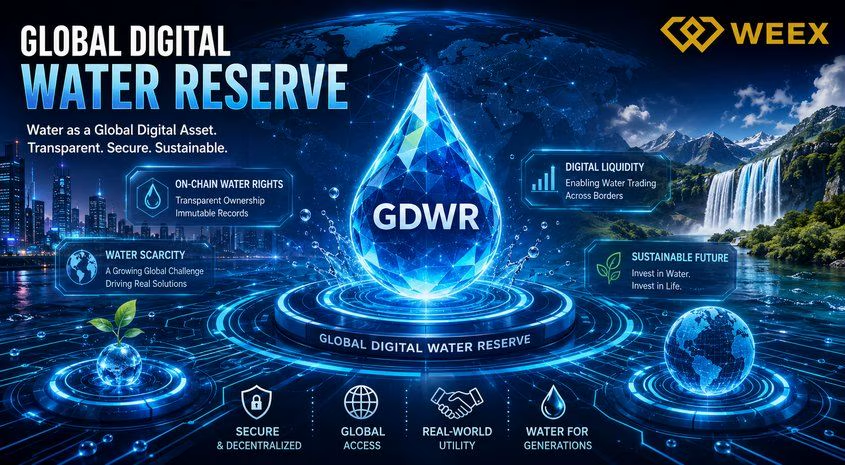
Is GDWR Crypto legit or a scam? Learn what Global Digital Water Reserve is, review its on-chain data, risk factors, and whether the project is backed by real-world water assets.

AI Stock Outlook: Will Iran Tensions Change the Market Outlook?
Explore how Iran tensions, rising oil prices, interest rates, and Big Tech AI spending could shape the next phase of the AI stock rally.
Introducing Cash Cat ($CASHCAT): Robinhood Chain Meme Token and Price Prediction
Cash Cat is a Robinhood Chain meme token drawing attention after a fast market debut, a 1B supply, and sharp price swings.
LLY Stock Forecast: Can AI and Weight Loss Drugs Drive More Growth?
This article maps how Eli Lilly’s GLP-1 weight-loss franchise and AI-driven R&D could influence LLY’s traditional equity and…
CASHCAT Airdrop: How to Earn Up to 50,000 USDT in Rewards on WEEX
This guide breaks down how the CASHCAT Airdrop works on WEEX, the rewards on the table, and a…
What Is SOXS ETF? The 3X Bear Semiconductor ETF Explained
This guide breaks down SOXS—the Direxion Daily Semiconductor Bear 3X Shares—so you understand what a 3x inverse semiconductor…
Trust Wallet vs MetaMask: Which One Is Better for Beginners?
Trust Wallet and MetaMask are the two most widely used self-custody crypto wallets in the world. They serve different primary purposes and suit different types of crypto users. This guide compares them directly on the dimensions that matter most for beginners making their first wallet choice.
Trust Wallet Seed Phrase: How to Store It Safely and What Never to Do
Your Trust Wallet seed phrase is the single most important piece of information associated with your crypto holdings. Every security measure in the world is irrelevant if your seed phrase is compromised. This guide focuses entirely on storage methods, the specific mistakes that lead to loss, and the habits that protect your seed phrase over the long term.

Contents
Latest articles




Latest coin listings on WEEX


